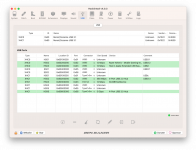
4GB or max of 8GB as you have 32GB available. You won’t need more than 4GB unless you are trying to use the mini PC for gaming or high end graphics processing.
It's not that difficult to find but you have to be prepared to explore AMD related settings. Its under Advanced/AMD CBS/ NB10 Common Options/ GFX Configuration/ UMA Frame/ Buffer Size
With your first EFI, My Beelink Ser5 MAX, most the same: CPU 5800H, VGA Vega 8, NVME SSD P3P500SSD8..., except WiFi: Intel(R) Wi-Fi 6 AX200 160MHz,
It can go to the macOS Sonoma installation menu...
Updated 1: After install the Sonoma 14 into second SSD (SATA3), it reboot and I select macOS installer at EFI menu to continue... and it CANNOT continue, and loop to restart.
Update 2: update the config.plist file, set SecureBootModel = Disabled, as your 2nd EFI... now it continue to install the macOS
Update 3: after continue to install the mac OS, it restarts again and it run a long time and stuck on black screen, maybe I installed the macOS on SATA drive (2nd drive)
Update 4: Do it again and change the install destination to the NVME SSD.
I installed successfully Sonoma 14, everything is OK (3GB VGA, HDMI, audio 3.5mm, Bluetooth...), except the WiFi
Continue to research on the WiFi installation.
Update 5: currently, itlwm.kext and AirportItlwm.kext don't support Sonoma 14, back to macOS Ventura (version 13)
With your first EFI, My Beelink Ser5 MAX, most the same: CPU 5800H, VGA Vega 8, NVME SSD P3P500SSD8..., except WiFi: Intel(R) Wi-Fi 6 AX200 160MHz,
It can go to the macOS Sonoma installation menu...
Updated 1: After install the Sonoma 14 into second SSD (SATA3), it reboot and I select macOS installer at EFI menu to continue... and it CANNOT continue, and loop to restart.
Update 2: update the config.plist file, set SecureBootModel = Disabled, as your 2nd EFI... now it continue to install the macOS
Update 3: after continue to install the mac OS, it restarts again and it run a long time and stuck on black screen, maybe I installed the macOS on SATA drive (2nd drive)
Update 4: Do it again and change the install destination to the NVME SSD.
I installed successfully Sonoma 14, everything is OK (3GB VGA, HDMI, audio 3.5mm, Bluetooth...), except the WiFi
Continue to research on the WiFi installation.
Update 5: currently, itlwm.kext and AirportItlwm.kext don't support Sonoma 14, back to macOS Ventura (version 13)
They do but you need to find and install the Alpha version of the kexts, they haven't produced release versions yet but they are available in the same place.
Update 5: currently, itlwm.kext and AirportItlwm.kext don't support Sonoma 14, back to macOS Ventura (version 13)
They do but you need to find and install the Alpha version of the kexts, they haven't produced release versions yet but they are available in the same place.
Yeah, I know but after tried to change WiFi kext to itlwm.kext in the EFI config, it cannot start to macOS. I tried back to AirportItlwm.kext but it still not work...
so I started reinstall again with macOS Ventura
The macOS Ventura installation, everything is OK, the hackintosh can connect to WiFi...
However, it very lag and not stable when I open web browsers, I have to restart the hackintosh many times, maybe there are some conflicts in the system.
It seems issues of Accelerator of Chromium browser.
Hi everyone, is bluetooth working properly on your Trigkey with Intel AX 200? I can see the surrounding bluetooth devices, but I can't connect to any of them. On Intel Hackintosh machines I have not had a problem with the AX 200 card so far. Thanks.
I have Trigkey Speed S5 Pro 5700U and I am using your EFI + RestrictEvents.kext, Ventura 13.6.4. The computer can see the bluetooth Nearby Devices but cannot connect to any of them.
Its your USB Map. But I just found out that the Magic Mouse connects via bluetooth with no problems. So it can't connect a JBL speaker and a Razer mouse. I don't have any other bluetooth devices here to try. So it looks like the bluetooth is sort of partially working.
This site uses cookies to help personalise content, tailor your experience and to keep you logged in if you register.
By continuing to use this site, you are consenting to our use of cookies.
Sure, ad-blocking software does a great job at blocking ads, but it also blocks some useful and important features of our website. For the best possible site experience please take a moment to disable your AdBlocker.