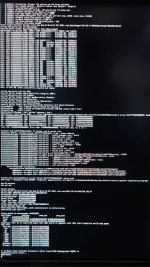
hey, @ExtremeXT, @Visual, I just got a minisforum hx90g, when I install monterey 12.6, I get a kernel panic message, I tried a few patches made by @Visual, but the kernel panic message will Recurrence; if it is convenient, can you provide directions or ideas to solve the problem; thank you very much.
When I plug the device in the two usb4 ports, the device is recognized in hackintool, but when using diskutil list, it gets stuck and the device becomes unresponsiveView attachment 10172
When I plug the device in the two usb4 ports, the device is recognized in hackintool, but when using diskutil list, it gets stuck and the device becomes unresponsive
IOReg shows that XHC0 and XHC1 did not get renamed by the previous SSDT
So new SSDT does not delete XHC0 and XHC1
Instead, I am now deleting the RHUB device under XHC0 and XHC1 and creating a new RHUB with child ports
Previous port map did not modify GP19 that handles the three USB-C ports
I have created new SSDT-USB-HX99G-GP19.aml that deletes RHUB under XHC2, XHC3, XHC4 and creates new RHUB devices and child ports PRT1 and PRT2, both set to Type 9
We must also use the companion kext USBPorts-XHC2-XHC3-XHC4.kext
So let's try one more time with the following new files in REV-2 (attached):
First we have three SSDTs (previous ones should be disabled or replaced):
SSDT-USB-HX99G-GP17.aml
SSDT-USB-HX99G-GP19.aml
SSDT-USB-HX99G-GPP5.aml
And we have two code-less kexts (previous ones should be disabled or replaced):
USBPorts-XHC0-XHC1-XHC5.kext
USBPorts-XHC2-XHC3-XHC4.kext
After applying these changes and rebooting, let's see:
IOReg shows that XHC0 and XHC1 did not get renamed by the previous SSDT
So new SSDT does not delete XHC0 and XHC1
Instead, I am now deleting the RHUB device under XHC0 and XHC1 and creating a new RHUB with child ports
Previous port map did not modify GP19 that handles the three USB-C ports
I have created new SSDT-USB-HX99G-GP19.aml that deletes RHUB under XHC2, XHC3, XHC4 and creates new RHUB devices and child ports PRT1 and PRT2, both set to Type 9
We must also use the companion kext USBPorts-XHC2-XHC3-XHC4.kext
So let's try one more time with the following new files in REV-2 (attached):
First we have three SSDTs (previous ones should be disabled or replaced):
SSDT-USB-HX99G-GP17.aml
SSDT-USB-HX99G-GP19.aml
SSDT-USB-HX99G-GPP5.aml
And we have two code-less kexts (previous ones should be disabled or replaced):
USBPorts-XHC0-XHC1-XHC5.kext
USBPorts-XHC2-XHC3-XHC4.kext
After applying these changes and rebooting, let's see:
Let's try one more attempt (VER 3) -- simply copy all files from attached ZIP to EFI/OC/ACPI and EFI/OC/Kexts folder and reboot. Would be good to see the IOReg file after reboot.
If this does not make any difference either, then I am out of ideas!
Let's try one more attempt (VER 3) -- simply copy all files from attached ZIP to EFI/OC/ACPI and EFI/OC/Kexts folder and reboot. Would be good to see the IOReg file after reboot.
If this does not make any difference either, then I am out of ideas!
I have only discovered this thread, having recently bought a HX99G (external 6600 graphics). I work in embedded systems development but have zero Hackintosh experience.
With the current settings, I can verify that two adjacent type-A usb ports are working on the rear and they can support USB2 devices and hubs but for USB3, only a single device and NO hubs ever work. For USB3, the IOregistry tool also shows the usb drivers occasionally deleting and reattaching this one device and when using a USB3 type network interface, the network link is consequently being restarted. These two type-A ports are on "XHC5" (base addresses 0x0010,0000 for the first port) and I believe this is the Etron EJ188/EJ198 chipset i.e. not the Rembrandt SoC USB.
Can anyone advise me if this is sensible:
. focus on getting only these two type-A XHC5 ports working fully (5Gbps with hubs) and remove any mention of the others from ACPI etc., or
. is it better to try to get say one of the Rembrandt ports working (the third type-A port on the rear is currently mapped to XHC1 ports 1/USB2 and 5/USB10Gbps, addresses 81x0,0000)?
(not sure if we can just ignore other controllers)
Thank you.
I have only discovered this thread, having recently bought a HX99G (external 6600 graphics). I work in embedded systems development but have zero Hackintosh experience.
With the current settings, I can verify that two adjacent type-A usb ports are working on the rear and they can support USB2 devices and hubs but for USB3, only a single device and NO hubs ever work. For USB3, the IOregistry tool also shows the usb drivers occasionally deleting and reattaching this one device and when using a USB3 type network interface, the network link is consequently being restarted. These two type-A ports are on "XHC5" (base addresses 0x0010,0000 for the first port) and I believe this is the Etron EJ188/EJ198 chipset i.e. not the Rembrandt SoC USB.
Can anyone advise me if this is sensible:
. focus on getting only these two type-A XHC5 ports working fully (5Gbps with hubs) and remove any mention of the others from ACPI etc., or
. is it better to try to get say one of the Rembrandt ports working (the third type-A port on the rear is currently mapped to XHC1 ports 1/USB2 and 5/USB10Gbps, addresses 81x0,0000)?
(not sure if we can just ignore other controllers)
Thank you.
I am currently using the system (monterey 12.6.3) but with only the two adjacent read USB type A sockets active - one supports a normal collection of USB2 only devices, and the other can have one USB2 or one USB3 device (i.e. I can have 2 fast internal nvme disks and one fast external usb3.2 disk, and I have a USB2 network interface). I have to balance hacking time with work time.
For Linux, I've found that the pop_os! Linux correctly detects all hardware including the 6600 GPU and usb3.2 (looks like thunderbolt is also working but I didn't check that). For BSD, you'll need FreeBSD-14-current in order that the latest linux drivers for navi23 (6600) can be installed i.e. don't bother with FreeBSD-13.x. When working on adjusting monterey, I find that the pop_os! install USB disk offers a fast way to quickly access the EFI setup and restore a known working version if something breaks.
hey, @ExtremeXT, @Visual, I just got a minisforum hx90g, when I install monterey 12.6, I get a kernel panic message, I tried a few patches made by @Visual, but the kernel panic message will Recurrence; if it is convenient, can you provide directions or ideas to solve the problem; thank you very much. View attachment 7592
I am currently using the system (monterey 12.6.3) but with only the two adjacent read USB type A sockets active - one supports a normal collection of USB2 only devices, and the other can have one USB2 or one USB3 device (i.e. I can have 2 fast internal nvme disks and one fast external usb3.2 disk, and I have a USB2 network interface). I have to balance hacking time with work time.
For Linux, I've found that the pop_os! Linux correctly detects all hardware including the 6600 GPU and usb3.2 (looks like thunderbolt is also working but I didn't check that). For BSD, you'll need FreeBSD-14-current in order that the latest linux drivers for navi23 (6600) can be installed i.e. don't bother with FreeBSD-13.x. When working on adjusting monterey, I find that the pop_os! install USB disk offers a fast way to quickly access the EFI setup and restore a known working version if something breaks.
One work around for USB3.x that has helped me is place an M.2 to PCIe extender (https://www.amazon.com.au/gp/product/B078HKPR9N/) in the second M.2 NVMe socket and then drive an external Inateck PCIe to USB 3.2 Gen 2 Card (https://www.amazon.com.au/dp/B08M5YHWFD). I am not convinced that this particular Inateck card supports USB3.2gen2 as claimed but it seems fine as USB3.2gen1. By avoiding the AMD 6900HX internal USB controllers, the system is very stable.
The Inateck PCIe card has a maximum bandwidth of 20 Gbs which is shared between the 5 x USB ports.
The 2 x Type-C ports and next two Type-A ports share 10 Gbs between them. So using more than one port at a time would impact on the bandwidth available to each connected device.
Only the bottom/left hand Type-A port has 10 Gbs bandwidth exclusively.
The M.2 adapter adds another limitation to the equation seeing as the maximum throughput it is capable of is 1000 Mb/s.
The Inateck PCIe card has a maximum bandwidth of 20 Gbs which is shared between the 5 x USB ports.
The 2 x Type-C ports and next two Type-A ports share 10 Gbs between them. So using more than one port at a time would impact on the bandwidth available to each connected device.
Only the bottom/left hand Type-A port has 10 Gbs bandwidth exclusively.
View attachment 11059
The M.2 adapter adds another limitation to the equation seeing as the maximum throughput it is capable of is 1000 Mb/s.
Thanks! That PCIe adapter (from my hacking junk box) rated at 1GB/s explains why I never see >5Gb/s from the Inateck card.
Now that I have a stable system, I will search for an adapter with better speed specs (I see a few more compact options from a quick search just now).
This site uses cookies to help personalise content, tailor your experience and to keep you logged in if you register.
By continuing to use this site, you are consenting to our use of cookies.
Sure, ad-blocking software does a great job at blocking ads, but it also blocks some useful and important features of our website. For the best possible site experience please take a moment to disable your AdBlocker.