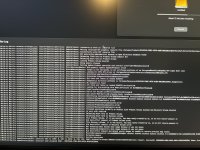
This is my first time creating a EFI for hackintosh but Macos gives me a blocked sign, I tried doing what dortainia said in the trouble shooting guide but it didn’t work. I have USBToolBox Mapping but still not working does anyone know how to fix this?
While that WD drive looks like it should be OK for use as a macOS drive, I would be a little wary as it doesn’t use the same Controller as the other main stream WD drives. They all use ‘Polaris’ controllers, whereas the SN730 uses a ‘20-82-00705-A2 Triton MP28’ controller. The SN730 is commonly seen in OEM laptops, i.e. it is less expensive and can be rebranded by Lenovo, HP etc.
While that WD drive looks like it should be OK for use as a macOS drive, I would be a little wary as it doesn’t use the same Controller as the other main stream WD drives. They all use ‘Polaris’ controllers, whereas the SN730 uses a ‘20-82-00705-A2 Triton MP28’ controller. The SN730 is commonly seen in OEM laptops, i.e. it is less expensive and can be rebranded by Lenovo, HP etc.
I am actually losing it, I tried it with both the online and offline, tried uninstalling my M470 PRO, disconnecting every device except for ethernet, displayport, keyboard, mouse, and usb but it still gets stuck at About 12 mins Remaining
I am actually losing it, I tried it with both the online and offline, tried uninstalling my M470 PRO, disconnecting every device except for ethernet, displayport, keyboard, mouse, and usb but it still gets stuck at About 12 mins Remaining
I DID SOME DIGGING AND I FOUND THIS AND IT WORKED. “
Head to your config. plist and change the following if not
already: Boot -> Quirks DisableVariableWrite = False
Misc -> Security ExposeSensitiveData = At least 0x1 or
higher (hex) or 1 (decimal) NVRAM LegacyOverwrite =
True WriteFlash = True
With in your efi, add the following efi folders to the drivers if not already: OpenVariableRuntimeDxe.efi driver OpenRuntime.efi driver (this is needed for proper sleep, shutdown and other services to work correctly) Head to any plist editor (preferably ProperTree) and conduct a OC Snapshot (Cmd+shift+R). Head to UEFI->Drivers and make sure the two efi files are enabled to load early and that OpenVariableRuntimeDxe.efi is placed before OpenRuntine.efi in your config.”
I DID SOME DIGGING AND I FOUND THIS AND IT WORKED. “
Head to your config. plist and change the following if not
already: Boot -> Quirks DisableVariableWrite = False
Misc -> Security ExposeSensitiveData = At least 0x1 or
higher (hex) or 1 (decimal) NVRAM LegacyOverwrite =
True WriteFlash = True
With in your efi, add the following efi folders to the drivers if not already: OpenVariableRuntimeDxe.efi driver OpenRuntime.efi driver (this is needed for proper sleep, shutdown and other services to work correctly) Head to any plist editor (preferably ProperTree) and conduct a OC Snapshot (Cmd+shift+R). Head to UEFI->Drivers and make sure the two efi files are enabled to load early and that OpenVariableRuntimeDxe.efi is placed before OpenRuntine.efi in your config.”
This site uses cookies to help personalise content, tailor your experience and to keep you logged in if you register.
By continuing to use this site, you are consenting to our use of cookies.
Sure, ad-blocking software does a great job at blocking ads, but it also blocks some useful and important features of our website. For the best possible site experience please take a moment to disable your AdBlocker.