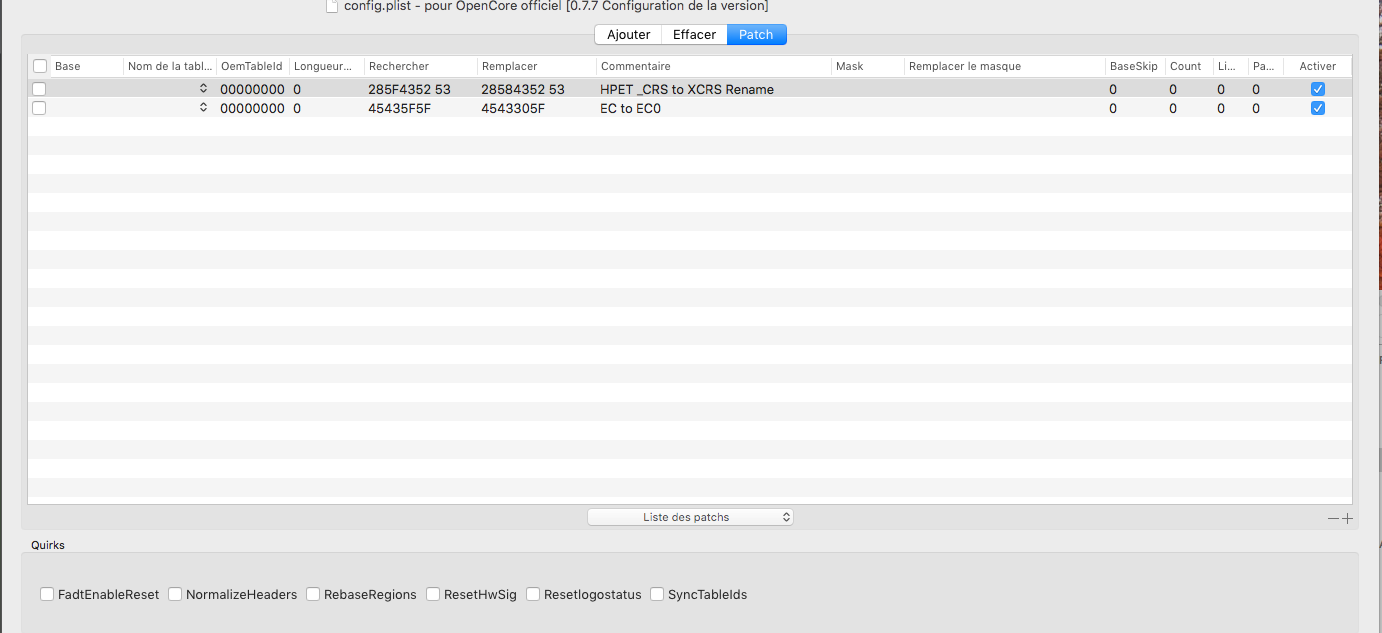
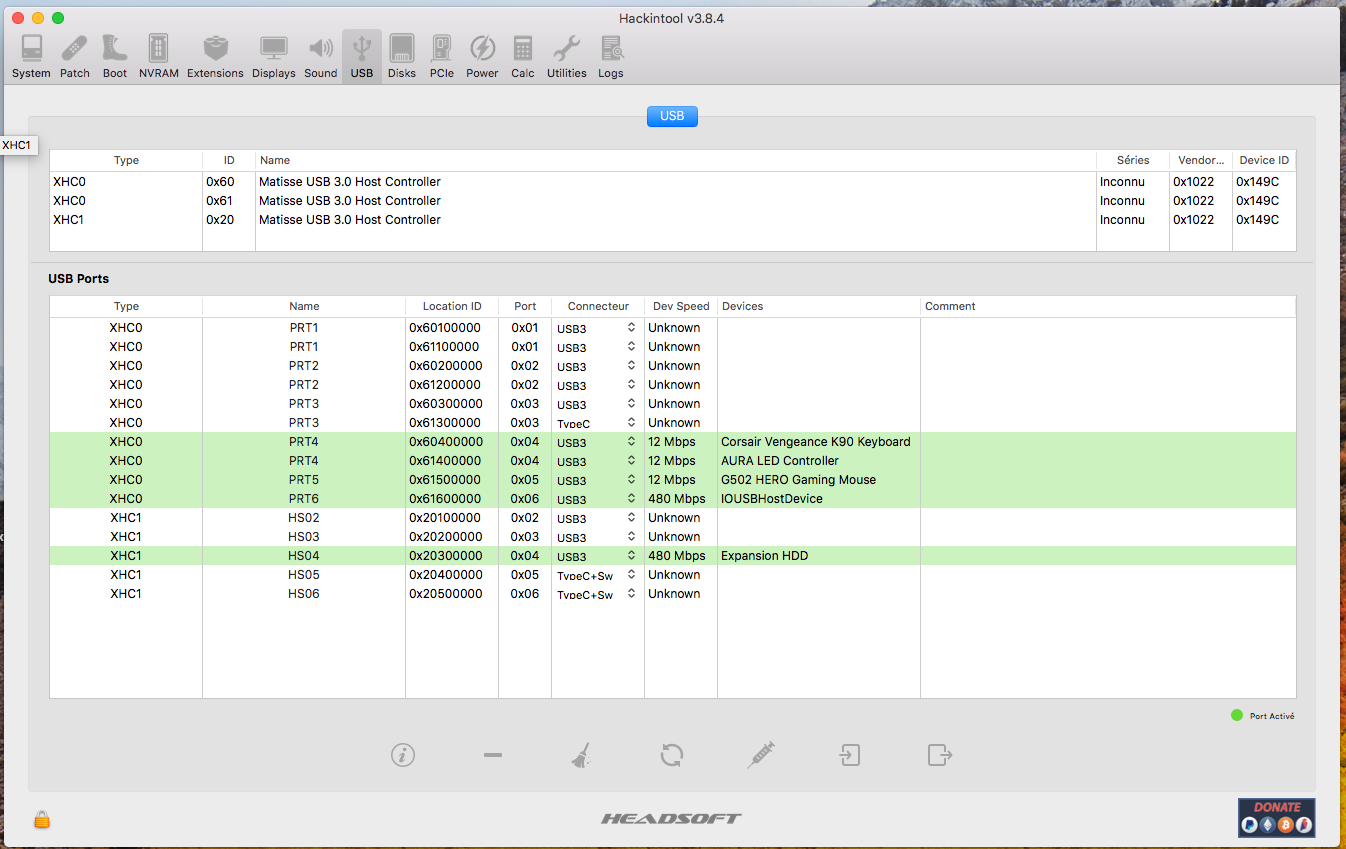
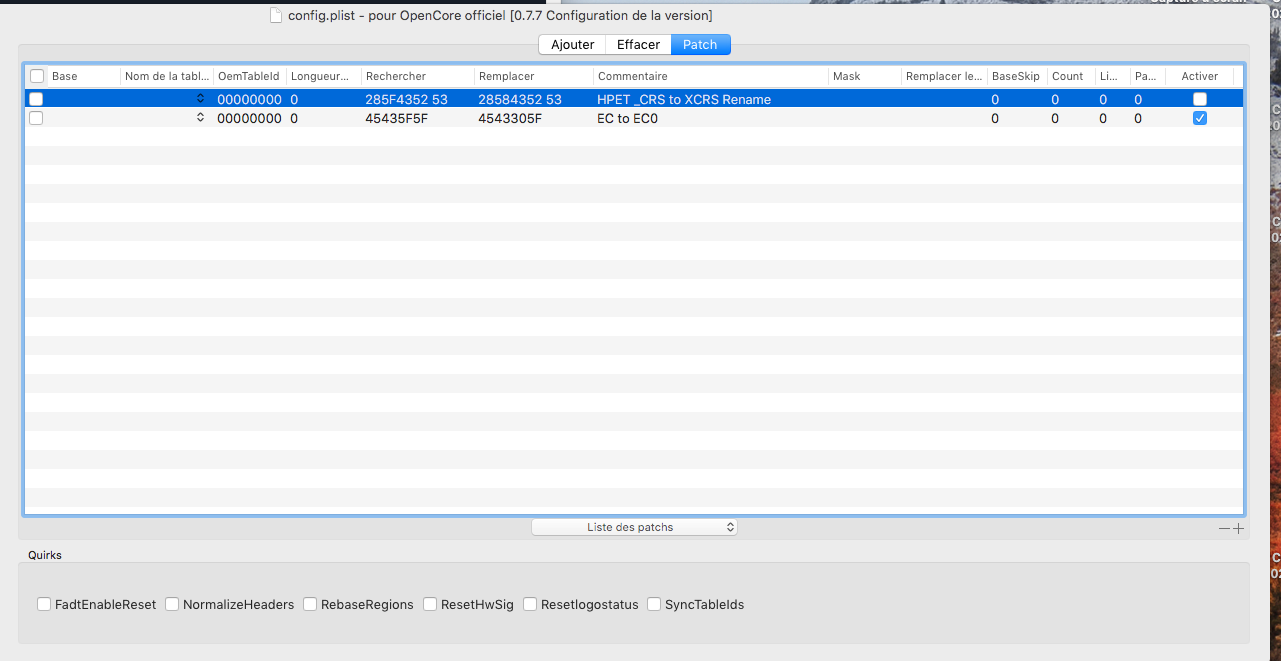
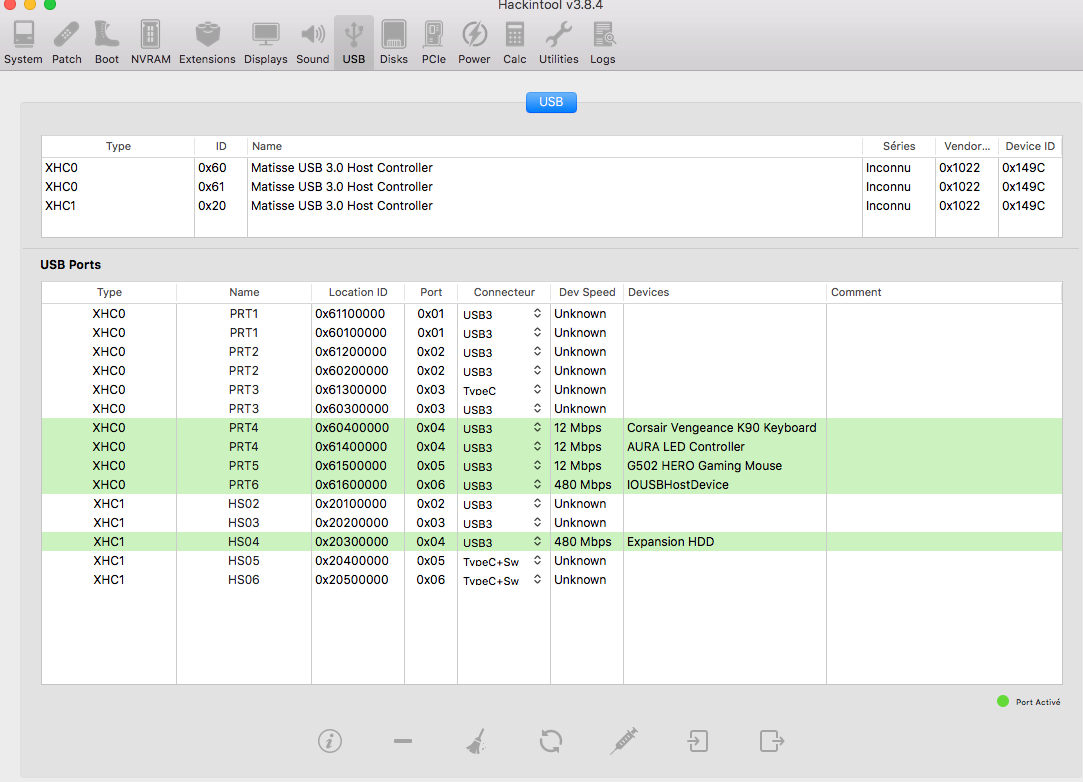
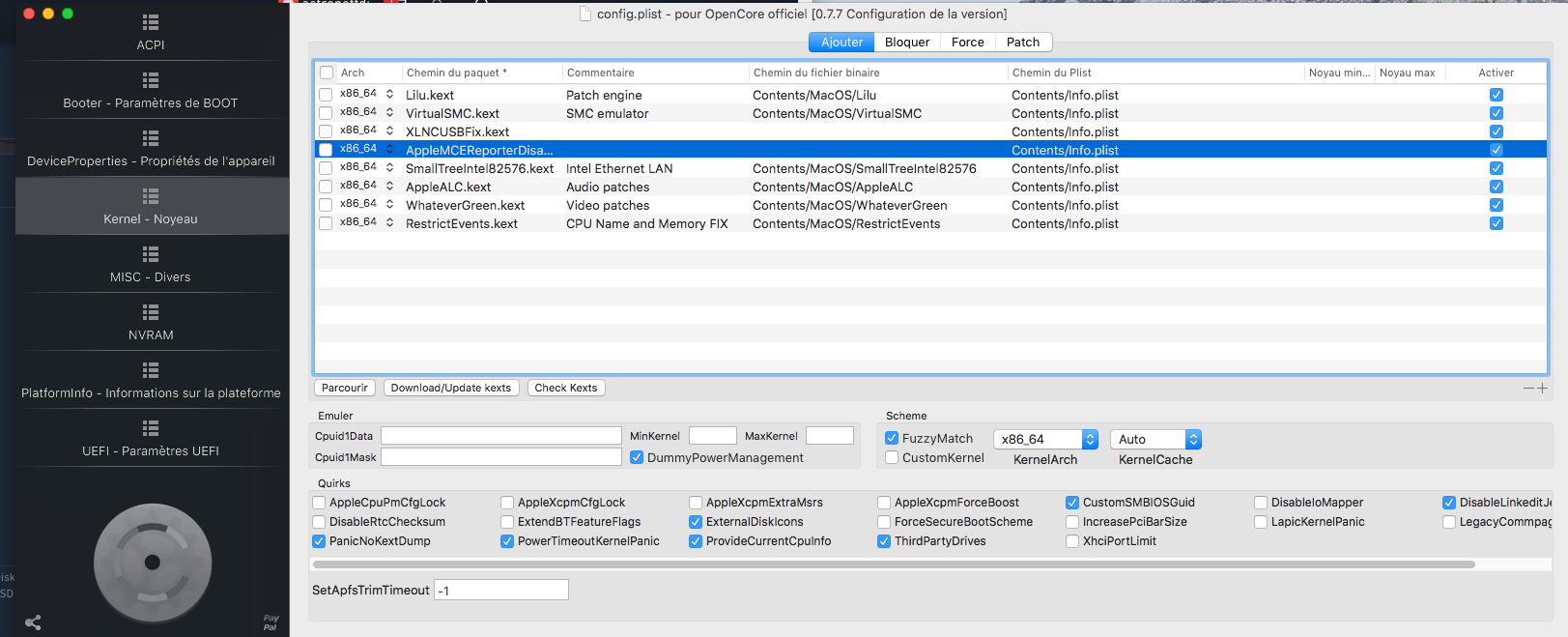
the opencore documentation dosent explain it very well or only for intel procos .....
start to feel like a bipoc wanting to live in japan with this build imao (or im a complete retarded dumbass who dosent understand **** it's also a possibility)
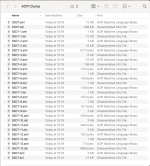
Where are the Tables that the Dump ACPI tool generated?
This is the ACPI Dump folder on my Desktop, which I created as part of the Dump from my Haswell Hack.
The Dump ACPI tool will have asked you where you wanted the tables saved as part of the process. The Terminal text is no use. I need to examine the DSDT.aml table.
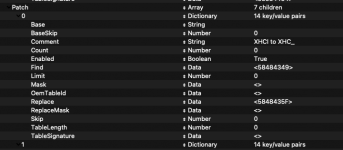
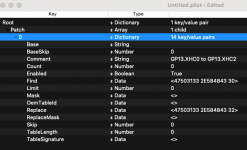
The rename patch is a simple thing to edit, as I have one I use in OpenCore for a similar rename (on an Intel Hack), as shown below:
XHCI to XHC_ rename patch used with my Skylake Intel Hack.
The patch above could easily be edited to rename XHC0 to XHC2 with the relevant find and replace entries.
XHC0 = 58484330
XHC2 = 58484332
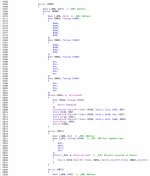
But this is only of use if the two XHC0 controllers can be differentiated in the DSDT.aml.
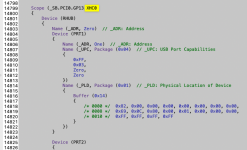
So the basic find and replace entries above would need to be extended, to include the part that differentiates the controllers, i.e. \_SB.PCI0.xxxx.XHC0 might be shown in two different locations, as two different methods, scopes etc. in your DSDT.aml. Where xxxx is the differentiator for the two controllers. Converting the xxxx part to Hex and adding it to the part shown above would be the differentiator.
So the find and replace entries would be more akin to these.
So from inspecting your DSDT.aml I can confirm the following:
There are 6 locations where the XHC term is used.
None of the 6 locations match with XHC1.
4 of the 6 contain XHC0. These are the two USB controllers we need to confirm.
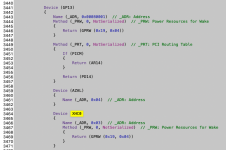
The other 2 locations contain XHCE and XHCD, these only occur once each, so we can assume they are not used in your DSDT.aml or by your system
The two XHC0 controllers provide the following in your DSDT.aml
Scope (_SB.PCI0.GP13.XHC0) contains 8 ports. This is the USB controller that requires the rename patch.
Device (XHC0) contains 10 ports. This USB controller should be left as it is.
So based on this I believe the Find and Replace rename patch, for the GP13.XHC0 USB controller should look like this, following a simple Text to Hex conversion.:
after loading your patch it seems like nothing has changed do i skipped something ?
i've included the patch into the config.plist and deleted the UTBMap.kext from the config and folder
then rebooted
this is really strange, if i look on your post it seems perfectly logic and should've worked, at least at renaming the controller,
do you think include the rest "_SB.PCI0" will change anything ?
and when i try to connect my UR22mkii i get this error
Code:
par défaut    20:00:28.605169 +0100    icdd    #ICDebug - 504:{ICDDMessageCenter.m} (-Rem IOUSBHostDevice - 0x0/0x0/0x0 - 0x61600000 - ICDeviceDescriptionUndefined)
par défaut    20:00:28.846058 +0100    kernel    000083.007029 XHC0@61000000: AppleUSBXHCI::getCompanionPortGated: unsupported protocol USB  03.10
par défaut    20:00:29.084207 +0100    icdd    #ICDebug - 23:{ICWiredBrowser.m} (USB Device first match)
par défaut    20:00:29.084742 +0100    icdd    #ICDebug - 388:{ICWiredBrowser.m} (4 USB Descriptions Managed)
par défaut    20:00:29.085051 +0100    icdd    #ICDebug - 457:{ICDDMessageCenter.m} (+Add IOUSBHostDevice - 0x0/0x0/0x0 - 0x61600000 - ICDeviceDescriptionSUQuery)
par défaut    20:00:29.085053 +0100    icdd    #ICDebug - 205:{ICResourceManager.m} (00000000-0000-0000-0000-000004242422|IOUSBHostDevice|(null)|SW=FALSE|)
par défaut    20:00:29.085380 +0100    icdd    #ICDebug - 457:{ICDDMessageCenter.m} (+Add IOUSBHostDevice - 0x0/0x0/0x0 - 0x61600000 - ICDeviceDescriptionAdded)
par défaut    20:00:29.366740 +0100    kernel    000083.527716 XHC0@61000000: AppleUSBXHCI::assignDeviceAddressGated: device at address 3 is not a hub
par défaut    20:00:30.422538 +0100    kernel    000084.583514 XHC0@61000000: AppleUSBXHCI::assignDeviceAddressGated: device at address 3 is not a hub
par défaut    20:00:31.491209 +0100    kernel    000085.652184 XHC0@61000000: AppleUSBXHCI::assignDeviceAddressGated: device at address 3 is not a hub
par défaut    20:00:32.570931 +0100    kernel    000086.731905 XHC0@61000000: AppleUSBXHCI::assignDeviceAddressGated: device at address 3 is not a hub
par défaut    20:00:33.662173 +0100    kernel    000087.823148 XHC0@61000000: AppleUSBXHCI::assignDeviceAddressGated: device at address 3 is not a hub
erreur    20:00:33.980832 +0100    bluetoothd    Apple80211GetIfListCopy returns error -3903
par défaut    20:00:34.762915 +0100    kernel    000088.923890 XHC0@61000000: AppleUSBXHCI::assignDeviceAddressGated: device at address 3 is not a hub
par défaut    20:00:35.871972 +0100    kernel    000090.032948 XHC0@61000000: AppleUSBXHCI::assignDeviceAddressGated: device at address 3 is not a hub
par défaut    20:00:36.991971 +0100    kernel    000091.152946 XHC0@61000000: AppleUSBXHCI::assignDeviceAddressGated: device at address 3 is not a hub
par défaut    20:00:36.992095 +0100    kernel    000091.153073 AppleUSB20HubPort@61610000: AppleUSBHostPort::disconnect: persistent enumeration failures
Unfortunately while it looked logical I made a mistake with the ACPI address of the two XHC0 controllers. I realised this after using your DSDT.aml with Corpnewt's SSDTTime python script. I used SSDTTime to generate a pair of custom SSDT's for your system:
SSDT-EC.aml
SSDT-USB-Reset.aml
Plus an ACPI rename patch for EC0 to EC , which your system requires.
These are attached in the results folder below, along with an individual SSDT-USBX.aml.
I would recommend do the following:
Remove the current SSDT-EC-USBX.aml from your system /OC/ACPI folder and config.plist.
Add the three SSDT's and the ACPI Patch rename patch attached to your setup on the USB pen drive.
Remove the XHC0 rename patch we added previously from the config.plist on the USB pen drive.
Then reboot the system, again booting from the revised setup on the USB pen drive.
Use the ClearNvram & ResetSystem tools on the OC boot screen, to remove any previous Nvram entries.
When you reboot in to macOS do the following:
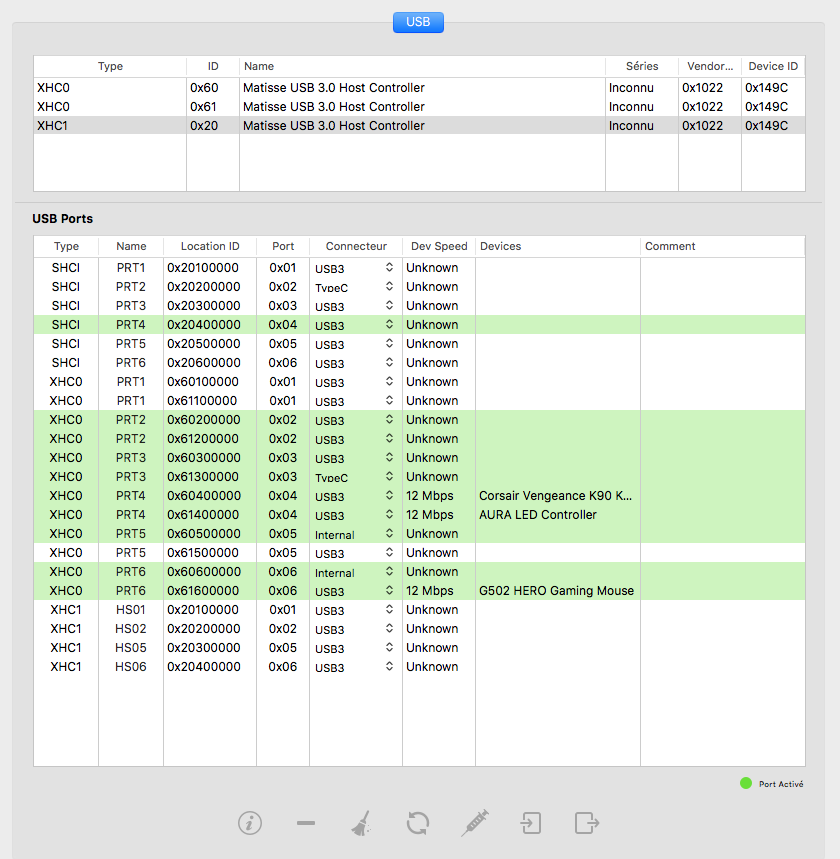
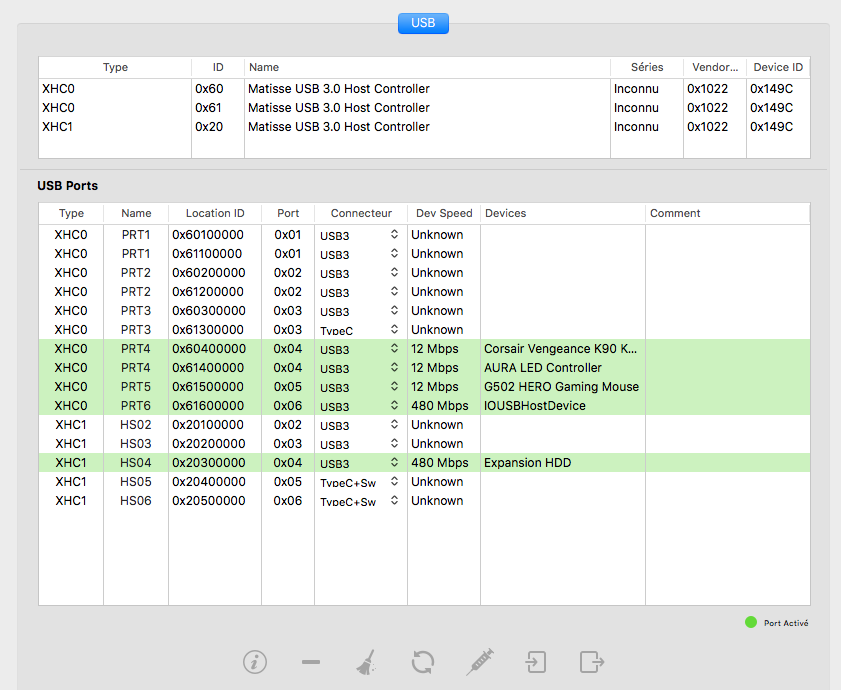
Clear all the USB ports shown on the USB window in Hackintool, using the Sweeping brush icon (third from the left).
Refresh the USB window using the refresh con (fourth from the left) looks like circular arrows.
See what difference this makes to the ports and controllers that are displayed.
Post a screenshot with all the ports displayed after the refresh and addition of the custom SSDT's etc.
I have taken your EFI folder an edited it as I would were I using your system. Copy attached below.
This EFI is based on OC 0.7.7
I have changed and updated some Tools and Drivers.
I have added the kexts and SSDT's mentioned above.
Removed the SSDT-SBRG.aml, as this device is not present in your system.
I have made a few edits based on the OC guide for AMD Ryzen boards in line with your system.
It uses the OC GUI instead of the Picker List.
Copy this revised EFI to the EFI partition on a spare USB pen drive and see how it boots.
Remember to use the ClearNvram and SystemReset tools before you boot in to macOS. These Auxiliary icons may be hidden, just press the Spacebar and the tool icons should appear on the OC boot screen.
This site uses cookies to help personalise content, tailor your experience and to keep you logged in if you register.
By continuing to use this site, you are consenting to our use of cookies.
Sure, ad-blocking software does a great job at blocking ads, but it also blocks some useful and important features of our website. For the best possible site experience please take a moment to disable your AdBlocker.