Tahoe Installation on B850

Koffein71

New member
AMD OS X Member
Jan 22, 2026
9
0
1
CPU:
Ryzen 9800X3D
Hi Forum,

my old Haswell Hackintosh got broke before christmas and now i've got a new PC with this items:

CPU: Ryzen 9800X3D
MB: MSI MAG B850 TOMAHAWK MAX WIFI
RAM: Kingston FURY DIMM 64 GB DDR5-6000 (2x 32 GB)
SSD: 2x WD Black SN8100 4TB (PCI-E 5.0) (1xWin11 1xLinux)
1x WD Black SN850 2TB (PCI-E 4.0) free for macOS
1x Crucial MX500 2TB (SATA3) with a macOS Tahoe installed on my old broke Hackintosh
GPU: Radeon 6800
Internal LAN will not be used, because it would not supported by macOS. Instead i will use USB2LAN adapter.

My goal is to boot the Tahoe installation on the SATA SSD and then to clone it to the 2TB nvme.

I've tried to create an EFI with OpCore Simplify but the attempt failed as espected.
Further trials with Dortania Guide and a lot of forum readings failed too.
I use OpenCore 1.0.6-DEBUG and most kexts are debug version too.
AMD patches (beta) has been applied and ACPI files has been mostly generated by SSDTTime.

Most attemps end with this log line:
Code:
AAPL: #[EB|LOG:EXITBS:START]

I am not sure about the root cause, found nothing about B850 builds, so maybe there is a specific problem with this chipset.
Has someone of you experience with AM5 B850 boards ? Are there any obstacles i am not aware of ?
As attachment my EFI folder and the logfile of last boot attempt.
Perhaps someone can provide some clues?
 

Attachments

Sorry I can't help, but may I ask, with all of those drives, has that limited your PCI-E 5.0 speed to 4.0, as usually it does on non X870 platforms?
I'm getting a B850M soon, also an MSI, and was wondering what to expect if I ran multiple NVME/SATA's.
 
Can't say that, mostly i do not have both PCI-E 5.0 in operation at the same time. One has the Windows installation, the other one the Linux OS.
Both drives reaches nearly 15GB/s which is the maximum PCI-E 5.0 can provide. And according to the MSI manual both M2 slots are assigned directly to the CPU.
So my expectation is, that the CPU can handle both at that speed.
 
No, as only one or at best two of the NVME drives is capable of running at PCIe 5.0 (usually the top M.2 connector). The rest are either set to work at PCIe 4.0 or 3.0 speeds.

I doubt you will notice the difference between a drive working at 5.0 and 4.0 speeds. I can’t on my x670E or B650E boards. Benchmarking will show a difference but real life usage I am not so sure.

You do need to check if any of the NVME connectors share bandwidth/PCIe lanes with the SATA ports, as that used to be a limiter for one of the M.2 connectors on some boards. The user manual or specification page usually states if that is the case, or not.
 
According to the MSI manual both M2_1 and M2_2 slots are PCI-E 5.0, assigned directly to the CPU. M2_4 is PCI-E 4.0 from chipset and M2_3 is PCI-E 4.0 x2 shared with a PCI slot.
M2_4 got a WD Black SN850 (PCI-E 4.0). I want to clone the Tahoe installation from SATA SSD.
But first i have to make a proper EFI for the B850 board. Thats the point i currently working on.
 
You need a patched DSDT.aml for your B850 motherboard, before you can install macOS on it.
 
@Koffein71 OC Simplify does not work well on AMD system
Your EFI is a mesS! :)

AMD platform as yours needs to do a proper MMIO whitelist or to set a proper booter quirks
Your EFI uses pikera boot arg without using WhateverGreen.kext
Also you use SSDT plug and SSDT CPUR (only one of this is to use)

if you like try with this config if you do a step forward
But you have to study better your needs with this great platform
 

Attachments

You need a patched DSDT.aml for your B850 motherboard, before you can install macOS on it.
We haven't even reached the point where we see ACPi errors indicating the need to have the DSDT patched! :)
 
SSDTTime generated a few aml files, which I then added to config.plist.

  • SSDT-EC.aml
  • SSDT-PLUG.aml
  • SSDT-USB-Reset.aml
  • SSDT-USBX.aml
In later trials i've added
  • SSDT-EC-USBX
  • SSDT-CPUR (recommended for B550 and later. Not sure whether needed for B850)
A moment ago i found a DSDT.aml in the SSDTTime subfolder .\Results\OEM.
 
SSDTTime generated a few aml files, which I then added to config.plist.

  • SSDT-EC.aml
  • SSDT-PLUG.aml
  • SSDT-USB-Reset.aml
  • SSDT-USBX.aml
This is enough for start
Latest two you found later are or the same things oe worst :)
try my config with your EFi and see if you do a step forward
 
Here the oc log for the boot attempt.

It shows some mmio related lines:
Code:
02:587 00:001 OCABC: MMIO devirt start
02:588 00:001 OCABC: MMIO devirt 0xE0000000 (0x10000 pages, 0x800000000000100D) skip 0
02:590 00:001 OCABC: MMIO devirt 0xF7000000 (0x7E00 pages, 0x800000000000100D) skip 0
02:591 00:001 OCABC: MMIO devirt 0xFEE00000 (0x1 pages, 0x8000000000000001) skip 0
02:593 00:001 OCABC: MMIO devirt 0xFEE01000 (0x11FF pages, 0x800000000000100D) skip 0
02:594 00:001 OCABC: MMIO devirt 0x1060000000 (0x20200 pages, 0x800000000000100D) skip 0
02:596 00:001 OCABC: MMIO devirt end, saved 935936 KB

In a former attempt i've created a mmio whitelist for all that 'skip 0' lines and got then same with 'skip 1'
Found that in the dortania guide iirc. But i am not sure whether this was a correct doing.
 

Attachments

I bypassed for now MMIO things using DisableVariableWrite quirk togheter classic DevirtualizeMMIO quirk

do you do a step forward or do you stop always in the same place?

Good source are here and also on macOS86.it
no others places :) :)
 
do you do a step forward or do you stop always in the same place?
In the end i've got the same result. Last line in log is:
Code:
AAPL: #[EB|LOG:EXITBS:START]
Then it stops until i press the reset button.

Good source are here and also on macOS86.it
Thats why i write here.
Thank you very much for your efforts. I really appreciate it.
 
@Koffein71 disable wifi and ethernet from your Bios
Always in Bios
Disable CSM, enable UEFI, Enable 4G and resizebar option
Disable fast Boot

and try this different EFI (language is in italian but if you see some debug lines in verbose different of "EXIT and son on" we wil try to adjust
if you see some debug verbose line do a photo or a video
Debug is not useful (i mean opencore.txt file) in this step of your tries to boot
 

Attachments

I did as you requested. Except LAN off the BIOS settings were already set accordingly.
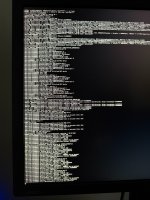
no more oc boot log, but a photo of the boot output. After the last line it stopped.
 

Attachments

  • Bootlog.jpeg
    Bootlog.jpeg
    3.2 MB · Views: 2
ok a step forward
i cant see initial debug
do you see some ACPI lines errors?
 
@fabiosun
have you Thunderbolt working on Tahoe ?
 
  • Like
Reactions: AMDPUSH
No ACPI related errors found. But as a difference to former boot attempts
the boot picker shows only the macOS installation on the SATA SSD.
The Windows and Linux installation on the nvme disks are not shown anymore.
But thats not a problem for the moment.
 
  AdBlock Detected
Sure, ad-blocking software does a great job at blocking ads, but it also blocks some useful and important features of our website. For the best possible site experience please take a moment to disable your AdBlocker.