12.0 Monterey Asus B550-I

blueve

New member
AMD OS X Member
Feb 23, 2022
11
2
3
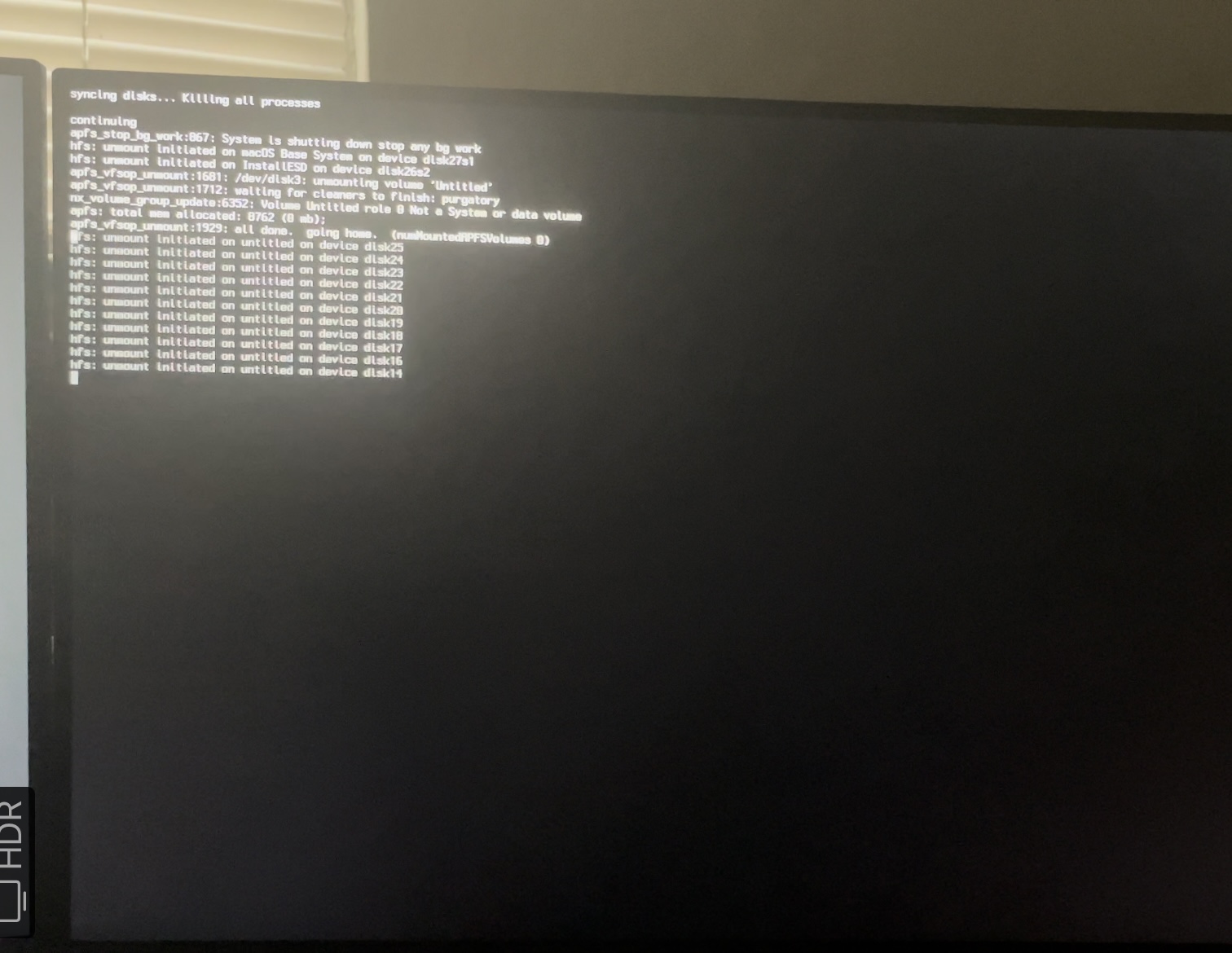
New to all of this so all the help and advice will be helpful. once it passes the verbose the first time and you need to install it on your hard drive one of three things happens. It freeze during installation, tells me that an error occurred while loading the update which has happened a couple of times and sometimes it gets stuck all together after the apple logo first appear. this happens as well on big sur. AMD Ryzen 5 3600 6-Core Processor with a sapphire 580 pulse and a Wi-Fi 6 card. doesn't really matter what macOS I run, I just wanna make it work if possible.
 

Attachments

Solution
I have the same MB and I'm running Monterey 12.2.1 currently. I installed Monterey by doing the normal upgrade from Big Sur.

Wifi doesn't work, but LAN Intel i225-V Ethernet port works well (1 Gbps) with the following OC boot-args setting:
NVRAM -> Add -> boot-args -> -v keepsyms=1 debug=0x100 alcid=1 dk.e1000=0
i.e. that last one "dk.e1000=0" is the solution. Do not include any kexts, like FakePCIID.kext and FakePCIID_Intel_I225-V.kext.
This setting works also with Big Sur.

Bluetooth works with this:
1. Make sure IntelBluetoothFirmware.kext v1.1.3 or newer is used.
2. Exclude the injection of IntelBluetoothInjector.kext for macOS Monterey from the Bootloader's config
3. Include BlueToolFixup.kext from acidanthera/BrcmPatchRAM

In...
Are you aware that there are issues when running MacOS Monterey and using the Intel I225-V 2.5Gb Ethernet controller.

The kext that worked with the Intel Ethernet controller built in to your motherboard stopped working in MacOS Monterey. There are a few other issues running Monterey but they are mostly MSI board related.

If you are trying to use the Internet Recovery method to install macOS then It is likely that your Ethernet stops working during the installation process. It may be that your WiFi also stops working, even with AirportItlwm.kext in your /EFI/OC/Kexts folder.

The LucyRTL8125Ethernet.kext in your /EFI/OC/Kexts folder is used for 2.5GB Realtek Ethernet controllers, not Intel 2.5GB Ethernet controllers.

For the Intel 2.5GB Ethernet controller you need to use the SmallTreesIntel82576.kext (copy attached) when running macOS Mojave, Catalina or Big Sur.

The SmallTreesIntel82576.kext doesn't work in Monterey, so you need to use the latest beta of AppleIGB.kext (copy attached) for your Intel Ethernet controller to work in Monterey.

Replace the LucyRTL8125Ethernet.kext in your /EFI/OC/Kexts folder and the entry for the kext in your config.plist with whichever kext you need for the version of macOS you want to run.
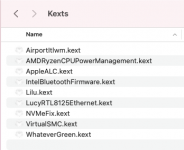
Screenshot 2022-02-26 at 13.36.30.png Your /EFI/OC/Kexts folder containingLucyRTL8125Ethernet.kext
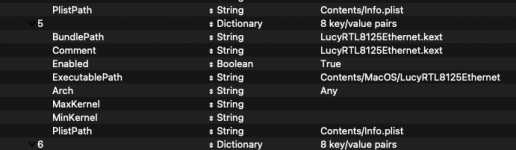
Screenshot 2022-02-26 at 13.36.14.png config.plist entry forLucyRTL8125Ethernet.kext, needs to be removed and replaced.

While you are editing your /EFI/OC/Kexts folder and config.plist you should also look at adding AppleMCEReporterDisabler.kext to your setup. As this kext will be helpful when installing MacOS Monterey.

If you have been able to Enable the Above 4G Decode option in your Bios don't worry about this option. Most people have to use the npci=0z2000 boot arg in their config.plist, when they can't find the Above 4G Decode option in their bios.
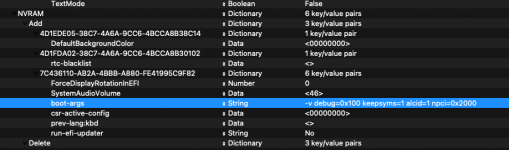
Screenshot 2022-02-26 at 13.43.07.png

The boot argument would look like the highlighted line in the screenshot above, when added to the other boot-args in your config.plist (when viewed using ProperTree plist editor)

With these changes see if you can get through the macOS installation.

 

Attachments

So I don’t need AppleIGB.kext for Big Sur? Just making sure because i think I’ll have better Luck with sir or Catalina. And thank you. Ran your config with 4g enable on Monterey and it didn’t work. Gonna do some more testing. Thank you
 
That is correct, you don't need AppleIGB.kext in the older versions of macOS. As the SmallTreesIntel82576.kext still works in those versions of macOS.

If you have enabled Above 4G Decode in your Bios you don't need to use the npci=0x2000 boot argument. If you use the two together the system will kernel panic.
 
  • Like
Reactions: blueve
That is correct, you don't need AppleIGB.kext in the older versions of macOS. As the SmallTreesIntel82576.kext still works in those versions of macOS.

If you have enabled Above 4G Decode in your Bios you don't need to use the npci=0x2000 boot argument. If you use the two together the system will kernel panic.
I just ran Catalina and I got to 2 minutes for to install on my hard drive then it crashed. I’ll try to take a picture but it happens so fast
 
Try this EFI that I have created for your system. See if this boots.

All that is missing from this EFI is the AirportItlwm.kext for your Intel WiFi.

It made the EFI too large to upload on this site. I have retained the config.plist entry for the kext, but disabled it. So when you add the kext back in all you need to do is change the config.plist entry back to enabled.

See if this boots without the WiFi kext, it is not essential if your Ethernet is working.

I have included both the AppleIGB.kext which works in Monterey and the SmallTrees kext that works up to the final release of Big Sur. Both are enabled in the config.plist but with Max and Min kernel settings that prevent them from both being injected at the same time or in the wrong version of macOS.

Hopefully this will work for your system.
 

Attachments

  • Like
Reactions: blueve
thank you, and honestly if it doesn't work. I won't be upset. though would be nice to save some cash til I get the m1 laptop. ill let you know sometime in the morning.
 
Try this EFI that I have created for your system. See if this boots.

All that is missing from this EFI is the AirportItlwm.kext for your Intel WiFi.

It made the EFI too large to upload on this site. I have retained the config.plist entry for the kext, but disabled it. So when you add the kext back in all you need to do is change the config.plist entry back to enabled.

See if this boots without the WiFi kext, it is not essential if your Ethernet is working.

I have included both the AppleIGB.kext which works in Monterey and the SmallTrees kext that works up to the final release of Big Sur. Both are enabled in the config.plist but with Max and Min kernel settings that prevent them from both being injected at the same time or in the wrong version of macOS.

Hopefully this will work for your system.
Progress, so yours for some reason did work almost I kept trying to install it but it would always crash. I found this https://github.com/narze/hackintosh-rog-strix-b550i-gaming and it’s the exact specs minus the cpu and I was able to run it, but the only issue was no efi on my hard drive so it looked like it installed. Now since I know it can be possible this is exciting
 
Glad to hear you are making progress, don't know why my EFI didn't work for you.

The Github page and EFI folder you linked would contain the AMD patches set for an 8-core CPU. Yours is a 6-core CPU.

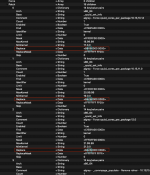
So the only changes you would need to make to the other EFI for it to work would be to the three (3) CPU core patches, as highlighted in the screenshot below.

Screenshot 2022-02-27 at 17.01.15.png AMD CPU patches, where 3rd & 4th numbers in the Replace item need to match your CPU's core count (06).

The config.plist from the other EFI would contain (08) to match the EFI for the 8-core CPU.

Plus of course you need to add your own iMacPro1,1 SMBIOS data to the PlatformInfo > Generic section.
 
  • Like
Reactions: blueve
I have the same MB and I'm running Monterey 12.2.1 currently. I installed Monterey by doing the normal upgrade from Big Sur.

Wifi doesn't work, but LAN Intel i225-V Ethernet port works well (1 Gbps) with the following OC boot-args setting:
NVRAM -> Add -> boot-args -> -v keepsyms=1 debug=0x100 alcid=1 dk.e1000=0
i.e. that last one "dk.e1000=0" is the solution. Do not include any kexts, like FakePCIID.kext and FakePCIID_Intel_I225-V.kext.
This setting works also with Big Sur.

Bluetooth works with this:
1. Make sure IntelBluetoothFirmware.kext v1.1.3 or newer is used.
2. Exclude the injection of IntelBluetoothInjector.kext for macOS Monterey from the Bootloader's config
3. Include BlueToolFixup.kext from acidanthera/BrcmPatchRAM

In general with Montery you also need:
  • RestrictEvents.kext
  • PlatformInfo --> Generic --> AdviseFeatures: True

I have used both iMacPro1,1 and MacPro7,1 profiles. Nowadays I'm using the latter one.
 
Solution
oh ok, i will try that out. ill make some changes. you are using the same wifi card as well correct?
 
Thank you so much, work so smooth. I'm so glad I'm able to get this to work and you just saved me so much money. or until im able to get a Mac because im still unsure how this is gonna be in the long run. And my last question for you is that does airdrop work or is that not a thing for most hackintosh?
 
Last edited:
  • Like
Reactions: t_riikonen
Yes Airdrop, Continuity and Handoff all work on a Hackintosh system, as long as you have the correct Broadcom WiFi/BT card, i.e. an original Apple Airport card or a Fenvi Broadcom card.

Intel WiFi/BT cards don't support all or many of these Apple services. Which ones are supported with an Intel card would be based on the kext used to initiate and activate the card.
 
  • Like
Reactions: blueve
  AdBlock Detected
Sure, ad-blocking software does a great job at blocking ads, but it also blocks some useful and important features of our website. For the best possible site experience please take a moment to disable your AdBlocker.