Sequoia installation troubles on an AMD 9 / RX580

GrisOlle

New member
AMD OS X Member
Jun 15, 2026
5
0
1
CPU:
AMD 7900X
Greetings!
Running into some problems installing Sequoia 15.7.7. on the following system

Motherboard: MSI Pro B650-a WiFi,
CPU: AMD Ryzen 9 - 7900X,
GFX1: //Temporarily Disconnected// GeForce rtx 5060ti 16gbvram (epci1 - Windows/Linux),
GFX2: Radeon Rx 580 series 8gbvram (epci2 - hackintosh),
RAM: 32Gb DDR5
PS: Corsair rm850e
SSD1: //Temporarily Disconnected// Lexar Area pro 1Tb (m2.1 - windows)
SSD2: //Temporarily Disconnected// Fangxian 256gb (m2.2 - Linux)
SSD3: Lite-on LGT128 m6g (m2.3 - hackintosh hopefully)

Currently I only have the Radeon and the SSD in m2.3 connected for the purpouse of installation. Monitor is connected via displayport on the Radeon RX580.
I´ve created the USB using OpenCore Legacy patcher 2.4.1 (I have very slow internet connection atm so I need to download the image offsite and copy)
Below is the config file I´ve taken from the post kindly suggested by @Edhawk and edited with information that i could find regarding this setup
I´ve tried to clean up the kext to get it to install however it freezes up on me and I can´t undertand where the error is.

I have some doubts, is it correct that the UTBMap.kext has a maximum of 16 ports (I´ve disabled 3 as it discovered 17)?

is this correct:
Code:
-v keepsyms=1 debug=0x100 agdpmod=pikera npci=0x3000


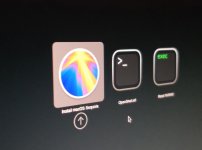
Screen Shot 2026-06-16 at 23.41.44.pngScreen Shot 2026-06-16 at 23.42.07.png

Screen Shot 2026-06-16 at 23.42.21.png
 

Attachments

Last edited:
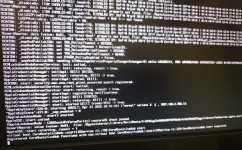
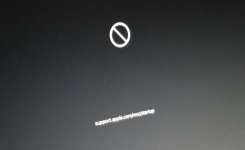
This is where the installation stops

83320.jpg
 
GFX1: //Temporarily Disconnected// GeForce rtx 5060ti 16gbvram (epci1 - Windows/Linux),
GFX2: Radeon Rx 580 series 8gbvram (epci2 - hackintosh),
Having the RX580 hanging from the chipset rather than the CPU is not optimal. I'm afraid that a dual or triple boot with alternative GPUs will be difficult, unless you can find a motherboard with a pair of x8/x8 bifurcated PCIe slots from the CPU.

I know none of your SSDs, and have no idea whether any is suitable for macOS, which is picky.
I have some doubts, is it correct that the UTBMap.kext has a maximum of 16 ports (I´ve disabled 3 as it discovered 17)?
No. The limit is 15, but it applies per controller; as AMD systems have multiple USB controllers you may well have more than 15 ports in total.
How have you done USB mapping? In doubt, use a USB 2.0 port and/or device.
-v keepsyms=1 debug=0x100 agdpmod=pikera npci=0x3000
agdpmod=pikera is for Navi cards (RX 5000, 6000), your RX580 does not need it.
npcie=0x3000 maybe, but why?

No SSDT-CPUR, or equivalent (PLUG-ALT)? That's not going to work.
 
  • Like
Reactions: GrisOlle
AMD systems need to enable ‘Above 4G Decoding’ bios option or add the ‘npci=0x3000’ boot argument, if the bios option can’t be found.

Never both at the same time.
 
  • Like
Reactions: GrisOlle
The proposed Lite-on SSD is a SATA/AHCI drive not NVME, so it may be OK as the macOS drive.

The Fangxian NVME drive is fine as a secondary drive, I.e. containing a different OS, not as a macOS drive. I know this from experience using a similar drive in a dual boot Dell system.

I’ve never used a Lexar Ares Pro PCIe 5.0 drive, but doubt it would play well with macOS. It may be OK as the Windows drive but only time will tell when it is reconnected and the OP tries to triple boot their system.
 
  • Like
Reactions: GrisOlle and etorix
How have you done USB mapping? In doubt, use a USB 2.0 port and/or device.

I inserted my windows SSD and used USBToolBox. I´ll try with usb 2.0

No SSDT-CPUR,

added the SSDT-CPUR

enable ‘Above 4G Decoding’ bios option

would it be the same to disabled the 4G Decoding and keep npci=0x3000?

Will give this a go next time and see what happens :)
(hoping I can post in the success stories soon!)
 
I had a chance to try out advice from @Edhawk and @etorix (cheers!). I added back the SSDT-CPUR and some of the kext I belive are needed for this system.
However even after resetting NVRAM I'm still not able to install

Could it be due to some incompatible kext?
Do I need to add anyhing in the boot-args?
Code:
-v keepsyms=1 debug=0x100 slide=0

config.plist and log file attached below

Screen Shot 2026-06-20 at 18.11.39.png

Screen Shot 2026-06-20 at 18.13.13.png
 

Attachments

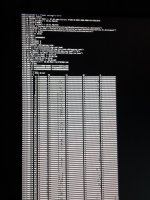
What verbose text is shown on the screen when you try to boot the system to the macOS Installer? Post a photo of the text (whole screen) so we have a better idea of what is causing the kernel panic.
 
You would be best served using the above 4G Decoding bios option and deleting the boot argument. That is my experience with a similar system.
 
  • Like
Reactions: etorix
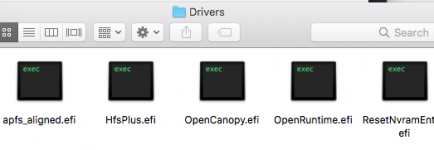
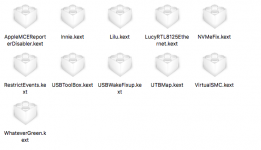
Here is a screenshot showing how I have setup my OpenCore EFI folder for my B650E-F Gaming system. It displays all the kexts, SSDT's, Drivers etc.

Screenshot 2026-06-20 at 18.50.39.png OC EFI folder contains viewed in Finder.

See if anything stands out as being obviously different in your setup.

I would confirm the following:
  1. All the SSDT's were generated using Corpnewt's SSDTTime and the system ACPI tables in a Windows installation on the B650E system.
  2. I am using OCLP v2.4.1 on this system to get the Broadcom WiFi working in Sequoia.
  3. NootRX.kext is used to support my RX 6700 XT dGPU.
  4. The USBPorts.kext was created using Hackintool, but it was based on a UTBMap.kext that I initially generated while running Windows 11. The USBPorts.kext was created because I was looking to install Tahoe on a separate drive/partition. So as UTBMap doesn't support Tahoe I used Hackintool v4.1.4 in Sequoia to generate/export a Tahoe compatible USB kext.
 
  AdBlock Detected
Sure, ad-blocking software does a great job at blocking ads, but it also blocks some useful and important features of our website. For the best possible site experience please take a moment to disable your AdBlocker.