Greetings!
Running into some problems installing Sequoia 15.7.7. on the following system
Motherboard: MSI Pro B650-a WiFi,
CPU: AMD Ryzen 9 - 7900X,
GFX1: //Temporarily Disconnected// GeForce rtx 5060ti 16gbvram (epci1 - Windows/Linux),
GFX2: Radeon Rx 580 series 8gbvram (epci2 - hackintosh),
RAM: 32Gb DDR5
PS: Corsair rm850e
SSD1: //Temporarily Disconnected// Lexar Area pro 1Tb (m2.1 - windows)
SSD2: //Temporarily Disconnected// Fangxian 256gb (m2.2 - Linux)
SSD3: Lite-on LGT128 m6g (m2.3 - hackintosh hopefully)
Currently I only have the Radeon and the SSD in m2.3 connected for the purpouse of installation. Monitor is connected via displayport on the Radeon RX580.
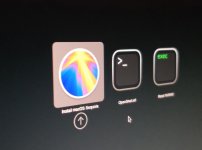
I´ve created the USB using OpenCore Legacy patcher 2.4.1 (I have very slow internet connection atm so I need to download the image offsite and copy)
Below is the config file I´ve taken from the post kindly suggested by @Edhawk and edited with information that i could find regarding this setup
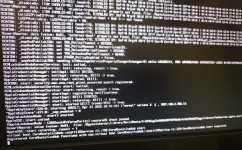
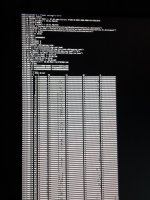
I´ve tried to clean up the kext to get it to install however it freezes up on me and I can´t undertand where the error is.
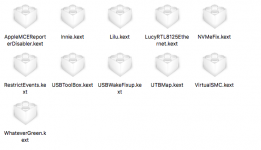
I have some doubts, is it correct that the UTBMap.kext has a maximum of 16 ports (I´ve disabled 3 as it discovered 17)?
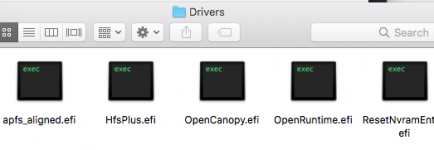
is this correct:

Running into some problems installing Sequoia 15.7.7. on the following system
Motherboard: MSI Pro B650-a WiFi,
CPU: AMD Ryzen 9 - 7900X,
GFX1: //Temporarily Disconnected// GeForce rtx 5060ti 16gbvram (epci1 - Windows/Linux),
GFX2: Radeon Rx 580 series 8gbvram (epci2 - hackintosh),
RAM: 32Gb DDR5
PS: Corsair rm850e
SSD1: //Temporarily Disconnected// Lexar Area pro 1Tb (m2.1 - windows)
SSD2: //Temporarily Disconnected// Fangxian 256gb (m2.2 - Linux)
SSD3: Lite-on LGT128 m6g (m2.3 - hackintosh hopefully)
Currently I only have the Radeon and the SSD in m2.3 connected for the purpouse of installation. Monitor is connected via displayport on the Radeon RX580.
I´ve created the USB using OpenCore Legacy patcher 2.4.1 (I have very slow internet connection atm so I need to download the image offsite and copy)
Below is the config file I´ve taken from the post kindly suggested by @Edhawk and edited with information that i could find regarding this setup
I´ve tried to clean up the kext to get it to install however it freezes up on me and I can´t undertand where the error is.
I have some doubts, is it correct that the UTBMap.kext has a maximum of 16 ports (I´ve disabled 3 as it discovered 17)?
is this correct:
Code:
-v keepsyms=1 debug=0x100 agdpmod=pikera npci=0x3000Attachments
Last edited: