Sự cố bộ nhớ có dây cao trên Ryzen Hackintosh (9-10GB trong số 16GB)

quankiu

New member
AMD OS X Member
Feb 6, 2026
1
0
1
CPU:
ryzen 7 1700x

System Specifications​

  • CPU: AMD Ryzen 7 1700X (8-Core)
  • Motherboard: A320M Pro VD/S
  • RAM: 16GB DDR4 2667MHz
  • GPU: AMD Radeon RX 580 8GB
  • macOS: Sequoia 15.7.3 (Build 24G419)
  • Bootloader: OpenCore
  • SMBIOS: MacPro7,1

Problem Description​

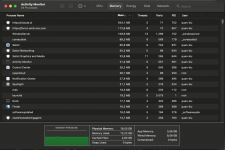
My Hackintosh is experiencing abnormally high wired memory usage - approximately 9-10GB out of 16GB RAM is being consumed by wired memory, leaving very little usable memory for applications.

VM Stats Output:​


Pages wired down: 2,525,704 (≈9.8GB)
Physical Memory: 16GB used (9867M wired, 565M compressor), 18M unused

This is severely impacting system performance and causing lag.

What I've Already Tried​

  1. Fresh macOS Installation - Reinstalled Sequoia completely, issue persists
  2. NVRAM Reset - Multiple times
  3. Purge command - sudo purge and sudo kextcache -i /
  4. Verified SMBIOS - Using MacPro7,1 (correct for Ryzen)
  5. GPU Detection - RX 580 is properly recognized in System Information

Additional Context​

  • GPU and CPU are both detected correctly
  • AMD kexts are loading properly
  • No kernel panics or obvious errors in logs

Questions​

  1. Is this wired memory usage normal for a Ryzen Hackintosh, or is something wrong?
  2. Could there be a memory leak from AMD-specific kexts?
  3. Are there specific config.plist settings for A320M chipset that could help?
  4. Should I try different versions of AMDRyzenCPUPowerManagement/SMCAMDProcessor?
  5. Could BIOS settings be contributing to this issue?
Any help or suggestions would be greatly appreciated!
 
Questions

1. Is this wired memory usage normal for a Ryzen Hackintosh, or is something wrong?
Most likely an app is hogging memory. Open Activity Monitor, which can be found in /Applications/Utilities folder or from LaunchPad. Navigate to the Memory tab and sort the open applications by memory used. See what if anything remains with a high load, even if not manually opened by you. Try closing the memory hogging app, see if that helps.

Then check that it is something that you want running on the machine. If not, find the uninstaller and remove it.

2. Could there be a memory leak from AMD-specific kexts?
Unlikely, as others would have the same issues and this isn’t a frequently reported issue.

3. Are there specific config.plist settings for A320M chipset that could help?
No.

4. Should I try different versions of AMDRyzenCPUPowerManagement/SMCAMDProcessor?
Might be worth a look, but again doubtful to be the cause. Removing these kexts to test if they make a difference would probably be sensible. I don’t use them or the app on my AMD hacks.

5. Could BIOS settings be contributing to this issue?
Again unlikely, but ensuring you have the bios options set correctly for macOS is always worth checking.

 
  AdBlock Detected
Sure, ad-blocking software does a great job at blocking ads, but it also blocks some useful and important features of our website. For the best possible site experience please take a moment to disable your AdBlocker.