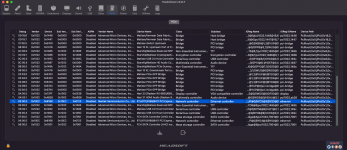
I'm having problems working my network card after the update it doesn't appear in the settings just in the PCI tab of Hackintool. I've tried several things and I couldn't solve it, I tested all the kexts from the Miaze repository and also from Rehab, not one of them worked.
My Motherboard is a Colorful CVN X570 Gaming PRO V14.
What Device ID does Hackintool > PCIe tab show for your Realtek RTL8118AS-CG ethernet controller?
Does the Realtek RTL8111Ethernet.kext contain the same device ID your controller uses?
If not, you may need to add a fake device-id to your config.plist in order for your Ethernet controller to work with the Realtek kext.
I'm having problems working my network card after the update it doesn't appear in the settings just in the PCI tab of Hackintool. I've tried several things and I couldn't solve it, I tested all the kexts from the Miaze repository and also from Rehab, not one of them worked.
My Motherboard is a Colorful CVN X570 Gaming PRO V14.
What Device ID does Hackintool > PCIe tab show for your Realtek RTL8118AS-CG ethernet controller?
Does the Realtek RTL8111Ethernet.kext contain the same device ID your controller uses?
If not, you may need to add a fake device-id to your config.plist in order for your Ethernet controller to work with the Realtek kext.
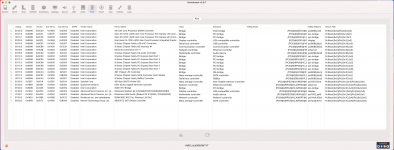
Screenshot of your Hackintool > PCIe Tab was requested, not a screenshot of your System Information > PCI report.
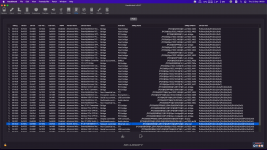
Similar screenshot as you posted previously, but with the Hackintool app fully expanded to show all the data, it what I asked for, see the example below.
Screenshot of your Hackintool > PCIe Tab was requested, not a screenshot of your System Information > PCI report.
Similar screenshot as you posted previously, but with the Hackintool app fully expanded to show all the data, it what I asked for, see the example below.
This site uses cookies to help personalise content, tailor your experience and to keep you logged in if you register.
By continuing to use this site, you are consenting to our use of cookies.
Sure, ad-blocking software does a great job at blocking ads, but it also blocks some useful and important features of our website. For the best possible site experience please take a moment to disable your AdBlocker.