Need help for updating from Big Sur to Monterey : forbidden sign

thrall

New member
AMD OS X Member
Dec 19, 2021
5
1
1
3
CPU:
ryzen7-3700x
Hello, first my spec are : msi x570 gaming edge wifi, rizen 7 3700x, gt 730 (Kepler).
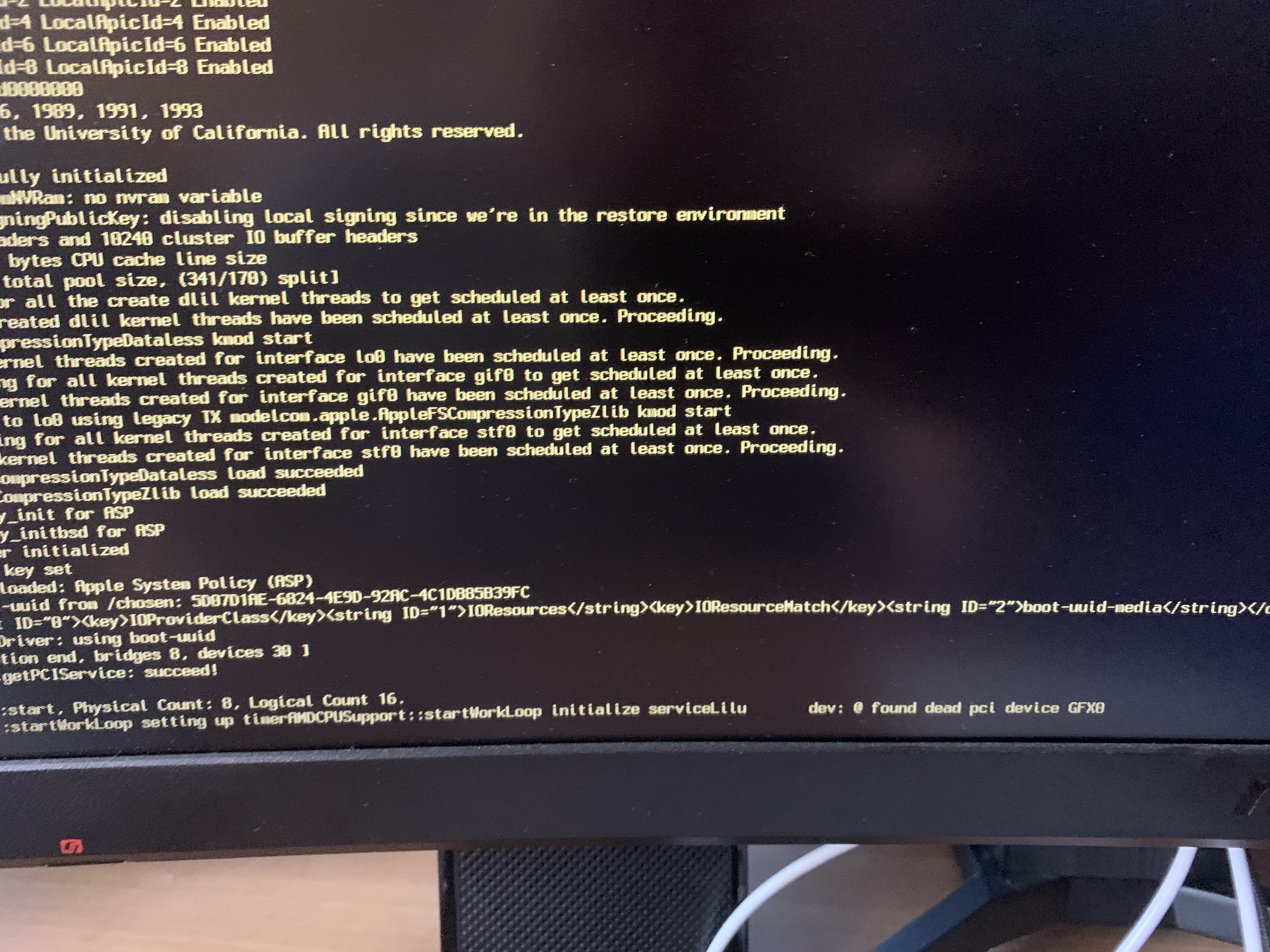
When im trying to update to Monterey (installer get via the App Store), open core is starting to boot and... The log are partially erased/broken and a big forbidden sign is in the middle of the screen.
I also want to say that I have already mapped my USB port (don't know if this has worked but in theory we are good) and the XPHIPortLimit is disabled.
Does anyone could help me with that? Thanks a lot.

Edit : After downgrading my bios, this is working. If you have a msi motherboard, simply rewind bios as far are you can, and try again.
 
Last edited:
The MSI motherboard is the cause of this. MSI have done something different with ACPI tables meaning Monterey doesn't work.
 
  • Like
Reactions: thrall
The MSI motherboard is the cause of this. MSI have done something different with ACPI tables meaning Monterey doesn't work.
Will there be a patch in the future? :(
 
We couldn't work it out which is why I ended up swapping my MSI board for the ASUS one I have now. Some users have reported that downgrading the BIOS to the earliest possible with the CPU support required works. This isn't possible for 5000 series CPUs though as even the first supported BIOS doesn't work.
 
We couldn't work it out which is why I ended up swapping my MSI board for the ASUS one I have now. Some users have reported that downgrading the BIOS to the earliest possible with the CPU support required works. This isn't possible for 5000 series CPUs though as even the first supported BIOS doesn't work.
I will try, thanks
 
We couldn't work it out which is why I ended up swapping my MSI board for the ASUS one I have now. Some users have reported that downgrading the BIOS to the earliest possible with the CPU support required works. This isn't possible for 5000 series CPUs though as even the first supported BIOS doesn't work.
Stuck in this Point
 
After downgrading my bios, this is working. If you have a msi motherboard, simply rewind bios as far are you can, and try again.
 
  • Like
Reactions: Shaneee
Solution
After downgrading my bios, this is working. If you have a msi motherboard, simply rewind bios as far are you can, and try again.
I have this same MB, is there any way you could let me know what version you chose? was it the initial release bios?
 
Downgraded bios to the lowest the site had and did not work for me, got stuck at apple logo. Did you install it to an NVME drive?
 
Downgraded bios to the lowest the site had and did not work for me, got stuck at apple logo. Did you install it to an NVME drive?
Heh, sorry for the late. The bios I have used is 7C37v17. The first bios was not working either, but this one work for me (with an msi gaming edge mono). Yes, I have installed it to an NVME
 
Heh, sorry for the late. The bios I have used is 7C37v17. The first bios was not working either, but this one work for me (with an msi gaming edge mono). Yes, I have installed it to an NVME
thanks for the info I will flash this bios and give it another go!
 
Thanks that let me finally install Monterey 12.1 after many failed attempts now hopefully there will be a fix instead of using an outdated bios.
 
  AdBlock Detected
Sure, ad-blocking software does a great job at blocking ads, but it also blocks some useful and important features of our website. For the best possible site experience please take a moment to disable your AdBlocker.