Kernel Panics and Random Restarts

ainsleyclark

New member
AMD OS X Member
Jan 11, 2022
6
0
1
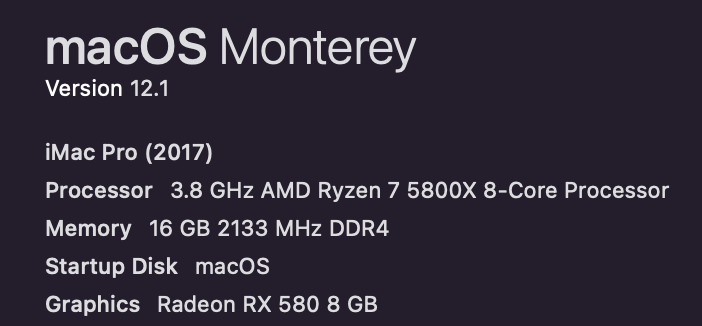
CPU:
Ryzen 5800x
Hi there,

I have created a fresh install of Monterey and updated to 12.1 everything was working like a dream.
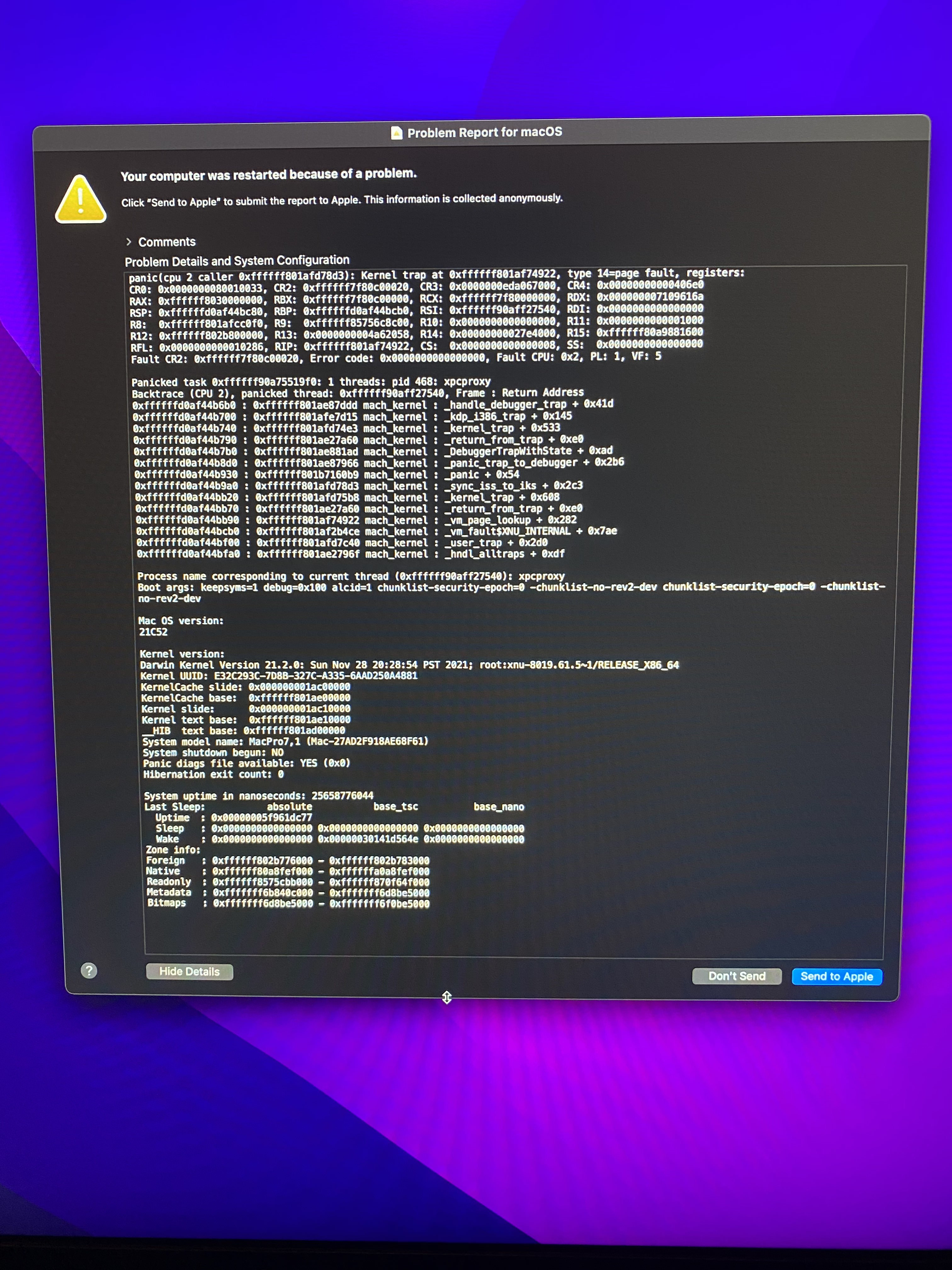
I got everything up and running but and booted this morning but it kept on restarting, I could just about manage to take a screenshot of the panic below. It restarted about 7 or 8 times until I gave up. Sometimes it would restart before logging in, but aftre about 5 seconds of successfully logging in it would restart.

I'm really not sure if this has something to do with my EFI or hardware. It's strange that I spent 4 hours on it last night and it suddenly started to restart randomly in the morning.

I have tried:
  • Reseating the memory
  • Updating EFI
  • Checked for any driver mismatch.
  • All Kexts seem to be loading properly.

I would be really appreciative if you could have a look at my EFI it for me.
Its here https://github.com/ainsleyclark/ryzentosh

Thanks in advance.
 
Last edited:
When you boot to OpenCore press the spacebar and clear the NVRAM. Then try booting again.
 
  • Like
Reactions: Edhawk
@Shaneee thanks for your reply but I’ve tried resetting NVRAM a few times and no avail.
Any other ideas of what it could be?
 
Are you using XMP for the RAM? Try disabling it to check. I've seen the xpcproxy panic relating to RAM before.
 
Are you using XMP for the RAM? Try disabling it to check. I've seen the xpcproxy panic relating to RAM before.

Not using any XMP, I did a CMOS recent last night just to clear everything out.
 
It might be a software issue in that case. Any programs that run on startup etc? Try booting the recovery and run First Aid on the drive.
 
ACPI folder:
I would look at these two SSDT's, as I am not sure you AMD system needs them, they look like they were created for an Intel system:
  • SSDT-SBRG.aml
  • SSDT-SBUS-MCHC.aml
You are lacking an SSDT-EC.aml. I know there is an EC entry in the SSDT-SBRG.aml but I'm not sure it is pointing at the right device.
It looks like you used Corpnewt's SSDTTime to generate the SSDT-HPET and SSDT-PLUG, so why not use the SSDT-EC from SSDTTime?

The Drivers, Resources and Tools folders look fine.

The Kexts folder:
This contains SmallTreeIntel82576.kext which is no longer supported in MacOS Monterey.
You ned to use the 2.5GB Ethernet port when running Monterey.

The USBMap.kext you are using is not set correctly.
  • Every one of the USB ports has been set with the Connector Type - 3, this is wrong!
  • You need to reconfigure the USB ports in your system.
Config.plist:
The Algrey AMD patches are not set correctly. You need to edit the three patches related to CPU cores. You currently have them set for a CPU that has 16-cores. Your Ryzen 5800x only has 8-cores.

The UEFI > APFS > MinDate and MinVersion entries are set as '0' in your config. When running Big Sur or Monterey these both need to be set as '-1'

Make these changes in your setup and see if it helps.
 
The UEFI > APFS > MinDate and MinVersion entries are set as '0' in your config. When running Big Sur or Monterey these both need to be set as '-1'

Not true. Setting this to -1 is for High Sierra. As per the OpenCore documentation,

OpenCore said:
-1 — permit any release date to load (strongly discouraged).
 
  • Like
Reactions: ainsleyclark
Thank you for your help @Shaneee & @Edhawk

I will inspect any anything which is launching on startup.
A few questions if you wouldn't mind answering.
  • Which SSDT files should I be using? I beleive these came from @AudioGod
  • Which connector type would be appropriate in the USBMap.kext? Everything seems to come up fine (when I had it booted)
  • BA 08 0000 0000/BA 08 0000 0090 are the correct hex codes for the CPU cores?
Thanks again.
 
Yes but there are three patches that need to be edited with the 08 to match your CPU.

The USB connectors are set as follows:
  • Physical USB2 ports - (0)
  • Internal USB2 headers (255)
  • Internal USB3 headers and external physical ports - (3)
  • USB2 virtual ports from a physical or Header USB3 - (3)
  • Type-c - (9)
  • Type-c+sw - (10)
When undertaking the USB port discovery you should note down which port is which and fix the connector type accordingly.
 
Not true. Setting this to -1 is for High Sierra. As per the OpenCore documentation,
Thanks for the correction.

I thought -1 was best for the newer versions of macOS. I've just had another read of the OpenCore Configuration document and it turns out that's not the case.

So using '0' is fine for MinDate and MinVersion for these APFS entries.
 
@Shaneee @Edhawk

I am currently using the system with one stick of RAM and no crashes. Could this be to do with OSX itself or do you think there is a faulty stick?
Would a memtest be the best option here? I'm not using XMP.

 
Was the RAM bought as a 'Kit' with 4 x 16GB modules, or as separate or pairs of modules?

Running MemTest won't hurt. It will tell you if you have any suspect areas in the RAM stick(s).

However, you may need to try booting the system with each RAM module separately. Each stick inserted in to each of the slots, to see if a stick is actually 'Defective', or if a specific slot is problematic.

Troubleshooting RAM issues can be time consuming.
 
  AdBlock Detected
Sure, ad-blocking software does a great job at blocking ads, but it also blocks some useful and important features of our website. For the best possible site experience please take a moment to disable your AdBlocker.