Install on acer nitro 5 an515-43-r4mw, stuck on apple logo with loading bar

Lyzgard

New member
AMD OS X Member
Mar 25, 2025
20
0
1
CPU:
Ryzen 5
Hello, I want to install MacOs Sequoia on my Nitro 5 (Acer) but when I boot on opencore, clean the nvram and start the installation, when the apple logo with a progress bar appear, it's stuck (non progress).

It's my first time doing this so I probably made an error :/
I attach to the post my opencore logs, plist and efi


I'm sure the problem is with me, but I don't know where it is :))


Questions :
Can it come from my kexts? Are they all necessary?

I tried to do my .plist as well as possible, is it good in terms of priorities?

I activated -v in bootargs but I don't feel like I have any info (apart from the logs) is this normal?

cpu : AMD Ryzen 5 3550H
gpu : AMD Radeon RX 560X (4GB GDDR5)
ram : 8gb
 

Attachments

Last edited:
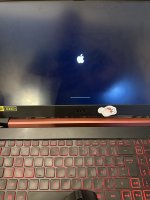
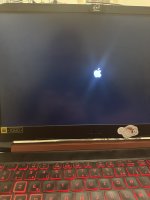
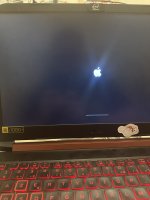
if it can help, here’s a picture of the Apple logo and progress bar where i’m stuck
 

Attachments

  • IMG_0016.jpeg
    IMG_0016.jpeg
    1.4 MB · Views: 7
Add these three boot arguments to your config.plist, they will show the Verbose text in place of the Apple icon and progress bar when you boot your installer.

-v keepsyms=1 debug=0x100

Post a photo of the text on the display, make sure you include all the text on the display. This might tell us what is causing the kernel panic.
 
Add these three boot arguments to your config.plist, they will show the Verbose text in place of the Apple icon and progress bar when you boot your installer.

-v keepsyms=1 debug=0x100

Post a photo of the text on the display, make sure you include all the text on the display. This might tell us what is causing the kernel panic.
here the photo but there’s no text in place of the Apple logo icon :/

Maybe there’s another option to put ?


Edit 1 : I just clear the nvram 3 times in a row but it doesn’t change
 

Attachments

  • IMG_0017.jpeg
    IMG_0017.jpeg
    1 MB · Views: 2
  • IMG_0018.jpeg
    IMG_0018.jpeg
    1 MB · Views: 4
Last edited:
Add these three boot arguments to your config.plist, they will show the Verbose text in place of the Apple icon and progress bar when you boot your installer.

-v keepsyms=1 debug=0x100

Post a photo of the text on the display, make sure you include all the text on the display. This might tell us what is causing the kernel panic.
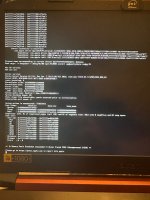
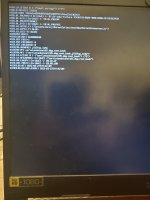
Ok so i have the verbose when I don’t clean the nvram but when I clean it I have the Apple logo with progress bar

Here the photo of the panic but I don’t know if it’s related with not cleaning the nvram or not


And sorry if I make mis tales with the english language, i’m not fluent :/
 

Attachments

  • IMG_0019.jpeg
    IMG_0019.jpeg
    2.5 MB · Views: 6
Try the attached EFI it has been configured for an AMD laptop like yours.

Unless you have a MUX switch in your laptop's bios you will need to use the AMD iGPU for all graphics processing. The Discrete GPU will not work.
  1. This means you need to use NootedRed.kext in place of WhateverGreen.kext
  2. Can't add any DeviceProperties to the config.plist, as they will clash with the NootedRed.kext.

Your Atheros WiFi/BT card is unsupported in macOS.
  1. It needs to be replaced with a compatible Intel or Broadcom Wifi/BT card for you to be able to use your laptop without an Ethernet cable connected.

Your Trackpad is either an Elan or Synaptic's model, both were used with your Acer laptop.
  1. I have included the kext VoodooI2CELAN.kext simply because it is first alphabetically.
  2. If the trackpad doesn't work we will need to swap this for the VoodooI2CSynaptics.kext.

Your Ethernet and Audio connections are both manufactured by Realtek.
  1. The appropriate kexts and config.plist entries have been included for these devices.

I wasn't sure which OpenCore release you had used, so I have updated the OC setup to 1.0.4.

I have added and removed a number of kexts, SSDTs, Drivers and Tools to better suit your laptop.

I have added a populated Resources folder, and appropriate Drivers.
  1. So you should see the OC GUI Boot Screen in place of the Text Picker boot screen.
Let us know how you get on with the revised EFI.
Post a photo of the verbose text if the system kernel panics during the early boot stages.
 

Attachments

Try the attached EFI it has been configured for an AMD laptop like yours.

Unless you have a MUX switch in your laptop's bios you will need to use the AMD iGPU for all graphics processing. The Discrete GPU will not work.
  1. This means you need to use NootedRed.kext in place of WhateverGreen.kext
  2. Can't add any DeviceProperties to the config.plist, as they will clash with the NootedRed.kext.

Your Atheros WiFi/BT card is unsupported in macOS.
  1. It needs to be replaced with a compatible Intel or Broadcom Wifi/BT card for you to be able to use your laptop without an Ethernet cable connected.

Your Trackpad is either an Elan or Synaptic's model, both were used with your Acer laptop.
  1. I have included the kext VoodooI2CELAN.kext simply because it is first alphabetically.
  2. If the trackpad doesn't work we will need to swap this for the VoodooI2CSynaptics.kext.

Your Ethernet and Audio connections are both manufactured by Realtek.
  1. The appropriate kexts and config.plist entries have been included for these devices.

I wasn't sure which OpenCore release you had used, so I have updated the OC setup to 1.0.4.

I have added and removed a number of kexts, SSDTs, Drivers and Tools to better suit your laptop.

I have added a populated Resources folder, and appropriate Drivers.
  1. So you should see the OC GUI Boot Screen in place of the Text Picker boot screen.
Let us know how you get on with the revised EFI.
Post a photo of the verbose text if the system kernel panics during the early boot stages.
i just try with you efi but when the Apple logo appear, it instantly reboot, maybe i need to use nootedred ?

Edit : No verbose was shown on boot
 
When you booted the system from the EFI, did you see the OC boot Screen with icons, or a black screen with Text only?
 
I’ll have another look at the EFI tomorrow.
 
  • Like
Reactions: Lyzgard
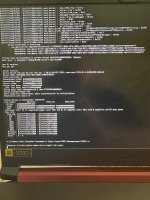
I managed to get the verbose back but I have the impression that it's still the same as last time, even though I cleaned the nvram :/
 

Attachments

  • IMG_0020.jpeg
    IMG_0020.jpeg
    2.9 MB · Views: 5
Have a read of this Github page, see the older EFI for Ventura that has been created for an Acer Nitro 5 laptop. Not exactly the same as yours but close enough.


See if using this EFI and installing Ventura works, then look at updating OC to a newer version and the same for macOS.
 
Have a read of this Github page, see the older EFI for Ventura that has been created for an Acer Nitro 5 laptop. Not exactly the same as yours but close enough.


See if using this EFI and installing Ventura works, then look at updating OC to a newer version and the same for macOS.
This nitro 5 is Intel based so I use your kexts with it ? Like I fusion these two ?
 
Ok I've made some progress !

Here some problems I have now :

When I launch openCore, I have watchdog is 0 but I can select the dmg

When I'm in the install I can't use anything (trackpad, usb, mouse, keyboard etc) so I can't do anything :/

Here my new EFI folder and the logs :
 

Attachments

My trackpad is a Synaptics trackpad. I tried VoodooI2CSynaptics, but it doesn't work :/

I admit I don't really know what else to try :(

It's great to be able to access the macOS installer, but if I can't plug in a mouse or use the trackpad, I can't do anything :'(
 
  AdBlock Detected
Sure, ad-blocking software does a great job at blocking ads, but it also blocks some useful and important features of our website. For the best possible site experience please take a moment to disable your AdBlocker.