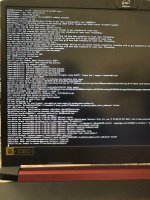
Hello, I want to install MacOs Sequoia on my Nitro 5 (Acer) but when I boot on opencore, clean the nvram and start the installation, when the apple logo with a progress bar appear, it's stuck (non progress).
It's my first time doing this so I probably made an error :/
I attach to the post my opencore logs, plist and efi
I'm sure the problem is with me, but I don't know where it is )
)
Questions :
Can it come from my kexts? Are they all necessary?
I tried to do my .plist as well as possible, is it good in terms of priorities?
I activated -v in bootargs but I don't feel like I have any info (apart from the logs) is this normal?
cpu : AMD Ryzen 5 3550H
gpu : AMD Radeon RX 560X (4GB GDDR5)
ram : 8gb
It's my first time doing this so I probably made an error :/
I attach to the post my opencore logs, plist and efi
I'm sure the problem is with me, but I don't know where it is
)Questions :
Can it come from my kexts? Are they all necessary?
I tried to do my .plist as well as possible, is it good in terms of priorities?
I activated -v in bootargs but I don't feel like I have any info (apart from the logs) is this normal?
cpu : AMD Ryzen 5 3550H
gpu : AMD Radeon RX 560X (4GB GDDR5)
ram : 8gb
Attachments
Last edited: