Fix CPU Name with RestrictEvents
- Thread starter Aluveitie
- Start date
-
Hello Guest. Before you post check the Troubleshooting guide here, Dortania Troubleshooting
You are using an out of date browser. It may not display this or other websites correctly.
You should upgrade or use an alternative browser.
You should upgrade or use an alternative browser.

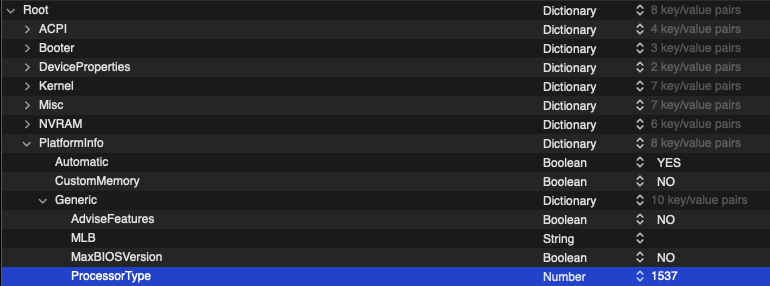
I can't find Processor Type in config.list
It's in PlatformInfo -> Generic


- Sep 7, 2021
- 2
- 1
- 3
- CPU:
- AMD Ryzen 5 3600X 3.8 GHz 6-Core Processor
Thanks for this thread. I have a 3600X in a B550 Aorus Master. One of the most stable machines I've ever had, running Big Sur. I didn't read all the way through this thread before putting a revcpu property in config.plist, or changing ProcessorType, and added a revcpuname string of "AMD Ryzen 5 3600X 3.8 GHz 6-Core Processor". Now, no matter what I change it too, it seems that this is what it says. Does it write this out to the filesystem somewhere that I could clear out?
machdep has a different variant:
machdep has a different variant:
Code:
machdep.cpu.brand: 0
machdep.cpu.brand_string: AMD Ryzen 5 3600XT 6-Core Processor
machdep.cpu.core_count: 6
machdep.cpu.cores_per_package: 6
Attachments
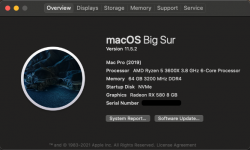
Thanks for this thread. I have a 3600X in a B550 Aorus Master. One of the most stable machines I've ever had, running Big Sur. I didn't read all the way through this thread before putting a revcpu property in config.plist, or changing ProcessorType, and added a revcpuname string of "AMD Ryzen 5 3600X 3.8 GHz 6-Core Processor". Now, no matter what I change it too, it seems that this is what it says. Does it write this out to the filesystem somewhere that I could clear out?
machdep has a different variant:
Code:machdep.cpu.brand: 0 machdep.cpu.brand_string: AMD Ryzen 5 3600XT 6-Core Processor machdep.cpu.core_count: 6 machdep.cpu.cores_per_package: 6
Clear the NVRAM from the OpenCore boot picker. Should update it if you've changed it.
- Sep 7, 2021
- 2
- 1
- 3
- CPU:
- AMD Ryzen 5 3600X 3.8 GHz 6-Core Processor
This was indeed the answer! Thanks!Clear the NVRAM from the OpenCore boot picker. Should update it if you've changed it.

I just got a new CPU and GPU and now my CPU name will not show up.
I have a R9 5900X.
I have CPU type set to 0.
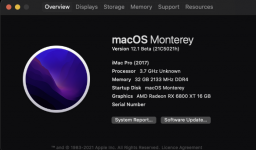

With the previous CPU setting the same value to 1537 worked before.
Besides 0 what other value is used for 12 cores?
EDIT:
I updated my kexts and changed CPU Type and its working now.
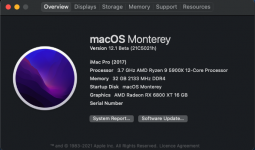

I have a R9 5900X.
I have CPU type set to 0.
With the previous CPU setting the same value to 1537 worked before.
Besides 0 what other value is used for 12 cores?
EDIT:
I updated my kexts and changed CPU Type and its working now.
Last edited:
Can you explain, what steps you follow to fix it?Lucky for someIt doesn't seem to like mine showing as Unknown...
Edit: There we goAs my CPU was "Unknown" I just used the ProcessorType in OC to change it to what the kext was trying to replace.
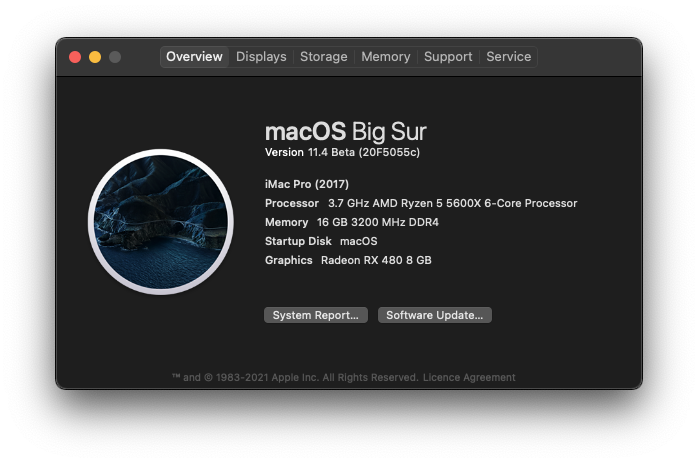
Can you explain, what steps you follow to fix it?
Set your ProcessorType as my screenshot.