You told us nothing about your system, which host OS, vmdk you are using or which version of macOS you are trying to run. So how do you expect anyone to provide a useful response?
If you had followed the instructions correctly/precisely you wouldn't see that OpenCore to macOS installer error.
For those who are having trouble installing Tahoe, make sure to follow the instructions in post #1 exactly, using the OpenCore and the image from #578 (be sure to set the number of VM cores to 8)
I have joined this forum as this is the very first time in my whole life I have decided to go with AMD platform as I consider modern Intels not viable option anymore.
Through all my Intel years, I have been using VMWare macOS virtual machine without any problems. Stable, pretty fast (though UI was laggy sometimes), generally I never complained.
But now with my brand new Ryzen 7 9850 X3D I have unfortunately learned that it's tricky to run macOS (I knew it needs hacks, but I also needed hacks on my previous Intel to make VMWare run macOS).
Now I have carefully followed pretty much this whole thread, I have set my VMWare macOS Tahoe machine, it has internet connection, it works using OpenCore macOS_Opencore_Tahoe_1.0.5_8_cores.vmdk (provided earlier in this thread). VMWare Tools work, I can resize my VMWare window, the UI is rather smooth, performance is very decent, but I have one very annoying problem I have never ever had on Intel.
It reboots randomly.
No error, no crash, just reboot for no reason. Sometimes I can work there for dozens of minutes without any problems and sometimes it reboots literally every 3-4 minutes, even when there is no activity there from my end.
I was searching the forums here and I couldn't find any similar problems.
Does anyone of you have any knowledge and experience how to solve this somewhat annoying behavior?
Had 2 pc's with the latest 32 bit version of workstation pro running Sequoia, both stable. As an experiment, I updated one of them to Workstation Pro 26h1, which is their first version as 64 bit. Of course it broke the Sequoia vm, and the patch program would not add back the Mac Os line, not surprisingly targeted the 32 bit version. In the past each time I updated VMWare running the patch program restablished the Mac Os line, and then the Mac VM would again function.
Not a big issue, but I wonder if a patch to add back Mac Os to the 64 bit version exists, or is in the works?
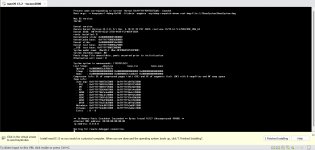
Check your Network settings, as the last bit of information in the screens image above is related to errors with the Network IP and Ethernet MAC address.
No idea why you are seeing that screen, as we have know idea what system you are using, which VM files you are using or which OS you are trying to install. So it is hardly surprising that no one has responded to your call for help.
Slightly offtopic but this works perfectly with Virtualbox to my surprise (switch USB to XHCI and 128MB VRAM)
Use the same OpenCore VMDKs and run these (tested on 5800H)
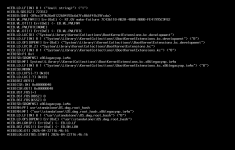
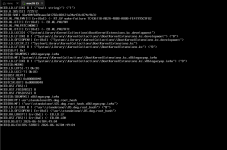
ok i've tried for ohurs on my hp pavillion 15 eh-2085cl, and i've never gotten a single time for it to work, i built it myself using gibmacos and qemu-img, and claude directed me, but i still can't get it to work, i'm trying to get a tahoe copy currently but i cant get it because my catalina won't work, it gives this funky ass error screen and im confused on how to fix it
This site uses cookies to help personalise content, tailor your experience and to keep you logged in if you register.
By continuing to use this site, you are consenting to our use of cookies.
Sure, ad-blocking software does a great job at blocking ads, but it also blocks some useful and important features of our website. For the best possible site experience please take a moment to disable your AdBlocker.