
Hello community,
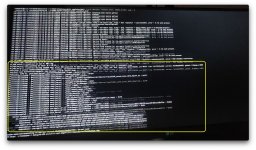
Recently, I tried to install macOS Sonoma 14.2.1 on a Ryzen CPU. However, after a lengthy verbose process, I found that the installer did not take me to the Recovery menu but instead restarted and returned to the OpenCore picker again. I tried recording it with my smartphone and then slowed down the video. I found that there was a kernel panic NMI Processor (attached image). I've tried running it with just one RAM stick, but there was no effect. I've also tried disconnecting all storage devices, but it didn't make any difference either. Does this mean there's a hardware issue, or is it possibly an incompatible kernel patch? Windows and ZorinOS installed just fine. Any help will be appreciated.
[SOLVED]
It was issue with RTL8111.kext.
Image and panic are attached.
Recently, I tried to install macOS Sonoma 14.2.1 on a Ryzen CPU. However, after a lengthy verbose process, I found that the installer did not take me to the Recovery menu but instead restarted and returned to the OpenCore picker again. I tried recording it with my smartphone and then slowed down the video. I found that there was a kernel panic NMI Processor (attached image). I've tried running it with just one RAM stick, but there was no effect. I've also tried disconnecting all storage devices, but it didn't make any difference either. Does this mean there's a hardware issue, or is it possibly an incompatible kernel patch? Windows and ZorinOS installed just fine. Any help will be appreciated.
[SOLVED]
It was issue with RTL8111.kext.
Image and panic are attached.
Attachments
Last edited:
