No wifi after installing Sonoma

Edwin

Member
AMD OS X Member
Jul 25, 2021
129
8
18
USA
privateladyescorts.com
CPU:
Ryzen 9 5900X
Hi guys, I just installed Sonoma and now it broke my Bluetooth & wifi. So I updated my opencore to the latest (I think it is 0.9.5) and got Bluetooth back but still no wifi. Anybody experience with this phenomenon?
 
Last edited:
What WiFi? Apple dropped Broadcom support.

My mobo (MSI MPG X570S Carbon Max WiFi) has Intel® Wi-Fi 6E AX210.
Specs:
Intel® Wi-Fi 6E AX210
The Wireless module is pre-installed in the M.2 (Key-E) slot Supports MU-MIMO TX/RX, 2.4GHz/ 5GHz/ 6GHz 1 (160MHz) up to 2.4Gbps Supports 802.11 a/ b/ g/ n/ ac/ ax

Source: https://us-store.msi.com/MPG-X570S-CARBON-MAX-WIFI
 
Are you using the Alpha release for Airportitlwm.kext? Or the kext that work with macOS Ventura?
 
Eh I don’t know actually. But it’s just the wifi that is not working. Bluetooth is ok. Ethernet I don’t know if it is working because I don’t have a cable that is 6 meter, 20 feet long.
 
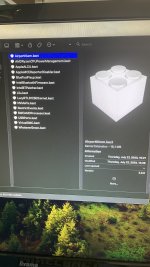
Mount your OC EFI, navigate to the /EFI/OC/Kexts folder, right click on the Intel WiFi kext, select ‘Get Info’ option in the menu displayed, this should tell you the version of the kext you are currently using. If up to date for Ventura it should be v 2.2.0 stable release.

Navigate to the GitHub page for the Intel WiFi kext (Itlwm.kext or Airportitlwm.kext) and check whether you are using the latest kext. I think the hext for Sonoma is the Alpha release 2.3.0.. This is still a work in progress, so it may work. If it doesn’t work you may need to reinstall or revert back to Ventura until the kext is more fully developed for Sonoma.

 
  • Like
Reactions: Edwin
Mount your OC EFI, navigate to the /EFI/OC/Kexts folder, right click on the Intel WiFi kext, select ‘Get Info’ option in the menu displayed, this should tell you the version of the kext you are currently using. If up to date for Ventura it should be v 2.2.0 stable release.

Navigate to the GitHub page for the Intel WiFi kext (Itlwm.kext or Airportitlwm.kext) and check whether you are using the latest kext. I think the hext for Sonoma is the Alpha release 2.3.0.. This is still a work in progress, so it may work. If it doesn’t work you may need to reinstall or revert back to Ventura until the kext is more fully developed for Sonoma.

Thanks, I’ll give it a try today and let you know if it worked. Thanks again!!!
 
IMG_8304.jpeg
 
Hi Edhawk, the version is, like you said, 2.2.0.
 
I think it’s getting more difficult for us every time a new OS comes out, right?
 
Last edited:
Yeah, we are looking at having less devices that work natively in macOS. New issues are always expected and found when a major OS release is made available to the public. That is a common theme for all major macOS releases, in that Apple like to throw a few roadblocks in our path. This has been the same since I started running a Hack (Snow Leopard).

The Airportitlwm/Itlwm.kext developer(s) are probably working to fix this issue in macOS Sonoma, hence the list of updates and Action points being dealt with in the Alpha release.

The same goes for the Broadcom WiFi/BT cards that Apple have dropped, new methods are required to get around Apple's latest contrivance, this is the same for real Macs and Hacks.

The security changes Apple are making to their OS are not in our favour, as we try to run our Hacks in a Vanilla state. It is becoming necessary to apply root patches and disable SIP/AMFI in order to have our previously natively supported devices work in the latest release. This will only get worse as we are coming to the end of the Intel line. Just the Coffee Lake and Comet Lake (plus the iMac & Mac Pro) systems are left with native support. As Apple gear up to run macOS on their Apple Silicon systems only.
 
  • Like
Reactions: Edwin
Try the current Airportitlwm.kext from the Alpha release, just remember that as it is not the finished article you may see some unexpected results. But hopefully it will get you back on the Internet over WiFi.
 
  • Like
Reactions: Edwin
  • Like
Reactions: Edwin and Edhawk
Solution
Awesome, wifi works and Bluetooth too!!!
 
Last edited:
  • Like
Reactions: Edhawk and Shaneee
I noticed that the continuity thingy isn’t working. No handoff, continuity camera and stuff like that.
 
Unfortunately that's the downside. I'm not sure if the developer is actively trying to fix this but I know many people have asked.
 
  • Like
Reactions: Edwin
  AdBlock Detected
Sure, ad-blocking software does a great job at blocking ads, but it also blocks some useful and important features of our website. For the best possible site experience please take a moment to disable your AdBlocker.