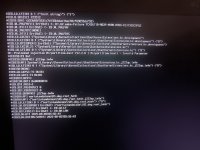
The one I initially posted here, used for Sequoia. Nothing more than the screenshot attached above in the first post.
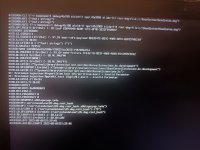
Then used the same one for Sonoma, it bypasses the first screen, but as mentioned earlier, in the process of booting (pre-installation), while showing the lines, it stucks and restarts, tried several times, same thing, it just keeps restarting.
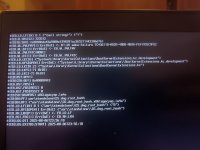
After removing AppleALC.kext and Airportitlwm.kext from kext folder and config.plist from your EFI, getting following:
Update:
Thanks for the help and time,
After some researching, found out that my SSD could be the issue.
"
Samsung PM981, PM991, Micron 2200S, SK Hynix PC711, and Intel 600p NVMe SSDs
SSDs with these controllers (NVMe) are not compatible with any macOS/OS X version and do not work out of the box. All these SSDs are known to cause Kernel Panics and performing a clean installation on these SSDs is not possible unless you use an SSDT. A clone method can be used to install macOS on these SSDs. In addition to the SSDT, you'll need to use NVMeFix.kext to fix the random Kernel Panics. Please note that these SSDs may still cause Kernel Panics even when using the required fix."
OK, I hadn't picked up you were using an old Samsung NVMe drive.
If you are going to replace it with a new drive, I would recommend a Western Digital or SanDisk NVMe drive as nearly all of them are fully compatible with macOS.
Don't go wasting your money on a PCIe 4.0 or 5.0 drive, as your system won't be able to use the higher end throughput. I tend to use Western Digital drives such as the SN570, SN580 and SN770 drives in my older non PCIe 4.0 systems.
This site uses cookies to help personalise content, tailor your experience and to keep you logged in if you register.
By continuing to use this site, you are consenting to our use of cookies.
Sure, ad-blocking software does a great job at blocking ads, but it also blocks some useful and important features of our website. For the best possible site experience please take a moment to disable your AdBlocker.