Installing Tahoe 26.4 on AMD Ryzen 7 5700G ' Skills from Clover UEFI 2013 etc. '

Jerome2026

New member
AMD OS X Member
May 9, 2026
10
0
1
Amsterdam
CPU:
AMD™️ Ryzen 7 5700G
Asus ROG Strix B550-A Gaming
AMD Ryzen 7 5700G
Asus Strix RX460 4G Gaming
32GB 3600 Vengeance RGB Pro
Be Quit Pure Loop 120mm Cooling
3 HDD's / 2 SSD's

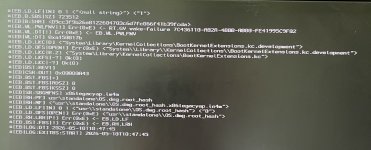
Hello lads, i’m trying to boot the tahoe 26.4 installer but in the post i’ll only get errors like fullscreen.request the gpu is connected to 2 monitors will try one still checking kexts and trying a bunch any help / tips will be appreciated cause i been out for a long time with hackintosh 🫶🏻🤓

I also ordered a Lexar NM790 1TB M.2 SSD for some tweaking W11 multibooting etc.

Just a little chit chat will be fine ..

Happy Tweaking xD

[td width="430px"][/td]
 

Attachments

  • WhatsApp Image 2026-05-09 at 09.25.36.jpeg
    WhatsApp Image 2026-05-09 at 09.25.36.jpeg
    231.5 KB · Views: 8
Have you disabled the AMD IGPU in the bios, with a Boot Argument or are you using a custom SSDT (SSDT-Disable-IGPU.aml), as you can't run both the AMD IGPU and RX 460 in macOS expecting it to work like an Intel system.

The two GPU's require third-party kexts (NootedRed.kext and WhateverGreenkext respectively), which clash when both are present and enabled in the OC setup.

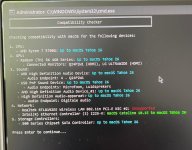
I don't think the Lexar SSD is a good choice for use in a Hackintosh, even if it is meant as the Windows boot drive. It uses an NVME controller that isn't compatible with macOS (Maxio MAP1602), so it could cause issues when installed.

Western Digital &/or SanDisk M.2 NVME drives (PCIe 3.0 & 4.0 series) tend to be the best options when installing a drive in a Hack.
 
  • Like
Reactions: Jerome2026
You shouldn't be using that kext, not when you are using a discrete AMD GPU.
 
  • Like
Reactions: Jerome2026
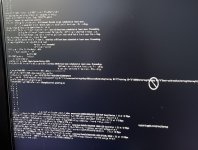
Stuck at this point i’m gonna start again with opencore internal GPU is disabled maybe i did something weong with the EFI folder
 

Attachments

  • IMG_8796.jpeg
    IMG_8796.jpeg
    1.1 MB · Views: 6
If you have a look at this thread in the Success Stories forum it uses a Ryzen 7 5700G CPU, so some of the OC settings used will be identical to those you need to use.

 
You don’t need all these boot arguments to install macOS.

-v -f dart=0 npci=0x3000 keepsyms=1 debug=0x100 -amd_no_dgpu_accel alcid=23 -wegnoegpu agdpmod=pikera nomodeset iommu=soft

I would cut it down to these few.

-v keepsyms=1 debug=0x100 alcid=23 -wegnoegpu npci=0x3000

You only need the last two if you have kept the discrete GPU in the system and can’t find and enable ‘Above 4G Decoding’ in your system bios.
 
That means the installation pen drive has been dropped, due to the USB port you are using not being active any longer.

First. Try a different USB port.

Second. You may need to move the pen drive from its current port to another port during the installation boot phase. I had an old AMD FX system that was like that. So I started with the pen drive in one of the case front USB 2 ports, after the first phase of the boot had completed and before the ‘Still waiting for Root Device’ message appeared I moved it to a USB port on the rear of the case, which still worked. This allowed the installation to continue. I had to do this after each restart during the installation.
 
  AdBlock Detected
Sure, ad-blocking software does a great job at blocking ads, but it also blocks some useful and important features of our website. For the best possible site experience please take a moment to disable your AdBlocker.