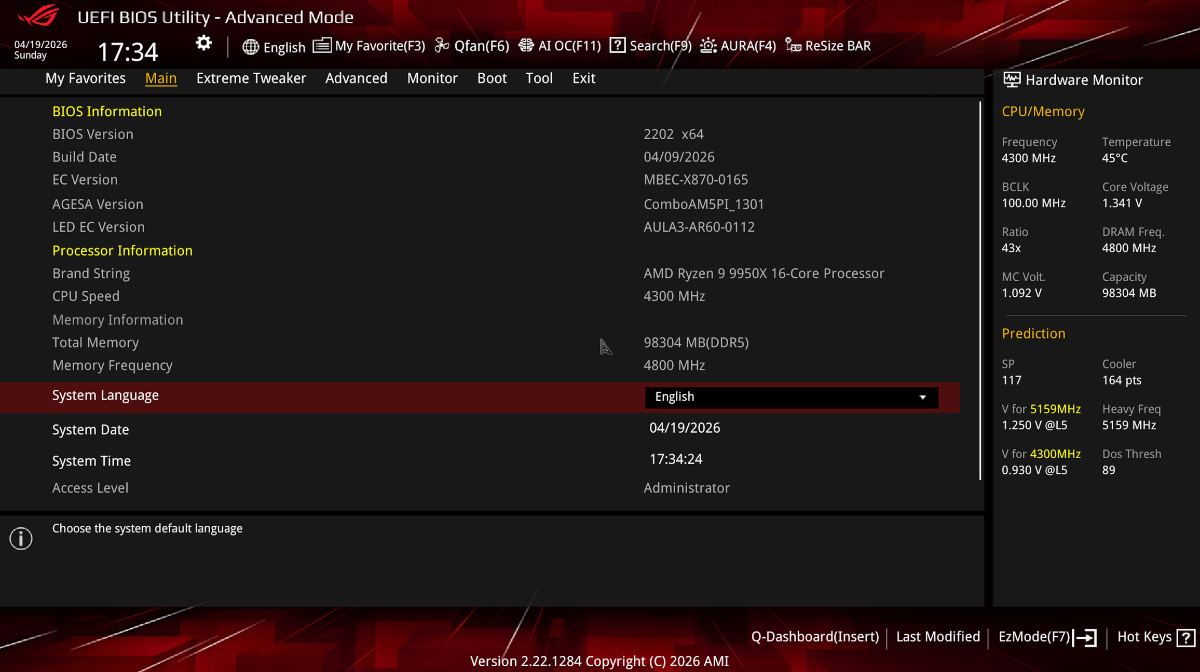
System Specification:
Problem Description:
OpenCore boots to the picker without issues. When I select "Install macOS Sonoma (external)", it reaches:
"OC: Connecting drivers done..."
"OC: Changed resolution to 1024x768@0 ..."
Then the screen goes black / no further progress — no Apple logo, no verbose macOS text, no kernel panic, no installer GUI. It hangs at this exact point.
The frequency message ("OCCPU: Failed to get FSBFrequency data using Apple Platform Info - Not Found") appears but I am ignoring it as requested — I only care about getting it to boot into macOS.
What I have already tried (current config state):
Attachments I will include:
What I need help with:
I need the system to progress past "Connecting drivers done..." into the macOS kernel / installer.
Any suggestions on which SSDT or quirk to disable/enable next, or any missing AMD Zen 5 / X870E-specific fixes would be greatly appreciated.
Thanks in advance for any help!
- CPU: AMD Ryzen 9 9950X (Zen 5, 16 cores / 32 threads)
- Motherboard: ASUS ROG X870E-E Gaming WiFi
- RAM: 64 GB DDR5
- GPU: AMD Radeon RX 6900 XT
- Storage: (add your NVMe model if known)
- Target OS: macOS Sonoma (installer from external USB)
- OpenCore version: 1.0.7 (DBG-107-2026-03-20)
- SMBIOS: MacPro7,1
Problem Description:
OpenCore boots to the picker without issues. When I select "Install macOS Sonoma (external)", it reaches:
"OC: Connecting drivers done..."
"OC: Changed resolution to 1024x768@0 ..."
Then the screen goes black / no further progress — no Apple logo, no verbose macOS text, no kernel panic, no installer GUI. It hangs at this exact point.
The frequency message ("OCCPU: Failed to get FSBFrequency data using Apple Platform Info - Not Found") appears but I am ignoring it as requested — I only care about getting it to boot into macOS.
What I have already tried (current config state):
- SSDT-HPET.aml disabled + its two renames disabled
- SSDT-USB-Reset.aml disabled
- SSDT-PLUG-ALT.aml still enabled (this is the next one I plan to disable based on advice)
- SSDT-PMC.aml disabled
- Boot-args simplified to:
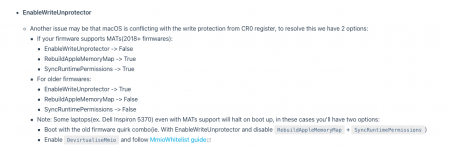
-v keepsyms=1 -amfi_get_out_of_my_way=1(npci=0x3000 and revpatch=auto removed for testing) - Booter Quirks: DevirtualiseMmio=true, RebuildAppleMemoryMap=true, ProtectUefiServices=true, SyncRuntimePermissions=true
- Kernel: DummyPowerManagement=true (in Emulate), ProvideCurrentCpuInfo=true, DisableIoMapper=true, XhciPortLimit=true, PanicNoKextDump=true
- Kexts active: Lilu, VirtualSMC, WhateverGreen, NVMeFix, AppleALC, USBToolBox + UTBMap (others like RestrictEvents, AMDRyzenCPUPowerManagement, SMCAMDProcessor are disabled)
- Full AMD Vanilla kernel patches (algrey cpuid_cores_per_package, commpage, cache info, mtrr/PAT fixes, etc.)
Attachments I will include:
- Current config.plist
- Latest OpenCore boot logs (opencore-*.txt)
- SysReport.zip (contains ACPI tables, SMBIOS, CPUInfo, PCIInfo, GOPInfo, etc.)
- Screenshot of the OpenCore picker + log when it hangs
What I need help with:
I need the system to progress past "Connecting drivers done..." into the macOS kernel / installer.
Any suggestions on which SSDT or quirk to disable/enable next, or any missing AMD Zen 5 / X870E-specific fixes would be greatly appreciated.
Thanks in advance for any help!