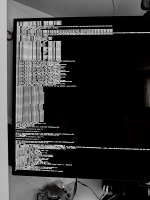
Errors Booting macOS 26

AWinkler

New member
AMD OS X Member
Dec 18, 2025
7
0
1
CPU:
Ryzen 9 7950x3D
Hello again AMDOSX,

I have just recently resumed my attempts at hackintoshing my PC and have been running into some issues I just can't solve. I have tried all sorts of things and I am still getting stuck at the spot shown in the image. Any assistance would be greatly appreciated.

Thanks

Specs:
CPU: Ryzen 9 7950x3D
GPU: Radeon RX 6900 XT (XTXH)
MB: Asus ROG Strix B850-A Gaming WiFi
RAM: 32GB Corsair Vengeance RGB DDR5-6000 CL32
WiFi: MediaTek WiFi 7 MT7925
LAN: Intel I226-V 2.5Gb
SSD: SATA: Samsung 870 Evo 500GB (Target), TForce 256GB SSD
NVME: Samsung Generic OEM NVME SSD 512GB, Samsung 990 Evo Plus 1TB NVME
 

Attachments

Getting stuck at the CoreAnalyticsHub start completed message is a common OpenCore bootloader issue during a Hackintosh installation. It means macOS has loaded the kernel and basic drivers but it is failing to initialise the PCI devices or graphics.

Your RX 6900 XT (XTXH) requires a fake device-id in order for it to work in macOS. This can be added as an SSDT or via DeviceProperties in your config.plist.

The exact fix required depends on your hardware and OpenCore configuration, but the following troubleshooting steps are the most successful:
  • Update your Kexts & ACPI:
    • Ensure your Lilu, WhateverGreen, and VirtualSMC kexts are up to date.
    • Regenerate your hardware-specific SSDTs (such as SSDT-PLUG-ALT) using SSDTTime.
  • Toggle PCI / Resizable Bar, hanging near this stage is often caused by PCI enumeration.
    • Enter your BIOS and disable Resizable BAR (ReBAR)
    • Enable Above 4G Decoding.
    • Remove npci=0x2000 or npci=0x3000 from your boot-args in your config.plist, if you have enabled Above 4G Decoding in your bios.
  • Perform an NVRAM Reset before booting again.
  • Review MMIO Configuration: Improper MMIO reassignment can stall the boot process right after this step.
    • Verify your config.plist's Booter quirks (e.g., DevirtualiseMmio) match standard setup guidelines.
 
Thanks for responding.

Unfortunately, I have done most of the things you mentioned and I am still here. Can someone tell me what should be happening at this step in the MacOS boot process?
 
Your OC setup is lacking or misconfigured in the following areas:
  1. You haven't included the SSDT-PLUG-ALT.aml table from Corpnewt's SSDTTime.
    1. You need to use SSDT-CPUR.aml or SSDT-PLUG-ALT.aml when running an AMD B550/B650 or B850 motherboard.
  2. You are lacking the apfs_aligned.efi driver, which is required when running Tahoe on an AMD system.
  3. You are using an unsupported version of WhateverGreen.kext (v1.7.1) when you need to be using v1.7.1d7.
  4. Your config.plist lacks the ACPI patches required by all AM5 systems.
    1. The alternative to using the ACPI patches is a patched system DSDT.aml.
Try the revised and cleaned up OC EFI attached below, see if this gets you any closer to the macOS installation wizard. All of the items listed above have been dealt with in EFI-v3. Make sure to rename it as EFI before use.

Also remember to use the ResetNvram entry from the OC boot screen (now a GUI) before you select the macOS Installation icon. Press the spacebar to display the hidden drivers & tools.
 

Attachments

Thank you. will try it out.
 
I am still getting stuck at core analytics.
 

Attachments

  • IMG_22815xMVhr.png
    IMG_22815xMVhr.png
    12.5 MB · Views: 0
  AdBlock Detected
Sure, ad-blocking software does a great job at blocking ads, but it also blocks some useful and important features of our website. For the best possible site experience please take a moment to disable your AdBlocker.