Error Desktop - Ryzen 7 5700g - PCH-B550 - 16GB

renegadofp

New member
AMD OS X Member
Jul 1, 2026
11
0
1
CPU:
Ryzen 7 5700g
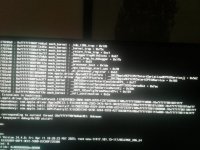
Hi, sorry for my English—I'm using Google Translate—but I was wondering if anyone could help me. I've been trying to perform the installation for nearly 20 days now and ran into several issues, some of which I managed to fix along the way. After resolving problems like the OpenCore boot stalling at EXITBUS:START, I got stuck on a kernel panic that I can't seem to get past. I created the EFI using OpenCore Simplify and tried a few pre-configured ones, but eventually, I took a base configuration from https://github.com/mikigal/ryzen-hackintosh and customized it for my specific setup.

 

Attachments

  • WhatsApp Image 2026-07-15 at 08.47.31.jpeg
    WhatsApp Image 2026-07-15 at 08.47.31.jpeg
    138.5 KB · Views: 1
  • config.plist
    config.plist
    39.9 KB · Views: 2
So you are now dealing with normal post-installation teething problems.

Hackintool hasn't been updated to include the NootedRed or NootRX kexts in its 'Extensions' tab. Don't know why but this is the same for both AMD graphics kexts. Nothing you or I can do about that.

The Graphics card name not showing in 'About this Mac' is purely cosmetic. It doesn't affect how the system works. It can be ignored.

The YouTube video issue may be caused by your system not working with Digital Rights Management (DRM), which real Mac's provide. There are probably some work arounds available but I don't have one to hand. It could also be down to the browser you are using. Safari, Chrome and FireFox all have their own weaknesses and issues when run on a Hack.

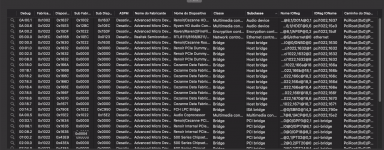
Thanks for the reply, I changed the browser to Firefox and it's playing videos without freezing. Chrome freezes completely when running and becomes very slow, I removed it. Now about the Apple ID, I checked my network card, the kext is included, I went to HackinTool, copied the device path, added it to DeviceProperties, and it's still not built-in, and in HackinTool all my PCI devices are listed as disabled.
 

Attachments

  • Captura de Tela 2026-07-18 às 10.22.29.png
    Captura de Tela 2026-07-18 às 10.22.29.png
    19.9 KB · Views: 1
  • Captura de Tela 2026-07-18 às 10.24.31.png
    Captura de Tela 2026-07-18 às 10.24.31.png
    308.9 KB · Views: 1
  • Captura de Tela 2026-07-18 às 10.29.27.png
    Captura de Tela 2026-07-18 às 10.29.27.png
    23.6 KB · Views: 1
The ASPM column in Hackintool doesn’t mean your PCIe devices are disabled. To be honest I have never seen the point of that column on the PCIe tab. It would be better if it were removed.

ASPM stands for ‘Active State Power Management’ and it just means that macOS isnt providing any specific power management processes to these devices. ASPM is used to lower power, temperature and voltages, which you don’t want to happen.

Regarding your Ethernet port, that alone isn’t going to enable some of the Apple features that you want to enable. You should be able to sign in to iCloud, the App Store and Apple Music, but for Messages, Find my Mac, handoff and continuity features you usually need to have a compatible Broadcom WiFi & Bluetooth device installed. You don’t have a Broadcom WiFi/BT card so these features are probably not available on your Hack.

Adding a Fenvi T919 WiFi/BT card (or similar) to a spare x1 PCIe slot and connecting the card to a spare USB header on the motherboard is how most people get around this issue. Then depending on which version of macOS you are running you need to apply OpenCore Legacy Patcher ‘Root Patches’ for Modern Wireless (Sonoma or newer).
 
It is not recommended to use any DeviceProperties in your config.plist when using NootedRed.kext, the developer of the kext states this on his site. As they can cause issues with the kext.

You would need to find either a boot argument or customised SSDT to undertake the same operation. Or in the case of most Ethernet devices leave it to macOS to realise that the port is built-in. I have never needed to add an entry to the DeviceProperties for an Ethernet device to be seen as built-in.
 
You also need to make sure that the Serial Number (SMBIOS) you are using in your config.plist doesn’t belong to a real Mac.
 
  AdBlock Detected
Sure, ad-blocking software does a great job at blocking ads, but it also blocks some useful and important features of our website. For the best possible site experience please take a moment to disable your AdBlocker.