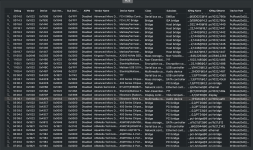
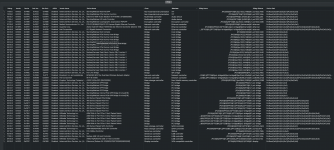
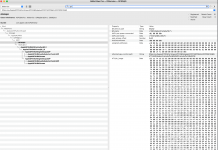
Yes, that is fine.
I can now see the GFX0 and HDAU devices are correctly named, which is what I wanted to check.
There are a few other devices that have missing sections of their IOReg Names, but these shouldn't affect the HDMI audio from the dGPU. It may mean these devices are not fully enabled and visible to macOS, as the OS won't know how to integrate these devices.
2 x WiFi devices (Broadcom & Intel). Hopefully only one of these is enabled in macOS.
View attachment 19568
2 x Ethernet controllers.
View attachment 19569
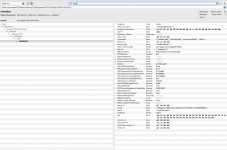
5 x Asmedia PCIe switch devices & a 400 series Chipset PCIe port.
View attachment 19570
These devices would only require renaming with an SSDT-Bridge ACPI table if they don't work correctly in macOS. Is that the case for any of these devices?
Which method have you used for reinstalling AppleHDA.kext in macOS Tahoe?
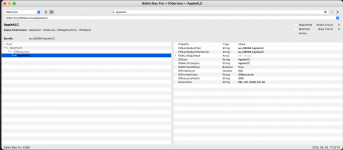
Is AppleALC.kext showing as being installed and enabled on the Hackintool > Extensions tab and in the 'Resources' section of IORegistryExplorer?
I see you are using WhateverGreen.kext v1.7.1, does this contain the same fixes that were added to the v1.7.1d7 fork of WhateverGreen.kext to prevent a Black Screen issue when running Tahoe? I have attached a copy of WhateverGreen.kext v1.7.1d7 for you to use, see if this makes any difference to how the HDMI audio functions.
Both AppleALC (AALC) and WhateverGreen (WEG) contain configuration files for HDMI and DP audio, but I am not sure any changes were made to these functions when the forked version of WEG was released.
Something you should be aware of is that USBToolBox.kext and UTBMap.kext aren't supported in macOS Tahoe. You need to generate a new USBMap.kext or USBPorts.kext in order for your custom USB configuration to work correctly in macOS Tahoe. As Apple changed some of the port naming & numbering conventions with the release of Tahoe.