GPU Fans always on, any fix?

alliance

Member
AMD OS X Member
Jan 6, 2026
34
1
8
CPU:
5700X
Hi,
so I've noticed my RX 6800 always has it's fans spinning, is there anyway for zero rpm to work, just like it does in Windows?
I currently use Whatevergreen and agdpmod=pikera

Is there a safe way for zero rpm to work without the risk of overheating the GPU?

Thanks!
 
Does your GPU have a slider that allows you to switch between Performance and Silent Mode? Usually found along the top edge of the card if present.

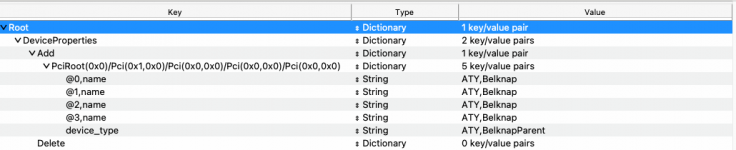
The other option is to create a custom Power Play Table for the GPU. This was a common fix necessary for AMD VEGA 56/64 cards a few years back. See the guide linked below.

It's in silent mode now, but it never stops, unlike in Windows :(

Ah, if there's not a kext that makes it work normally, then I'll leave it, I'm not a fan of running random Chinese apps etc. I really don't like the idea of that.
 
Have you tried the other VBios on the GPU, to see what difference it makes?

When you next boot into Windows download and run GPU-Z and check which VBios is present on your GPU.
 
Have you tried the other VBios on the GPU, to see what difference it makes?

When you next boot into Windows download and run GPU-Z and check which VBios is present on your GPU.

Yeah, it's very loud in the 2nd BIOS. It's only MacOS that the fans spin when doing simple tasks.
It's not loud but it's annoying seeing as they run in zero RPM when in windows most of the time.
 
  AdBlock Detected
Sure, ad-blocking software does a great job at blocking ads, but it also blocks some useful and important features of our website. For the best possible site experience please take a moment to disable your AdBlocker.