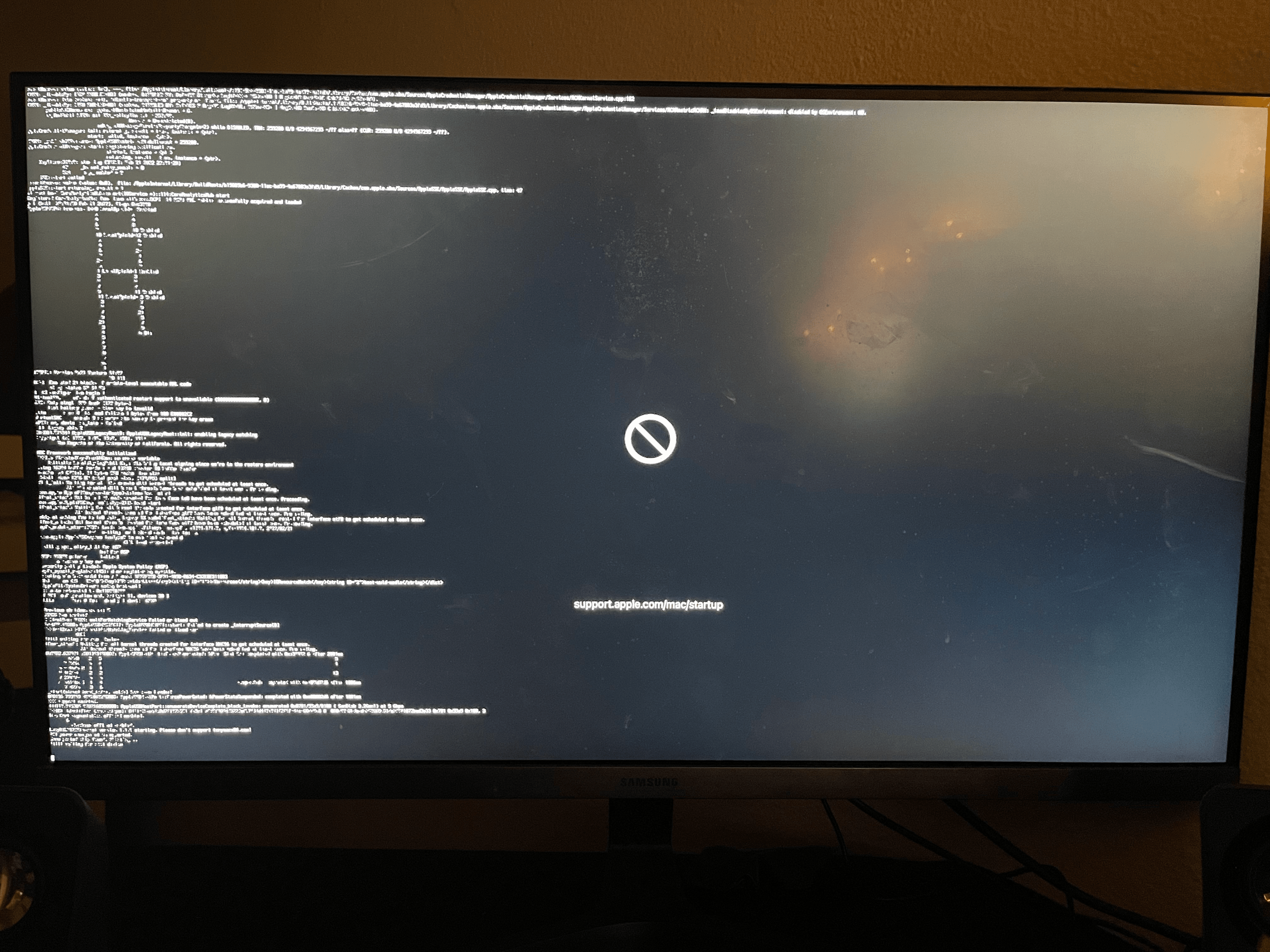
I will add some images and the debug log in a little bit
I followed the usb guide so I am good there to create the Monterey installer and it shows on the boot picker "macOS installer" then it begins to load but a stop sign appears not long after
The kernel panic above is from the “still waiting for root device” issue. This is caused by the USB installation drive being dropped by the macOS installer. As the USB port you are using is not being picked up by the installer, when the ports are handed over from the BIOS to the installer.
Use a different USB port, see if that helps. A USB2 port might be retained by the installer, over a USB3 port.
The kernel panic above is from the “still waiting for root device” issue. This is caused by the USB installation drive being dropped by the macOS installer. As the USB port you are using is not being picked up by the installer, when the ports are handed over from the BIOS to the installer.
Use a different USB port, see if that helps. A USB2 port might be retained by the installer, over a USB3 port.
Would this still be the case if I am updating by following the macOS usb installer method? where you install by using the 12.3 Monterey app? also I've uploaded a updated version of the debug log using the debug OpenCore binary's
here's how I boot atm
usb boot -> open core debug 0.8.0 -> macOs install(on ssd partition not usb) -> scrambled screen
There are a couple of issues in your OC setup, mainly to do with kexts and USB ports.
You should not be using IntelBluetoothInjector.kext when installing macOS Monterey. Remove this kext.
Your UTBMap.kext is trying to activate 17 USB ports over two USB controllers, which should be fine.
However the USB Type-C ports do not appear to be set correctly.
PTXH controller:
HS01, HS02, SS01 and SS02 are all set as USB Type-c+sw (9).
If this were correct there would only be two ports identified, probably ports SS01 and SS02.
These four ports should be set as the other Type-C connector without a switch, Type-c (10).
XHC0 controller:
Same issue again,
Ports HS02 and SS02 are set as USB Type-c+sw (9), when they should be set as Type-c (10).
Fix these issues and you should be able to boot macOS Monterey on your AMD system.
The EFI folder below has the changes recommended above implemented.
I have also taken the liberty to clean up your config.plist, i.e. removed some unnecessary place holder entries to make the config easier to read and navigate.
There are a couple of issues in your OC setup, mainly to do with kexts and USB ports.
You should not be using IntelBluetoothInjector.kext when installing macOS Monterey. Remove this kext.
Your UTBMap.kext is trying to activate 17 USB ports over two USB controllers, which should be fine.
However the USB Type-C ports do not appear to be set correctly.
PTXH controller:
HS01, HS02, SS01 and SS02 are all set as USB Type-c+sw (9).
If this were correct there would only be two ports identified, probably ports SS01 and SS02.
These four ports should be set as the other Type-C connector without a switch, Type-c (10).
XHC0 controller:
Same issue again,
Ports HS02 and SS02 are set as USB Type-c+sw (9), when they should be set as Type-c (10).
Fix these issues and you should be able to boot macOS Monterey on your AMD system.
The EFI folder below has the changes recommended above implemented.
I have also taken the liberty to clean up your config.plist, i.e. removed some unnecessary place holder entries to make the config easier to read and navigate.
Perhaps the MSI motherboard you are using isn't compatible with monterey. I had to downgrade my bios for it to install. I have an msi x570 gaming edge wifi.
This site uses cookies to help personalise content, tailor your experience and to keep you logged in if you register.
By continuing to use this site, you are consenting to our use of cookies.
Sure, ad-blocking software does a great job at blocking ads, but it also blocks some useful and important features of our website. For the best possible site experience please take a moment to disable your AdBlocker.