
Ryzen 3900X | X570 I Aorus Pro | Monterey kernel Panic (install)

fsebek

New member
AMD OS X Member
Apr 7, 2022
2
1
3
CPU:
AMD 3900X
Hello!

I have been using Opencore for quite a while on Catalina without issues - everything has been working well. Now I need to upgrade because certain software I need isn't compatiable with Catalina. Getting my computer upgraded to Big Sur was not an issue, but for some reason Monterey refuses to install (kernal panic). I have tried using both OTA and an USB stick. Neither of these approaches have been successful. I have tried many different things over the past months. I am completely stuck.

CPU: AMD Ryzen 3900X
Motherboard: X570 I Aorus Pro WiFi
Storage: Samsung SSD 970 EVO (1TB)
Graphics: Radeon RX 580 (PowerColor)
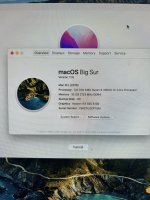
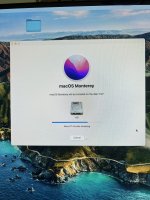
IMG-2899.jpg
IMG-2898.jpg

After closing all the applications and clicking "restart" the Apple logo is shown and the update start loading. After about 20% i see the mouse loading and then it freezes and the computer restarts. This can be shown in the video below. I have clipped away the loading part and the actual restart.


Any help or guidance would be really appreciated. Thank you!
 

Attachments

Solution
Only things I can see that would need attention in your OC folder as these.
  1. You have SSDT-USBX.aml and USBMap.kext present in your setup. The USBMap.kext contains the USB power settings for macOS. So SSDT-USBX.aml is redundant, as all it does is duplicate the USB power settings already in place of your system when running macOS.
  2. You have USBInjectAll.kext in your /OC/Kexts folder, alongside USBMap.kext, these two kexts should not be used together. I would remove USBInjectAll.kext, as you don't need it with a working and properly configured USBMap.kext. USBInjectAll.kext is required and used during the USB port discovery phase (on Intel systems). It also is required and works alongside SSDT-UIAC.aml, when using the SSDT in...
Only things I can see that would need attention in your OC folder as these.
  1. You have SSDT-USBX.aml and USBMap.kext present in your setup. The USBMap.kext contains the USB power settings for macOS. So SSDT-USBX.aml is redundant, as all it does is duplicate the USB power settings already in place of your system when running macOS.
  2. You have USBInjectAll.kext in your /OC/Kexts folder, alongside USBMap.kext, these two kexts should not be used together. I would remove USBInjectAll.kext, as you don't need it with a working and properly configured USBMap.kext. USBInjectAll.kext is required and used during the USB port discovery phase (on Intel systems). It also is required and works alongside SSDT-UIAC.aml, when using the SSDT in place of USBMap.kext.
  3. A number of users found they needed to add AppleMCEReporterDisabler.kext to their /OC/Kexts folder and config.plist in order for macOS Monterey to install and work.
 
Solution
Only things I can see that would need attention in your OC folder as these.
  1. You have SSDT-USBX.aml and USBMap.kext present in your setup. The USBMap.kext contains the USB power settings for macOS. So SSDT-USBX.aml is redundant, as all it does is duplicate the USB power settings already in place of your system when running macOS.
  2. You have USBInjectAll.kext in your /OC/Kexts folder, alongside USBMap.kext, these two kexts should not be used together. I would remove USBInjectAll.kext, as you don't need it with a working and properly configured USBMap.kext. USBInjectAll.kext is required and used during the USB port discovery phase (on Intel systems). It also is required and works alongside SSDT-UIAC.aml, when using the SSDT in place of USBMap.kext.
  3. A number of users found they needed to add AppleMCEReporterDisabler.kext to their /OC/Kexts folder and config.plist in order for macOS Monterey to install and work.
A big thank you @Edhawk for your help. The main culprit was bios version. Changed to F11 and it actually started to boot. Received a new kernal panic and added the AppleMCEReporterDisabler kext. Now I am up running 12.3.1!
 
  • Like
Reactions: Edhawk
Glad to be able to help.
 
  AdBlock Detected
Sure, ad-blocking software does a great job at blocking ads, but it also blocks some useful and important features of our website. For the best possible site experience please take a moment to disable your AdBlocker.