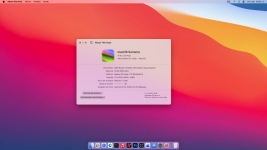
Hello everyone on the forum and experts. I already have Sonoma installed, but I have a question: is it a good idea to upgrade to Sequoia or Tahoe? Or is it better to stay on Sonoma?Will I encounter problems if I upgrade, do a clean install, or can I update through macOS Update?
My specifications:
Ryzen 3400G
Mobo: A320M Gigabyte
SSD HP 120GB
16GB RAM
You should be ok using the Apple Software Update process going to either version of macOS.
Sequoia will be a more straightforward option, as your Sonoma EFI is likely to work as it is without the need for any edits. Assuming the current kexts are up to date.
Tahoe requires a cut down Kexts folder when being installed, both as a clean installation or as an update from another version. You need to remove or disable any non-essential kexts, including NootedRed.kext. Otherwise your system will fail to complete the Tahoe installation. The disabled or removed kexts can be added back or enabled once you reach the Tahoe desktop.
You also need to be aware that the latest versions of Sequoia and Tahoe are prone to automatically activate FileVault as part of the installation process. This is most common when you sign in to your iCloud account as part of the update or clean install. You need to skip the iCloud sign in option, this will normally mean that an additional screen will appear that gives you the option to disable the macOS encryption feature from FileVault.
If you go with the update to Sonoma make sure you have a working backup of any data you may have on the system, before you run the installation.
This site uses cookies to help personalise content, tailor your experience and to keep you logged in if you register.
By continuing to use this site, you are consenting to our use of cookies.
Sure, ad-blocking software does a great job at blocking ads, but it also blocks some useful and important features of our website. For the best possible site experience please take a moment to disable your AdBlocker.