
Tahoe 26.4 low framerate animations

murasaki

New member
AMD OS X Member
Apr 16, 2026
8
1
3
CPU:
Ryzen 5600G
Hello! The scale/minimize animations and dragging the windows looks as if they are rendered at 60hz / fps or even lower. My monitor is set at 165hz using DisplayPort, FreeSync is dissabled, i am using WhateverGreen.kext v1.7.1d7, The GeekBench GPU score using Metal is over 100.000, so is running good, the animations seems to be rendered using the GPU acceleration as there is barely any cpu usage and the gpu freg spikes to 260mhz with around 10% utilization as soon as i move or minimize a window. I tried running some gpu demo in background to force the freg to go up to over 2000MHZ as i wanted to make sure that it is not some energy saving problem but it made no difference. The UFO Browser test shows 165Hz. I am running out of ideas. Was thinking to try moving to iMac SMB because now i am using MacPro. Did anyone faced this problem? I am a bit frustrated because otherwise the sistem is running awsome, no different than my Macbook Neo. I even had to disable The Genie effect as it was unberable to watch.
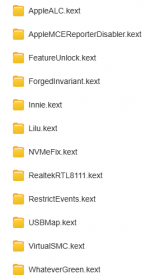
Screenshot 2026-05-04 081031.png
 
Using the iMacPro1,1 SMBIOS when running macOS Tahoe, is a very bad idea. As Apple dropped support for the iMP1,1 with the release of Tahoe. You should be using MacPro7,1 SMBIOS in Tahoe, as the AMD IGPU won’t work alongside the RX 6600 dGPU in your system specs. You have to either use the discrete GPU (recommended) or the IGPU on its own (not recommended). Stressing the dGPU will not impact the CPU in the way you are expecting, as the IGPU isn’t being called upon to assist the dGPU in the graphics processing being undertaken.

The only time you should use an iMac20,1 SMBIOS is if you are only using the AMD IGPU and do not have a discrete GPU present in the system. This will give you worse frame rates and a vastly lower GeekBench score.
 
When did the issue start, I.e. after a Software Update?
Which version of Tahoe are you running? It is assumed you are not running a Beta release.
Does it affect the whole OS or just specific aspects?
Have you changed, removed, added anything component wise to the case?
Have you checked the RX 6600 is fully seated in the PCIe slot and the power cable(s) are fully connected to the dGPU?
 
  AdBlock Detected
Sure, ad-blocking software does a great job at blocking ads, but it also blocks some useful and important features of our website. For the best possible site experience please take a moment to disable your AdBlocker.