
Screen flickering with cursor randomly
- Thread starter natenyc
- Start date
-
Hello Guest. Before you post check the Troubleshooting guide here, Dortania Troubleshooting
You are using an out of date browser. It may not display this or other websites correctly.
You should upgrade or use an alternative browser.
You should upgrade or use an alternative browser.
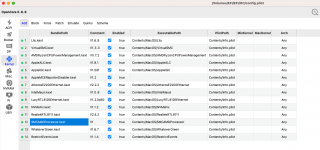

You've installed Ventura but the highest supported version of macOS for your GT 630 is Big Sur. You may be able to use OCLP to enable support though, https://dortania.github.io/OpenCore-Legacy-Patcher/

Is there any other way to resolve this issue? I don't want to downgrade to Big Sur
You've installed Ventura but the highest supported version of macOS for your GT 630 is Big Sur. You may be able to use OCLP to enable support though, https://dortania.github.io/OpenCore-Legacy-Patcher/
Buying an AMD Supported graphics card, otherwise no, OCLP is your only option.Is there any other way to resolve this issue? I don't want to downgrade to Big Sur
@natenyc Like @leesurone has said. Use OCLP or buy a supported AMD GPU. https://dortania.github.io/GPU-Buyers-Guide/modern-gpus/amd-gpu.html

Buying an AMD Supported graphics card, otherwise no, OCLP is your only option.
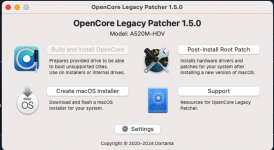 I’m very new to this. Could you please tell me what to do with OCLP or suggest a YouTube video about it?
You need to have SIP set correctly for it and the select Post-Install Root Patch. If I recall the value for SIP (csr-active-config in your config) is 02080000
OCLP will detect your legacy Nvidia card and know what to patch.
OCLP will detect your legacy Nvidia card and know what to patch.


It’s still flickering.Can you elaborate on how it's not working? Any errors or screenshots of it?