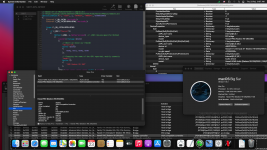
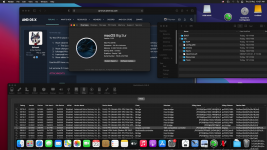
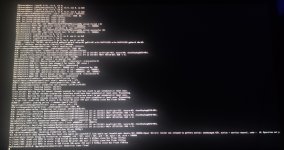
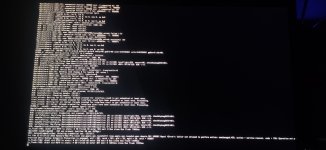
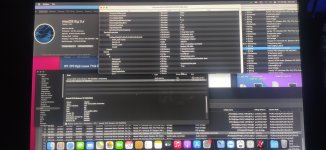
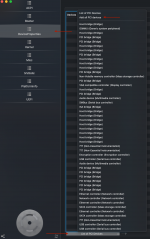
help!! I have issue with AMD GPU R9 390 8GB shows 7mb
try many method with gpu-spoof fake id and Device properties also without
on different macOS versions Monterey,Bigsur,Catalina,Mojave all same problem also try many SMBIOS imacpro1,macpro6&7 same issue
its been month I try it shows audio gpu but no display
cpu AMD Ryzen 5 2600
I attached my EFI folder if anyone can fix this
Can you post a copy of your IOReg so I can see what is happening in your system regarding the AMD GPU.
How to Make a Copy of IOReg (Note 1)
1. IORegistryExplorer/File/Save a Copy As…. (no extension required)
2. Open file to verify (Note 2)
3. Attach to post (Note 3)
Installation
1, Open Downloads/IORegistryExplorer-SLRID_v10.6.3
2. Drag IORegistryExplorer to Applications
Notes
1. An IOReg.txt is not useful. It is not a "Copy of IOReg." Do not attach .txt files.
2. IOReg must open the file. If TextEdit opens, See Note 1.
3. Zip/compress the IOReg file (right-click select Compress....)
Use the version of IORegistryExplorer attached below. Don't use a newer version as they tend to corrupt the IOReg when you save a copy.
still same issue 7mb didn't work
here my IORegistryExplorer I use the one you attachment
and if you want I give you full access to remote with TeamViewr just DM
@Polyman You either need to use the SSDT or inject the values under device properties, don't use both methods.
Try these EFI folders and see if that helps.
@Polyman You either need to use the SSDT or inject the values under device properties, don't use both methods.
Try these EFI folders and see if that helps.
still same stock on boot screen
i did this before many times i extract my gpu pci device from hackintool put device_type VGA compatibile
keep stock on boot won't get os
Boot into macOS with the config that works; Use OpenCore Configurator to open the config.plist, navigate to Device Properties and remove all the items in the list and then add all your device properties form the list like shown in the picture.
Save the config and post it here so I can check the address for the display adapter,
Boot into macOS with the config that works; Use OpenCore Configurator to open the config.plist, navigate to Device Properties and remove all the items in the list and then add all your device properties form the list like shown in the picture.
Save the config and post it here so I can check the address for the display adapter,
@Polyman are you using the ClearNvram and ResetSystem tools (available by pressing the Spacebar while on the OpenCore boot screen) between these EFI folder changes? As some of the Nvram settings may get carried over from booting with a different EFI.
@Polyman are you using the ClearNvram and ResetSystem tools (available by pressing the Spacebar while on the OpenCore boot screen) between these EFI folder changes? As some of the Nvram settings may get carried over from booting with a different EFI.
@Polyman
I use the same method to activate my R9 270 GPU, I don't use any bootflags so try removing these flags from the NVRAM section i the config:
raddvi radpg=15
After removing these flags reboot the system. reset the nvram and boot into macOS and see if anything changes.
This site uses cookies to help personalise content, tailor your experience and to keep you logged in if you register.
By continuing to use this site, you are consenting to our use of cookies.
Sure, ad-blocking software does a great job at blocking ads, but it also blocks some useful and important features of our website. For the best possible site experience please take a moment to disable your AdBlocker.