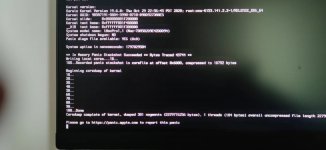
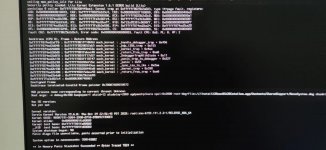
Panic (Lilu?) when installing Catalina after second time reboot

geeinhub

New member
AMD OS X Member
May 22, 2022
24
1
3
CPU:
R7 5800H
Hi Everyone,
I tried to install Catalina on my PC, on which I installed Monterey successfully before, but due to virtualization, I'd like to install Catalina this time and try VM Fusion 10 on it.
Motherboard: Asus B550M Plus Wifi II
GPU: Asus RX5500XT
CPU: Amd 5700x
SSD: WD SN770

this time I used OC 0.7.8

Thanks a lot for any advice or help.
 

Attachments

Try updating the version of Lilu.kext in your OC folder. You are currently using v1.5.7, the latest is v 1.6.1.

If you have updated any of the Lilu plugins such as VirtualSMC, WhateverGreen, NVMeFix etc. to the latest versions they may need the latest version of Lilu.kext to work correctly.

You don't need HfsPlus.efi and OpenHfsPlus.efi in your /OC/Drivers folder. You should not be using two HFS+ drivers, so remove the OpenHfsPlus.efi driver, as the HfsPlus.efi driver is the better of the two.

The AMD Kernel Patches you are using contains 19 patches/children.
  • The latest version of the patches only contains 17 children.
  • Are you sure you are using the correct AMD patches?
  • Have you added two patches for a specific reason?

You need to set the UEFI > APFS > MinDate and MinVersions for Catalina. Using '-1' for both entries is not recommended. You should use the version and date details provided in the guide. Or leave them as '0' when running Big Sur or newer.

Try this revised EFI, which has the latest kexts, AMD Patches, OC GUI and with a cleaned up config.plist.
 

Attachments

Thank you very much @Edhawk , I will try later.
For the AMD Kernel Patches, actually I tried the latest version , same result.

Also thanks for the mindate, minversion advice, learned a lot.
Try updating the version of Lilu.kext in your OC folder. You are currently using v1.5.7, the latest is v 1.6.1.

If you have updated any of the Lilu plugins such as VirtualSMC, WhateverGreen, NVMeFix etc. to the latest versions they may need the latest version of Lilu.kext to work correctly.

You don't need HfsPlus.efi and OpenHfsPlus.efi in your /OC/Drivers folder. You should not be using two HFS+ drivers, so remove the OpenHfsPlus.efi driver, as the HfsPlus.efi driver is the better of the two.

The AMD Kernel Patches you are using contains 19 patches/children.
  • The latest version of the patches only contains 17 children.
  • Are you sure you are using the correct AMD patches?
  • Have you added two patches for a specific reason?

You need to set the UEFI > APFS > MinDate and MinVersions for Catalina. Using '-1' for both entries is not recommended. You should use the version and date details provided in the guide. Or leave them as '0' when running Big Sur or newer.

Try this revised EFI, which has the latest kexts, AMD Patches, OC GUI and with a cleaned up config.plist.
 
Try updating the version of Lilu.kext in your OC folder. You are currently using v1.5.7, the latest is v 1.6.1.

If you have updated any of the Lilu plugins such as VirtualSMC, WhateverGreen, NVMeFix etc. to the latest versions they may need the latest version of Lilu.kext to work correctly.

You don't need HfsPlus.efi and OpenHfsPlus.efi in your /OC/Drivers folder. You should not be using two HFS+ drivers, so remove the OpenHfsPlus.efi driver, as the HfsPlus.efi driver is the better of the two.

The AMD Kernel Patches you are using contains 19 patches/children.
  • The latest version of the patches only contains 17 children.
  • Are you sure you are using the correct AMD patches?
  • Have you added two patches for a specific reason?

You need to set the UEFI > APFS > MinDate and MinVersions for Catalina. Using '-1' for both entries is not recommended. You should use the version and date details provided in the guide. Or leave them as '0' when running Big Sur or newer.

Try this revised EFI, which has the latest kexts, AMD Patches, OC GUI and with a cleaned up config.plist.
Hi @Edhawk ,I met "[EB|#LOG:EXITBS:START]" again, I met this error before, then I adjust some OC config and led to the kernel panic above.
I've already tried approaches mentioned in install guide-- troubleshooting, cannot help.
do you have more suggestion? full log attached,
Code:
[I]74:624 00:067 AAPL: [EB|`B:WFDW] Err(0xE), 0 @ LocHB 71B4903C-14EC-42C4-BDC6-CE1449930E49
74:690 00:066 AAPL: [EB|#LOG:DT] 2022-07-11T21:31:42
74:759 00:068 AAPL: [EB|#LOG:EXITBS:START] 2022-07-11T21:31:42[/I]

thanks
 
Try this revised EFI/OC/config/plist, see if it boots your system.
 

Attachments

Try this revised EFI/OC/config/plist, see if it boots your system.
Thanks again, I will try it tonight.😀
I also searched this issue in this forum & on Internet, some GIT post mentioned "CFG Lock"? should I disable it by cfg lock tool ?
 
No, if the config.plist has the CFG Lock entry enabled, which the revised config does, you don’t need to do anything in your bios or use a third party app.
 
No, if the config.plist has the CFG Lock entry enabled, which the revised config does, you don’t need to do anything in your bios or use a third party app
Hi @Edhawk , I'm afraid nothing changed, I noticed the first err should be
```AAPL: [EB|H:CHK] Err(0xE) @ GV boot-signature``
it's root cause?
 

Attachments

Last edited:
OK, I couldn't see any significant errors in the log.

I have created a fresh/clean EFI using OC 0.8.1 for your B550/5700X/RX5500XT system, so it can install and run macOS Catalina, using the iMacPro1,1 SMBIOS.

Make sure you press the Spacebar when you arrive on the OC boot screen (GUI). Then select the ResetNvram.efi icon from the list shown. This will clear Nvram and reboot the system. You need to do this to remove the old Nvram settings and so the settings in the new config.plist are used.
 

Attachments

  • Like
Reactions: geeinhub
OK, I couldn't see any significant errors in the log.

I have created a fresh/clean EFI using OC 0.8.1 for your B550/5700X/RX5500XT system, so it can install and run macOS Catalina, using the iMacPro1,1 SMBIOS.

Make sure you press the Spacebar when you arrive on the OC boot screen (GUI). Then select the ResetNvram.efi icon from the list shown. This will clear Nvram and reboot the system. You need to do this to remove the old Nvram settings and so the settings in the new config.plist are used.
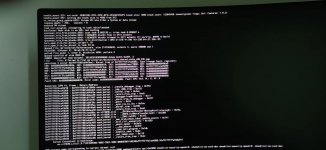
Hi Edhawk, thank you so much for helping update the OC and all kexts, but lilu panic again. maybe my Asus 5500xt or asus b550m is strange???😅
 

Attachments

  • lilupanicagain.jpg
    lilupanicagain.jpg
    432.6 KB · Views: 3
Try this EFI, I have updated the Lilu.kext to 1.6.2 (latest build/release from last night).

Everything else is the same.

See if that helps.
 
Try this EFI, I have updated the Lilu.kext to 1.6.2 (latest build/release from last night).

Everything else is the same.

See if that helps.
Thanks @Edhawk , I've downloaded 1.6.2 devbuild, will try it later.

However, I'm wondering ... it's quite odd because I tried my Asus 5500xt on Monterery, although the system was initially installed with my RX6600, then I replace the GPU and tested ok with no lilu panic..
 
The RX6600 is not supported in Catalina. Drivers for this card didn't appear in macOS until Monterey 12.1. Switch back to the RX5500 XT.
 
The RX6600 is not supported in Catalina. Drivers for this card didn't appear in macOS until Monterey 12.1. Switch back to the RX5500 XT.
ah...yes I know,

I meant installed Monterey with RX6600 before, and tested RX5500XT with the Macso, the GPU itself should be ok...
should be kexts compatibility issue? I'll continue to test later
quite a lot work to do , these days...:ROFLMAO:
 
  AdBlock Detected
Sure, ad-blocking software does a great job at blocking ads, but it also blocks some useful and important features of our website. For the best possible site experience please take a moment to disable your AdBlocker.