
NO NAME in OpenCore Boot Menu
- Thread starter ahsidiuqhweiujn1
- Start date
-
Hello Guest. Before you post check the Troubleshooting guide here, Dortania Troubleshooting
You are using an out of date browser. It may not display this or other websites correctly.
You should upgrade or use an alternative browser.
You should upgrade or use an alternative browser.
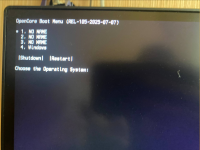

Did the OC GUI Boot screen show instead of the Text Picker list?
Did you use the ResetNvram option from the OC boot screen?
Press the ‘Spacebar’ button to unhide the drivers and macOS Recovery icons.
Did you use the ResetNvram option from the OC boot screen?
Press the ‘Spacebar’ button to unhide the drivers and macOS Recovery icons.
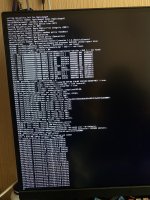
no, I kept everything exactly as you sent itAre you still using the SSDT-CPUR.aml table?
I just booted up and got this:
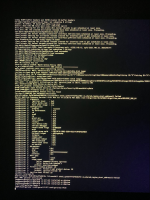
But now it doesn’t show up, only the previous result appears

ChatGPT idiot.ChatGPT says I need ApfsDriverLoader.efi. I'm trying to install it now

You have a common error, PCI Configuration Begin, as shown in the screenshot below.
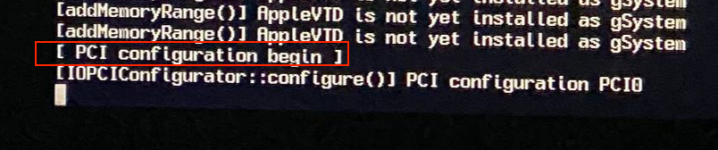
Unfortunately this error has a number of possible causes, as shown in the OC Troubleshooting link below.
You will have to work through and check which if any fixes might work for your system.
I would recommend that if you change something to see if it helps that you keep a note of the changes, so you can undo them when they don't fix the issue.
Just make sure you use the ResetNvram entry from the OC boot screen after each and every change to the config.plist or EFI sub-folder contents.
Unfortunately this error has a number of possible causes, as shown in the OC Troubleshooting link below.
You will have to work through and check which if any fixes might work for your system.
I would recommend that if you change something to see if it helps that you keep a note of the changes, so you can undo them when they don't fix the issue.
Just make sure you use the ResetNvram entry from the OC boot screen after each and every change to the config.plist or EFI sub-folder contents.