You need to provide some more information about your PC before anyone will be able to help you.
Make and model of the motherboard, or prebuilt computer?
Which graphics card are you using?
Which SSD/NVME drive are you using?
Which WiFi/BT card is installed?
You need to provide some more information about your PC before anyone will be able to help you.
Make and model of the motherboard, or prebuilt computer?
Which graphics card are you using?
Which SSD/NVME drive are you using?
Which WiFi/BT card is installed?
Finally DID IT!
Cinebench 1289 with single core & 8234 with Multi Core benchmarking
It is very power hunger. battery doesn't lasts long, but I'm fine with that. ( always plugged on AC) My EFI
That's a laptop system, so not any use for your setup.
Just because the laptop uses the same CPU/APU doesn't mean it will work in your Mini PC (Desktop) system.
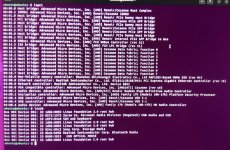
What would be more helpful is if you provided a copy of the system ACPI tables from your system. They can be obtained from Linux by following the guide linked below.
Here is an OpenCore 1.0.7 EFI folder created for your Benico Mini PC. This EFI is based on the information I obtained from the various sites that have reviewed this mini PC. Your system may not be an exact match, but it should be close enough for you to boot to the Tahoe macOS installer.
I am not sure if the NVME drive in your Mini PC is compatible with macOS. We will have to see how that goes.
The Realtek WiFi & Bluetooth card are not natively compatible with macOS. I don't know if there are any kexts or apps that will work with this card, so I have not provided any kexts, patches or entries to see about getting it to work in this EFI.
You will have to rely on your Realtek LAN port for internet access.
I see that you are using Ubuntu on the system, is this a live CD/USB or a bare metal installation on the NVME drive? I ask because if you plan to dual boot the system with macOS and Ubuntu you will need to install macOS first and then add Ubuntu to a different partition on the drive for OpenCore to work correctly. See this guide for dual booting on a Hack.
The EFI has been kept simple and should work as it is without any additional edits. Just rename the EFI-MiniPC folder to EFI, don't change or add anything else.
Post a photo of the verbose text if it stalls or kernel panics before reaching the macOS Installation wizard.
Assumptions:
You know how to create a bootable macOS Tahoe USB drive.
You can backup and save your Ubuntu data before you start.
This site uses cookies to help personalise content, tailor your experience and to keep you logged in if you register.
By continuing to use this site, you are consenting to our use of cookies.
Sure, ad-blocking software does a great job at blocking ads, but it also blocks some useful and important features of our website. For the best possible site experience please take a moment to disable your AdBlocker.