macOS Installation error after successful boot

ehsan

New member
AMD OS X Member
May 27, 2020
9
1
3
I followed https://dortania.github.io/OpenCore-Desktop-Guide/AMD/zen.html procedure.
At the first I had issue with the PCI which has been fixed by npci=0x2000 flag.
finally I got to the 10.15.4 installation.
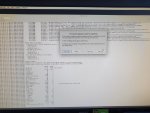
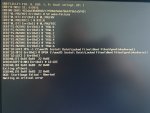
I done the the first installation part but after first reboot I'm getting macOS Installation Couldn’t Be Completed error. I saved the logs from the error message and I've attached that here.
I tried lot's of flags and drivers but nothing has helped me so far.
I've seen some threads at Reddit about the problem with MSI Radeon cards and installed the MAC via a different card and then swapped that back. is that the case?
Is there anyway to pass this installation step as I don't have any spare card?

I've used lasted version of OC (0.5.8), drivers and kexts.

Thanks

My Rig :
Asus TUF X570 Plus Wifi
Ryzen 3700X
MSI 5700 Gaming X
RAM 32GB GSkill 3200
SSD WD SN750 500GB


Update 27 May 20: I tested that with 10.15.3 installer and same issue.

With 10.15.5 Installer I got kernel panic that I think that's not supported by OC yet.

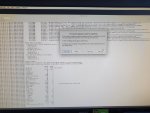
Update 28 May 20: Error image attached
 

Attachments
Last edited:
I still have the issue. Can anybody help me with that?
 
A few things looking through your config.plist:
Unless you patched your DSDT remove it. You are already setting the layout in the boot-args, remove all DeviceProperties. Also, you have a lot of kexts added I never heard of, maybe try with only the basic ones (Lilu, VirtualSMC, WhateverGreen). The NullCPUPowerManagement one you don't need since you've already enabled DummyPowerManagement.

Also try different USB ports.
 
A few things looking through your config.plist:
Unless you patched your DSDT remove it. You are already setting the layout in the boot-args, remove all DeviceProperties. Also, you have a lot of kexts added I never heard of, maybe try with only the basic ones (Lilu, VirtualSMC, WhateverGreen). The NullCPUPowerManagement one you don't need since you've already enabled DummyPowerManagement.

Also try different USB ports.

Thanks for your response.

Firstly I started with a clean config file and added them all one by one to find the workaround, but nothing changed.

I will try again with a clean basic config on a different USB port and will update here.
 
I've done all the steps again with a clean config.plist which is attached.

I used a brand new USB 3 flash drive this time on a different USD port.

As before the first boot everything went well and I formatted the drive as APFS and installed the Catalina. It rebooted for the second part and the booting process is fine but at the first of MacOS Installation was fine I got similar MacOS Installation error.

My problem is not in the boot process but is some issue in the installation part!

I'm looking forward for your solutions.
 

Attachments

Did you notice this right at the top of the log? 08:525 00:015 OC: Failed to add ACPI SSDT-EC-USBX-DESKTOP.aml - Invalid Parameter
 
Yes, I removed that on next reboot but same result.

I've found this error that I think could be relevant as just after that Crash Log Viewer launched.

Do you think the issue could be with my nvme SSD?

Code:
May 28 07:21:34 iMac-Pro OSInstaller[631]: X file:///Volumes/MACOSX/: Missing SystemVersion.plist

...

May 28 07:21:34 iMac-Pro Unknown[650]: Launching the Installer Crash Log Viewer


I'll try to install again on a SATA drive.
 
I tried with SATA and even USB drives but same error.
 
The crash seems to be GPU related. Try booting with the boot arg -wegnoegpu

You can remove it once installed.
 
  • Like
Reactions: Toslim
The crash seems to be GPU related. Try booting with the boot arg -wegnoegpu

You can remove it once installed.

Thanks Shaneee for your advice.

I tried your recommended arg to disable egpu but I got the attached error message.
 

Attachments

Something else must have changed. Only adding the boot arg wouldn't have caused that error.
 
Something else must have changed. Only adding the boot arg wouldn't have caused that error.
Thanks!!!

You are completely right about both errors. the second error was because I was choosing another hard disk which had a faulty install before.

and
Code:
-wegnoegpu
fixed my boot issue. But I need to remove that after second boot.

Now everything is working perfectly on my mac. All USB ports. Audio. HDMI and even onboard Bluetooth except for WiFi which is a well-known issue with Intel Wireless cards.

Performance is similar to windows on both CPU and GPU.

Amazing!!! Thank you for your great advice :)
 
  • Like
Reactions: Shaneee
Thanks!!!

You are completely right about both errors. the second error was because I was choosing another hard disk which had a faulty install before.

and
Code:
-wegnoegpu
fixed my boot issue. But I need to remove that after second boot.

Now everything is working perfectly on my mac. All USB ports. Audio. HDMI and even onboard Bluetooth except for WiFi which is a well-known issue with Intel Wireless cards.

Performance is similar to windows on both CPU and GPU.

Amazing!!! Thank you for your great advice :)

Hi first! I have similar hardware and I encountered the error you encountered. However, I did not fully understand its solution. I used the -wegnoegpu argument, but it gets stuck on the black boot screen. I would be glad if you explain in detail how you solved the problem. Thanks.
 
Hi first! I have similar hardware and I encountered the error you encountered. However, I did not fully understand its solution. I used the -wegnoegpu argument, but it gets stuck on the black boot screen. I would be glad if you explain in detail how you solved the problem. Thanks.
Can you boot to the Mac Installer without -wegnoegpu argument?
 
  AdBlock Detected
Sure, ad-blocking software does a great job at blocking ads, but it also blocks some useful and important features of our website. For the best possible site experience please take a moment to disable your AdBlocker.