Mac OS install on AMD Ryzen/INTEL (VMWare) Opencore - Improved Performance - Works with Tahoe / Sequoia / Sonoma / etc
- Thread starter tucano2000
- Start date
You are using an out of date browser. It may not display this or other websites correctly.
You should upgrade or use an alternative browser.
You should upgrade or use an alternative browser.

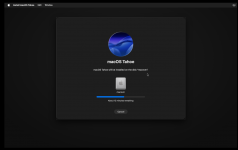
itt worked will glass work its laggy as hell
Attachments
Last edited:
No Liquid Glass will not work, as the VM doesn’t use macOS’s graphics acceleration, I.e. no graphics Passthrough.
You need to read through the guide on the first page, as there are a number of common fixes available for use, which might help with the ‘laggy’ feel.
You need to read through the guide on the first page, as there are a number of common fixes available for use, which might help with the ‘laggy’ feel.

Thanks for your post.
My Device: AMD Ryzen 7 6800
I am trying to install Sequioa on VM Ware.
So I followed your article step by step.
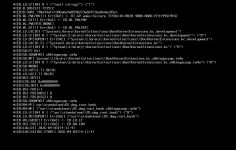
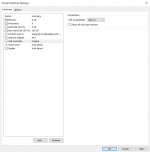
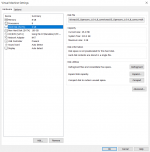
But I am getting error while installation.
It shows error on the first screen (like console).
How to fix it?
Also I am using VM Ware 17 Pro, but I can not see the Tahoe option, macos 15 is the latest support version for VM?
Best regards.
My Device: AMD Ryzen 7 6800
I am trying to install Sequioa on VM Ware.
So I followed your article step by step.
But I am getting error while installation.
It shows error on the first screen (like console).
How to fix it?
Also I am using VM Ware 17 Pro, but I can not see the Tahoe option, macos 15 is the latest support version for VM?
Best regards.
Attachments

Last edited:
No you will need 25h2 for tahoe othervise it wont work also i used dr donk's oc4vm disk not iso and the install process is bad and patch vmwareThanks for your post.
My Device: AMD Ryzen 7 6800
I am trying to install Sequioa on VM Ware.
So I followed your article step by step.
But I am getting error while installation.
It shows error on the first screen (like console).
How to fix it?
Also I am using VM Ware 17 Pro, but I can not see the Tahoe option, macos 15 is the latest support version for VM?
Best regards.
@HACKMACVM_222 Have to ask, why are you posting in this thread if you are using a different method to get the VM up and running?
Shouldn't you be posting your success and any issues on Dr Donk's site?
Shouldn't you be posting your success and any issues on Dr Donk's site?

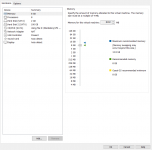
I am stuck in this screen once I click Install Tahoe. what's wrong?
AMD Ryzen 7 6800, 16 Cores ~ 3.2 GHz, DDR5 16GB, RTX 3050
AMD Ryzen 7 6800, 16 Cores ~ 3.2 GHz, DDR5 16GB, RTX 3050
Attachments

Last edited:
i was just trying to help sorry man i just couldnt get the 4core efi from here working@HACKMACVM_222 Have to ask, why are you posting in this thread if you are using a different method to get the VM up and running?
Shouldn't you be posting your success and any issues on Dr Donk's site?
No idea, as I have no idea what do you want to do with macOS!also what is the best macos for me to install
Of the most recent releases, I prefer macOS Sequoia but that is a bare metal installation not a VM.
Your Ryzen 7 6800H (mobile CPU) will have 8-cores and 16-threads. Not 16-Cores.I am stuck in this screen once I click Install Tahoe. what's wrong?
AMD Ryzen 7 6800, 16 Cores ~ 3.2 GHz, DDR5 16GB, RTX 3050
So I would recommend using the 4-core VM OC setup, which leaves you with an equal amount of cores available for the Host OS (Windows).
At least you only allocated half the RAM that is available to the VM.
Have you followed the guidance in this thread correctly?
Are you using the latest VM files for Tahoe?
Did you download the macOS Tahoe ISO from the link in the first post or did you create your own?
i dont know why youre angry but i am doing this to learn stuff and honestly this forum is better than half of youtube
If I was angry I would have made that clear. I definitely wouldn't be responding to your whiny posts.i dont know why youre angry but i am doing this to learn stuff and honestly this forum is better than half of youtube
If you follow the guide by @tucano2000 in the first post and make the edits recommended in the subsequent posts you should have a working macOS VM.
If you deviate from the guide, then you are the cause of your issues. Simple really. The guide and processes outlined work if you stick to them.
Thanks for your advice.Your Ryzen 7 6800H (mobile CPU) will have 8-cores and 16-threads. Not 16-Cores.
So I would recommend using the 4-core VM OC setup, which leaves you with an equal amount of cores available for the Host OS (Windows).
At least you only allocated half the RAM that is available to the VM.
Have you followed the guidance in this thread correctly?
Are you using the latest VM files for Tahoe?
Did you download the macOS Tahoe ISO from the link in the first post or did you create your own?
I followed the guide correctly.
My Tahoe, I downloaded from the mentioned URL (9 files from google drive).
Could you let me know core-4 vmdk download url for Tahoe?
Post #701 at the top of this page has the AMD 4-core vmdk, which works with Tahoe.
Just make sure you read the guide and follow the optimisation instructions in section 8 of the first post in this thread.
Just make sure you read the guide and follow the optimisation instructions in section 8 of the first post in this thread.