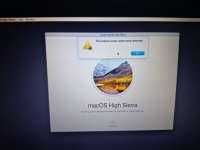
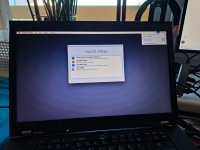
Hello, today I would like to share my success in installing Catalina and High Sierra in my T520.
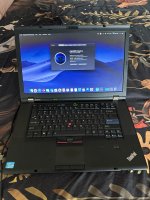
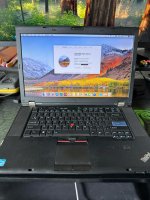
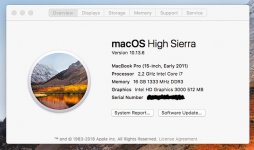
Specs of my T520:
-i7-2640M 2.80GHz Sandy Bridge
-16gb ddr3-1333MHz
-256gb SSD
-Intel HD 3000 + Nvidia NVS4200M (not used)
-Trackpad and keyboard mouse work, and surprisingly multitouch in trackpad also works.
I managed to get it working well enough. Graphics card detected although some small glitches occur here and there. (for Catalina)
Bluetooth and wifi work as well as airdrop and airplay.
High Sierra works fantastically, very fast, no glitches. Wifi, Bluetooth, trackpad and keyboard all detected.
I didn't use the dosdude1 High Sierra patcher as it's not needed for this Laptop.
The T520 has a wifi card that isn't supported by MacOS. Therefore a new Broadband wifi card needs to be installed. I used BCM94352HMB.
But first, a whitelisted bios needs to be installed. First update Bios to 1.49 and then flash the new modded one. (Only works through Windows 7!) <- important
Bios settings that worked for me:
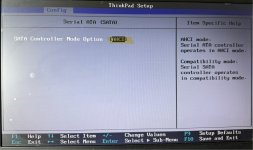

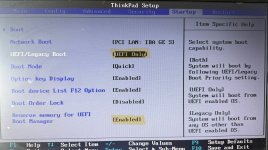
The rest leave as default.
Just make sure you use the Catalina Patcher: https://dosdude1.com/catalina/ to create the installation media.
I'll include my EFI files to download (to use please generate a System Serial Number as there isn't one).
I use OpenCore Auxiliary Tools.
For any questions I am happy to answer.
Specs of my T520:
-i7-2640M 2.80GHz Sandy Bridge
-16gb ddr3-1333MHz
-256gb SSD
-Intel HD 3000 + Nvidia NVS4200M (not used)
-Trackpad and keyboard mouse work, and surprisingly multitouch in trackpad also works.
I managed to get it working well enough. Graphics card detected although some small glitches occur here and there. (for Catalina)
Bluetooth and wifi work as well as airdrop and airplay.
High Sierra works fantastically, very fast, no glitches. Wifi, Bluetooth, trackpad and keyboard all detected.
I didn't use the dosdude1 High Sierra patcher as it's not needed for this Laptop.
The T520 has a wifi card that isn't supported by MacOS. Therefore a new Broadband wifi card needs to be installed. I used BCM94352HMB.
But first, a whitelisted bios needs to be installed. First update Bios to 1.49 and then flash the new modded one. (Only works through Windows 7!) <- important
Bios settings that worked for me:
The rest leave as default.
Just make sure you use the Catalina Patcher: https://dosdude1.com/catalina/ to create the installation media.
I'll include my EFI files to download (to use please generate a System Serial Number as there isn't one).
I use OpenCore Auxiliary Tools.
Catalina (works).zip is the Catalina compatible EFI file. With this you can update to the last version which is 10.15.8
High Sierra (works).zip is the High Sierra safe EFI file which I tested successfully.
For any questions I am happy to answer.
Attachments

Last edited: