Kernel Error on Sonoma

AliKurt1337

New member
AMD OS X Member
Sep 6, 2020
12
0
1
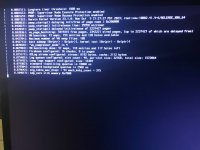
I try to boot up the "MacOS Installer" option from the boot menu it alwas gets stuck at kdp_core zlib memory 0x7000.

with the same configuration loads normally into the installation Monterey
photo_2023-10-29_02-49-12.jpg
PC specs:
msi b350m gaming pro
Ryzen 3500x
RX 5500x
16GB RAM
Realtek RTL8111H
Realtek ALC887
 

Attachments

Last edited:
Replace the AMD kernel patches in your config.plist, as you only have 21 patches present, when the latest AMD Kernel Patches consist of 22 x patches.


Fix the Intel Bluetooth kexts for Monterey or newer, as instructed in the link below.

# What additional steps should I do to make Bluetooth work on macOS Monterey and newer
 
I've already tried patches, but it didn't help.

Generic" I deleted before posting here, it is available on the flash drive.
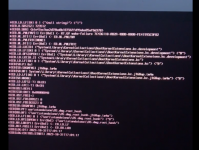
image.png


Now I tried it without npci=0x200 with the following flags, the result is the same

-v keepsyms=1 agdpmod=pikera debug=0x100 unfairgva=1 alcid=2
 

Attachments

Replace the AMD kernel patches in your config.plist, as you only have 21 patches present, when the latest AMD Kernel Patches consist of 22 x patches.


Fix the Intel Bluetooth kexts for Monterey or newer, as instructed in the link below.

# What additional steps should I do to make Bluetooth work on macOS Monterey and newer
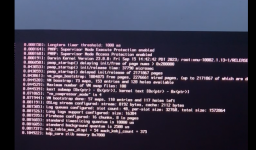
1698748434681.png
 
Replace the AMD kernel patches in your config.plist, as you only have 21 patches present, when the latest AMD Kernel Patches consist of 22 x patches.


Fix the Intel Bluetooth kexts for Monterey or newer, as instructed in the link below.

# What additional steps should I do to make Bluetooth work on macOS Monterey and newer
Updated Intel Bluetooth kexts according to the instructions, same result
 
  AdBlock Detected
Sure, ad-blocking software does a great job at blocking ads, but it also blocks some useful and important features of our website. For the best possible site experience please take a moment to disable your AdBlocker.