help with VMWare MacOS 26 Tahoe (Processor AMD Ryzen 7 7735U with Radeon Graphics, 2701 Mhz, 8 Core(s), 16 Logical Processor(s)

MUDA

New member
AMD OS X Member
Sep 6, 2026
8
0
1
36
Bay Area, California, U.S.A
www.othman-creativity.com
CPU:
Processor AMD Ryzen 7 7735U with Radeon Graphics, 2701 Mhz, 8 Core(s), 16 Logical Processor(s)
Hello,
I have trouble with the "Processor AMD Ryzen 7 7735U with Radeon Graphics, 2701 MHz, 8 Core(s), 16 Logical Processor(s)"
my VMWare Tahoe 26 installation, is not succeeding, I then am in trouble with installing it, I reached the screen of Tahoe installing,
after getting passed the storage addition of the hard drive,
it then just stays stuck on a Macintosh sign, not loading furthermore.

Can someone please help me with this?
Assist even remote?

-Muda.
 
Which method/guide have you used when creating the macOS VM?
 
Oh, I installed it the previous day ago, but it's kind of slow with this MINI PC.
The macOS VM works now.
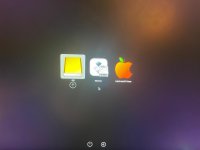
But now I encountered a problem with the macOS installation from the boot manager,
I added all of the files into a USB stick, it does not load, I tried another kind for my Corsair,
it then does load then crashes; difference is a tower PC versus a mini–PC I am handling.
 
Which method/guide have you used when creating the macOS VM?
Can you answer the question? If we don't know which method/guide you used, how can we be expected to be able to help you?

Stick to troubleshooting your Mini-PC. Introducing another system (Corsair) doesn't help anyone.
 
That's a very good guide for an AMD system to run macOS as a VM.

Have you worked your way through the first few pages of the guide, as there are a number of really essential tips contained in the posts on those pages. Reading them might help with the slow speed and other as yet unrealised issues.
 
I need a link of a guide for the Mini-PC "Morefine".

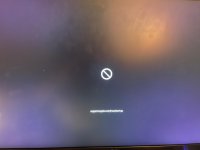
I got to the Open Core, but it does not activate the installer.

The circle slash appears.
2.jpeg
 

Attachments

  • WhatsApp Image 2026-09-08 at 4.11.42 PM.jpeg
    WhatsApp Image 2026-09-08 at 4.11.42 PM.jpeg
    46.6 KB · Views: 1
Last edited:
There's something wrong with the EFI, I tried to ChatGPT it for activity accuracy to then operate the OS to install,
it then fails, each time. Basically, a whole bunch of essay codes that show success but in the end it fails.
 
I'm going through EFI's now, the most recent is this screenshot:
But fails when loading, it does a paragraph of code then does not continue.
The AI is telling me to lower my OS to Sonoma macOS version. 1788936443180.png
 
Why are you asking the AI for information? If you stick to the setup provided in the guide it works.
 
I'm learning how to use AI better, so I suppose it was a feature I was testing.
I will study the guide better.
 
  AdBlock Detected
Sure, ad-blocking software does a great job at blocking ads, but it also blocks some useful and important features of our website. For the best possible site experience please take a moment to disable your AdBlocker.