- Aug 31, 2021
- 31
- 7
- 8
- CPU:
- AMD Ryzen™ 3 2200G with Radeon™ Vega 8 Graphics
* What part I got an issue with:
Once I boot into Opencores Opencanopy and select MAC OS it will boot me back to the BIOS logo and back into the Opencore Picker, this will repeat around 3 to 5 times and then eventually let me in.
I find this strange as I am able to sort of force my way in. However once I am in if I simply shutdown the system the issue re-occurs.
TLDR - Once my EFI was mounted it struggles to open MAC OS in the boot picker. Once MAC OS is open it works as normal until system power off.
* Hardware:
CPU: AMD Ryzen™ 3 2200G with Radeon™ Vega 8 Graphics
GPU: Nvidia GT710 2GB -GDDR5
RAM: 16GB - 2133mhz DDR4
Motherboard Model: ASRock - A320M-HDV R4.0
Screens (1): Samsung Odyssey G5 34" Curved
Screen(s) Resolution: 3,440 x 1,440
Audio Codec: (Realtek ALC887/897 Audio Codec)
Ethernet Card: Realtek Gigabit LAN
Wifi/BT Card: Fenvi fv-t919
Storage:
Samsung 980 1 TB PCIe 3.0 (up to 3.500 MB/s) NVMe M.2 Internal Solid State Drive (SSD) (MZ-V8V1T0BW)
* What guide/tool I followed:

 github.com
 github.com
* What files/config I am using:
Config.plist (Pastbin): https://pastebin.com/gkbqTR34
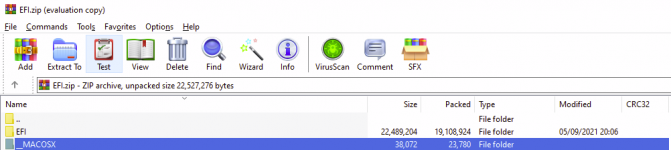
EFI Folder (Google Drive Copy) - Included 3 Debug Files: https://drive.google.com/file/d/17QZtLvw6eZCQ0qX8y_tUpaBVichABG-I/view?usp=sharing
Debug Files (Both two failed boots and one pass): https://drive.google.com/file/d/1XuxAz2VLSnNyaO7SA8EkTa2KtzWdSY3s/view?usp=sharing
Kexts:
* Extra Info:
Please note I have yet to sort out hardware accellaration for my Graphics Card & Am yet to sort out DRM for Netlfix or AppleTV+
Feel free to ask me for further information as well as any pictures or videos to further help show the extent of this issue. Thanks for your time reading this, hoping I will get a result soon. Honestly stumped.
Once I boot into Opencores Opencanopy and select MAC OS it will boot me back to the BIOS logo and back into the Opencore Picker, this will repeat around 3 to 5 times and then eventually let me in.
I find this strange as I am able to sort of force my way in. However once I am in if I simply shutdown the system the issue re-occurs.
TLDR - Once my EFI was mounted it struggles to open MAC OS in the boot picker. Once MAC OS is open it works as normal until system power off.
* Hardware:
CPU: AMD Ryzen™ 3 2200G with Radeon™ Vega 8 Graphics
GPU: Nvidia GT710 2GB -GDDR5
RAM: 16GB - 2133mhz DDR4
Motherboard Model: ASRock - A320M-HDV R4.0
Screens (1): Samsung Odyssey G5 34" Curved
Screen(s) Resolution: 3,440 x 1,440
Audio Codec: (Realtek ALC887/897 Audio Codec)
Ethernet Card: Realtek Gigabit LAN
Wifi/BT Card: Fenvi fv-t919
Storage:
Samsung 980 1 TB PCIe 3.0 (up to 3.500 MB/s) NVMe M.2 Internal Solid State Drive (SSD) (MZ-V8V1T0BW)
* What guide/tool I followed:
Releases · acidanthera/WhateverGreen
Various patches necessary for certain ATI/AMD/Intel/Nvidia GPUs - acidanthera/WhateverGreen
github.com
GitHub - acidanthera/AppleALC: Native macOS HD audio for not officially supported codecs
Native macOS HD audio for not officially supported codecs - acidanthera/AppleALC
github.com
* What files/config I am using:
Config.plist (Pastbin): https://pastebin.com/gkbqTR34
EFI Folder (Google Drive Copy) - Included 3 Debug Files: https://drive.google.com/file/d/17QZtLvw6eZCQ0qX8y_tUpaBVichABG-I/view?usp=sharing
Debug Files (Both two failed boots and one pass): https://drive.google.com/file/d/1XuxAz2VLSnNyaO7SA8EkTa2KtzWdSY3s/view?usp=sharing
Kexts:
- AppleALC
- AppleMCEReporterDisabler
- Lilu
- NVMeFix
- RealtekRTL8111
- RestrictEvents
- RTCMemoryFixup
- VirtualSMC
- WhateverGreen
* Extra Info:
Please note I have yet to sort out hardware accellaration for my Graphics Card & Am yet to sort out DRM for Netlfix or AppleTV+
Feel free to ask me for further information as well as any pictures or videos to further help show the extent of this issue. Thanks for your time reading this, hoping I will get a result soon. Honestly stumped.