Another recent build I have been playing with over the last month. This time an Asus AM5 build using the following components:
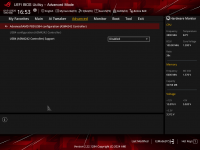
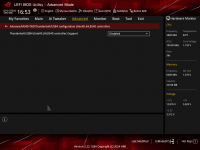
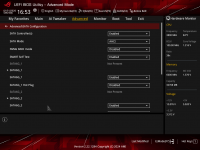
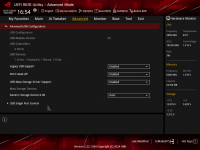
Obviously, the Mediatek WiFi & Bluetooth module doesn't work, which was to be expected.
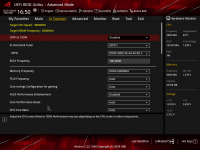
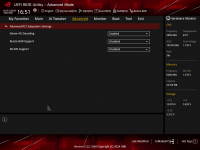
There was hope that as Apple were using a Mediatek WiFi/BT card in their new MacBook Neo that the more commonly available Mediatek cards would also be supported. But to date (16/03/2026) that hasn't turned out to be the case. So I have disabled the Mediatek card in the Bios and added a compatible PCIe Broadcom WiFi/BT card.
Creating the OpenCore EFI took some patience and research as this motherboard doesn't match with some of the other AM5 boards as well as I had hoped. But with some trial and error I ended up with the working OpenCore 1.0.6 EFI folder shown and attached below.
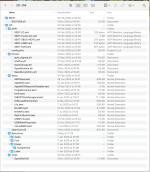 EFI-106 contents as viewed in Finder
The SSDT's are all custom generated using the System ACPI tables and Corpnewt's SSDTTime script, along with the accompanying ACPI > Patch in the config.plist for the XOSI table.
When installing Sequoia I didn't need the apfs_aligned.efi driver, this has only just been added to the setup, as I am about to install Tahoe 26.3.2 on the SN770 drive (separate partition).
The Kexts folder contains a number of OCLP entries, as these are required for the Broadcom WiFi to work in Sonoma and Sequoia. I will have to look at whether I can be bothered to jump through the hoops required for getting the Broadcom WiFi working in Tahoe, once I have it installed.
The USB Port Discovery for this motherboard was undertaken in Windows 11, using USBToolBox Tool.
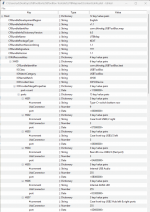
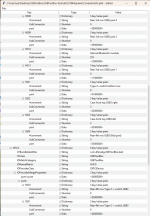
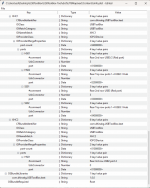
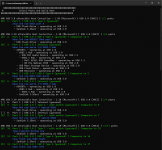
Here are are few Hackintool & System Information screenshots showing the working configuration.
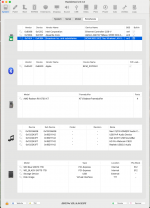 Hackintool > System > Peripherals tab
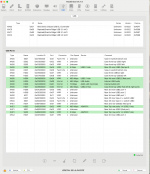 Hackintool > USB tab
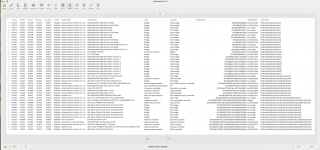 Hackintool > PCIe device tab
 System Information > Bluetooth report
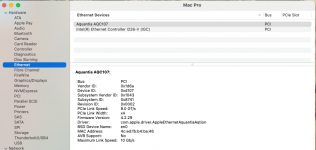 System Information > Ethernet report
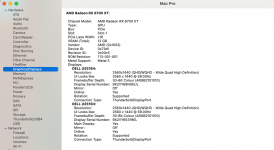 System Information > Graphics/Displays report
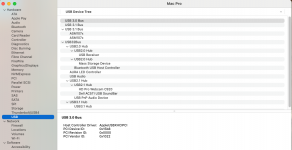 System Information > USB report
 System Information > Network report
Anyway, hope this is of help to others with the same or similar setup.
I have removed the SMBIOS data from the config.plist, but left everything else as I use it for my setup.
- Case: Fractal Design R5 (White)
- MB: Asus ROG STRIX B650E-F Gaming WiFi
- Intel Ethernet i226-V
- Realtek USB audio
- 3 x M.2 NVMe connectors
- 1 x M.2 WiFi/BT connector (Mediatek MT7922 disabled in bios)
- CPU: Ryzen 7 9700X (8-core/16-threads)
- GPU: PowerColor RX 6700 XT 12 GB
- RAM 32GB (5200 MHz) EXPO
- NVMe 1: WD Black SN770 1TB (MacOS Sequoia & soon Tahoe)
- NVME 2: WD Blue SN570 1TB (Windows 11)
- LAN 2: Aquantia/Marvell AQC107 10G NIC
- WiFi/BT: Broadcom BCM43602 on PCIe adapter
- DVD: Optiarc DVD Writer
- Mobile Rack: Icy Dock ExpressCage MB322SP-B (2 x 2.5" bays)
- Card Reader: Akasa AK-ICR-07 Internal Card Reader (within ExpressCage)
Obviously, the Mediatek WiFi & Bluetooth module doesn't work, which was to be expected.
There was hope that as Apple were using a Mediatek WiFi/BT card in their new MacBook Neo that the more commonly available Mediatek cards would also be supported. But to date (16/03/2026) that hasn't turned out to be the case. So I have disabled the Mediatek card in the Bios and added a compatible PCIe Broadcom WiFi/BT card.
Creating the OpenCore EFI took some patience and research as this motherboard doesn't match with some of the other AM5 boards as well as I had hoped. But with some trial and error I ended up with the working OpenCore 1.0.6 EFI folder shown and attached below.
EFI-106 contents as viewed in FinderThe SSDT's are all custom generated using the System ACPI tables and Corpnewt's SSDTTime script, along with the accompanying ACPI > Patch in the config.plist for the XOSI table.
When installing Sequoia I didn't need the apfs_aligned.efi driver, this has only just been added to the setup, as I am about to install Tahoe 26.3.2 on the SN770 drive (separate partition).
The Kexts folder contains a number of OCLP entries, as these are required for the Broadcom WiFi to work in Sonoma and Sequoia. I will have to look at whether I can be bothered to jump through the hoops required for getting the Broadcom WiFi working in Tahoe, once I have it installed.
The USB Port Discovery for this motherboard was undertaken in Windows 11, using USBToolBox Tool.
- This generated a custom UTBMap.kext that was compatible with Sequoia and earlier.
- The USBPorts.kext currently in the /EFI/OC/Kexts folder was created once I had booted in to macOS Sequoia, to create a Tahoe compatible USB configuration.
- So this is what I am currently using.
- The ports on the rear I/O plate will remain the same for anyone else with this motherboard.
- The only ports that would change are those served from the Internal USB2, USB3 and Type-C headers.
Here are are few Hackintool & System Information screenshots showing the working configuration.
Hackintool > System > Peripherals tab Hackintool > USB tab Hackintool > PCIe device tab System Information > Bluetooth report System Information > Ethernet report System Information > Graphics/Displays report System Information > USB report System Information > Network reportAnyway, hope this is of help to others with the same or similar setup.
I have removed the SMBIOS data from the config.plist, but left everything else as I use it for my setup.
- You will need to add your own SMBIOS data (MacPro7,1 is recommended).
- You will need to edit the AMD Core count kernel patches to match your CPU.
- You can remove the Aquantia Kernel patches if you don't have an AQC107 or AQC113 NIC installed.
- You can remove the OpenCore Legacy Patcher kexts and config.plist entries if you are not using a Broadcom WiFi card.