Hi, I'm stuck with a install and I've run out of ideas, so here's everything I've tried. Maybe someone has seen this exact behaviour.
I use SMBIOS MacBookPro16,2, OpenCore 1.0.7, OpenCore itself boots from a USB stick
and the installation image itself—from the raw partition directly off the NVMe drive.
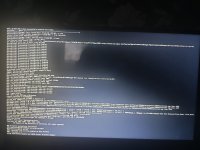
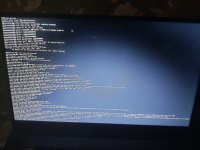
The kernel starts, verbose output runs for a while, then it just dies. No panic text, no reboot, the cursor stops blinking and the machine is dead. The line it dies on is different every time, examples are shown in the photos attached to the topic.
I have a question for anyone who has encountered the same or a similar problem with my hardware: how did you resolve it, and what is your UMA/VRAM capacity?
Is this problem related to the graphics in some way, or is it deeper than I think?
Oh, right I’ll also provide the
I use SMBIOS MacBookPro16,2, OpenCore 1.0.7, OpenCore itself boots from a USB stick
and the installation image itself—from the raw partition directly off the NVMe drive.
The kernel starts, verbose output runs for a while, then it just dies. No panic text, no reboot, the cursor stops blinking and the machine is dead. The line it dies on is different every time, examples are shown in the photos attached to the topic.
I have a question for anyone who has encountered the same or a similar problem with my hardware: how did you resolve it, and what is your UMA/VRAM capacity?
Is this problem related to the graphics in some way, or is it deeper than I think?
Oh, right I’ll also provide the
config.plist, use repomix to show the structure of my flash drive, and—even though it’s already included in the repomix file—I’ll provide the latest log file (the one where I’m currently stuck) separately as well.