hey all, first hackintosh...
got all my parts together finally and am having trouble getting install working.
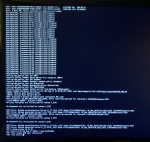
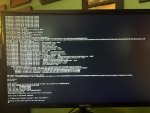
followed opencore guide. ran into first error. am failing in the ACPI section i think... tried to decipher based on opencore troubleshooting docs but I am still a bit lost. see screenshot for where i am failing currently.
hardware: https://pcpartpicker.com/user/h311b3nt/saved/#view=7BzH23
gigabyte x570 AORUS elite, updated firmware to v30
ryzen 3700x
gigabyte radeon 5700xt gpu,
samsung nvme 970
fenvi 1750 wifi/bluetooth card
sanity check output -> https://opencore.slowgeek.com/?file=amd061ggbjoA&rs=amd061
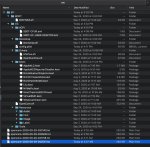
also attached is a screenshot of my EFI folder structure and my config.plist.
got all my parts together finally and am having trouble getting install working.
followed opencore guide. ran into first error. am failing in the ACPI section i think... tried to decipher based on opencore troubleshooting docs but I am still a bit lost. see screenshot for where i am failing currently.
hardware: https://pcpartpicker.com/user/h311b3nt/saved/#view=7BzH23
gigabyte x570 AORUS elite, updated firmware to v30
ryzen 3700x
gigabyte radeon 5700xt gpu,
samsung nvme 970
fenvi 1750 wifi/bluetooth card
sanity check output -> https://opencore.slowgeek.com/?file=amd061ggbjoA&rs=amd061
also attached is a screenshot of my EFI folder structure and my config.plist.
Attachments
Last edited: