Getting Builtin Opencore & No Language options.

riawalker

New member
AMD OS X Member
Jul 31, 2026
1
0
1
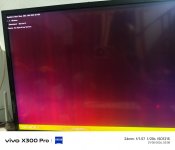
Hi, I tried to install MacOS Sequoia on my Beelink EQR5 Ryzen 5650U, to my surprise it landed me to command line option selector rather than the full gui one (created efi with opcore-simplify. Also, it didn't ask me for language selection and directly landed to recovery page. Are these things normal?
ive attached pics i should be getting 2nd gui one but it shows me the first one only no matter how much i tried with different mac os versions
 

Attachments

  • IMG_20260801_030855.jpg
    IMG_20260801_030855.jpg
    63.7 KB · Views: 3
  • Screenshot_20260801_031036.jpg
    Screenshot_20260801_031036.jpg
    26.8 KB · Views: 3
The first image with the Text list is normal, when the OpenCore Picker List is used. As it is only showing the Windows disk I can only assume you haven’t created the macOS installation USB correctly.

I can’t read the text below the icons in the second screen image, so have no idea what options are available other than the Windows drive.

Setting OpenCore to use the GUI in place of the Text based Picker List is fairly simple, see the guide linked below.

 
  AdBlock Detected
Sure, ad-blocking software does a great job at blocking ads, but it also blocks some useful and important features of our website. For the best possible site experience please take a moment to disable your AdBlocker.