broadcom 94352z big sur issue

mjgha

Member
AMD OS X Member
May 4, 2020
39
6
8
CPU:
AMD Ryzen 7 3700x
Help!

Updated my opencore to 0.6.6 and am now running the latest big sur update 11.2.2 and i am having a problem now with Bluetooth. Chip set brcm94352z. To get the wifi to work i had to remove the AirPortBrcm4360_Injector. Wifi is up and running now but still no bluetooth.

Any ideas?

Ive added a debug log dont know if this would help...
 

Attachments

Last edited:
This may be of some assistance,
 
No luck, went through every step as in the video... No luck for bluetooth... just the wifi working

I have added my EFI below.

Also see boot log.. I have tried to make another clean OC 6.6 but still no luck.. It the bluetooth injector is causing some soort of wake failure at first.
 

Attachments

Last edited:
What motherboard? It could be a USB issue as I'm assuming the BT uses an internal USB 2.0 connecter.
 
MB: Asus Rog Strix X470-I

I took a picture of my in hackintool usb setup. This is when i was running oc 6.4. Now it doesnt show the BCM20702A0 anymore on 6.6.


Screenshot 2021-02-26 at 17.37.17.png
 
Is that with the ports mapped?
 
No, this is without the port mapped. Never have had to.
 
You may need to for the internal USB headers. Without it my system doesn't see them correctly.
 
Yeah you can use that. There’s also a guide on Dortania.
 
Made this through hackintool. How do I know in the end what i can remove internally. I show in previous message in green you saw the External USB that were showing but do not know what i could remove internally.

Any how i have injected this kext but not luck for the bluetooth registering/recognizing...
 

Attachments

Day by day learning more! Thank you @Shaneee . For now have not managed yet the complete mapping but adding the SSDT RHUB has already unlocked the missing USB and now bluetooth is back. Will now try to Map properly during the weekend. heading towards the correct direction.
 
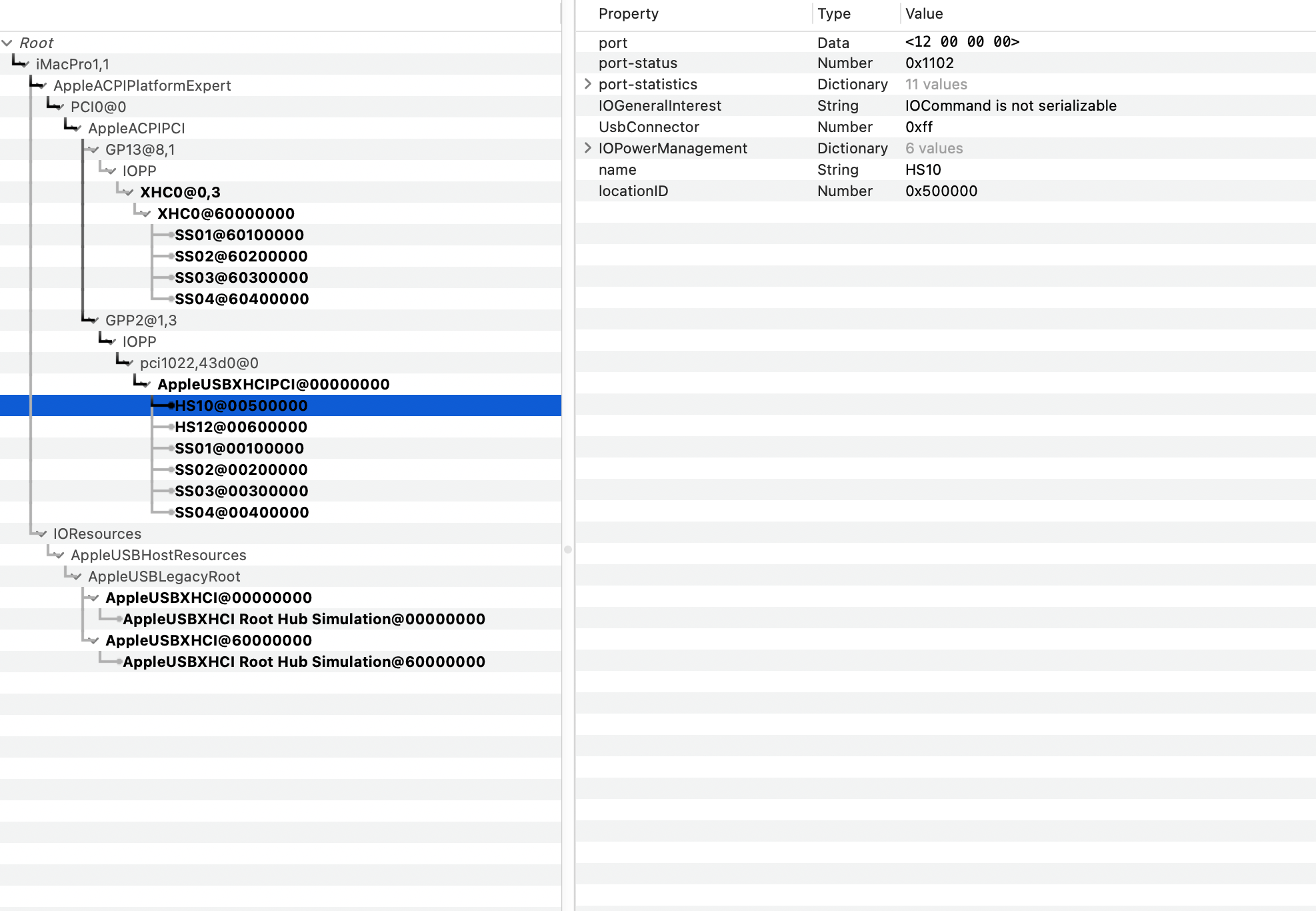
Would just like the run the follow by you.. I have allocated the Bluetooth port at a type 255. Is the Port-status as shown in the image correct for a type 255. For USB this was very clear. Just did not know if is suppose to look like this for internal type 255.

Thanks.

 
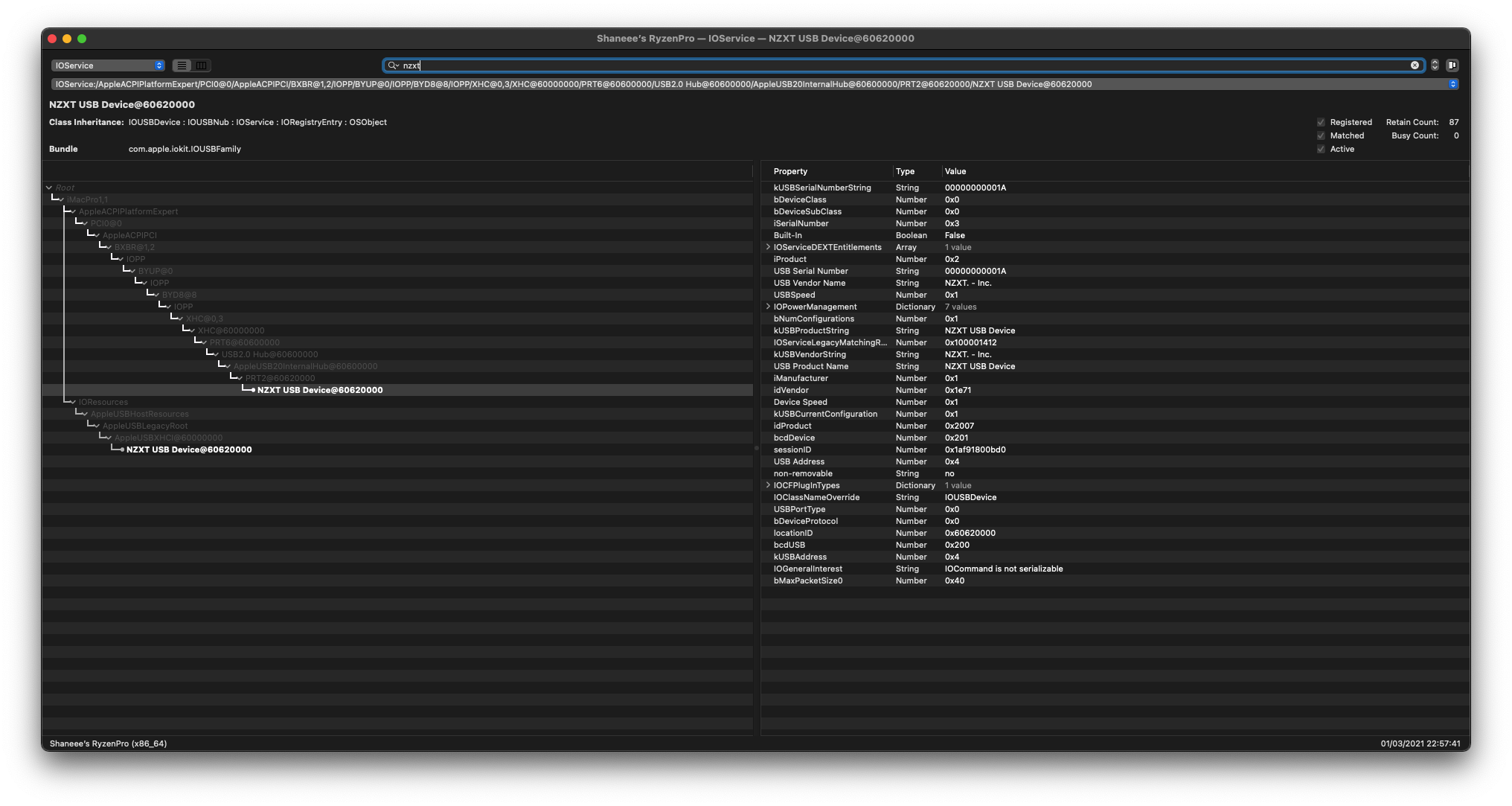
That looks somewhat correct yes. Is it working now? Here is an internal USB 2.0 port on my system,


Yes got it to work, thanks for the guidance.
 
  • Like
Reactions: Shaneee
  AdBlock Detected
Sure, ad-blocking software does a great job at blocking ads, but it also blocks some useful and important features of our website. For the best possible site experience please take a moment to disable your AdBlocker.