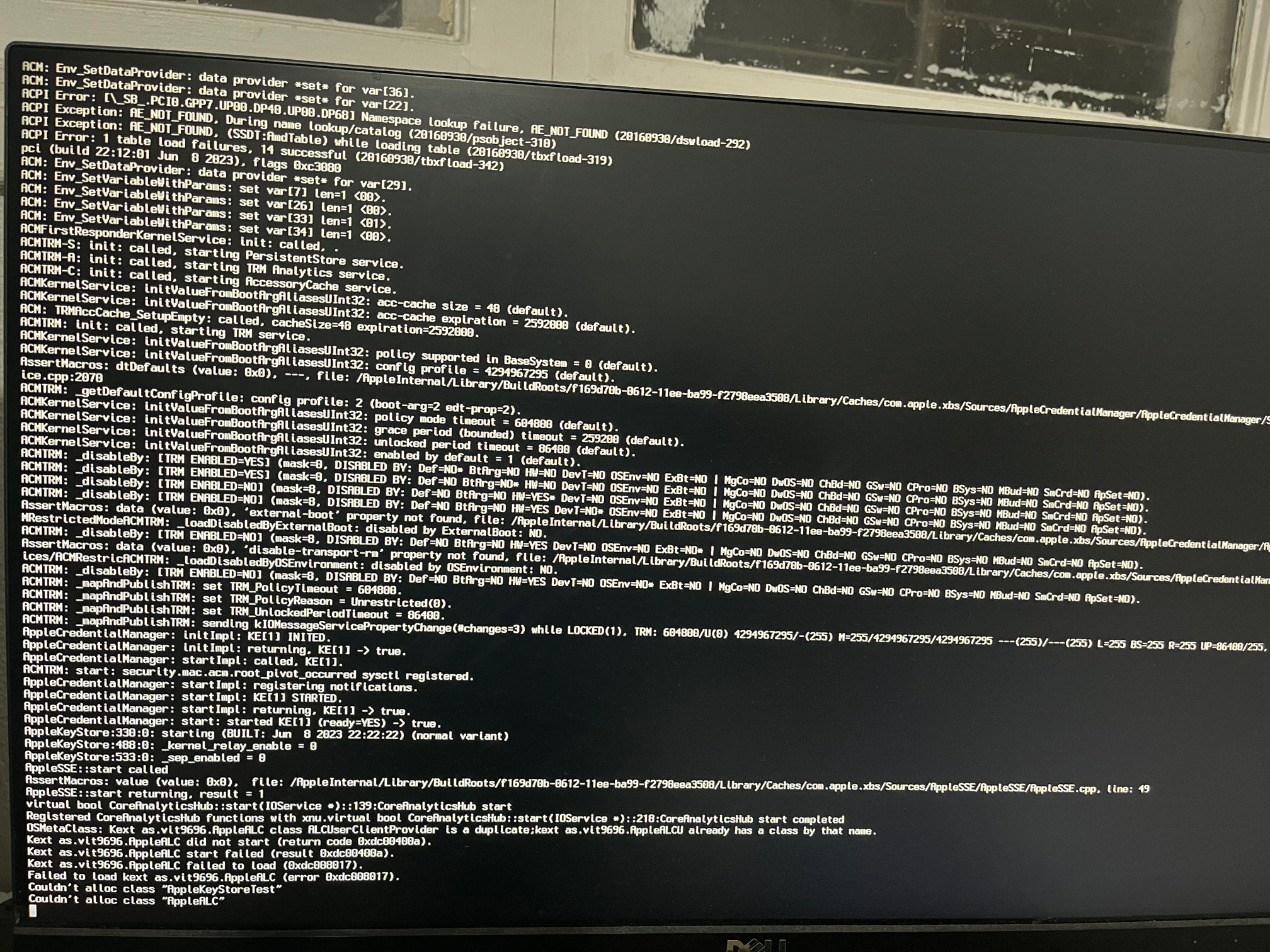
This is as far as I can get with the installation, what's the next move to debug?
if run in non-verbose mode, it fill the init progress bar up to 50%.. takes a few minutes to get there, seems to hang.
in verbose mode, it prints the following very quickly and seems to hang.
EFI below, I've also tried using nv_disable=1 in boot-args, since the machine is installed with 2080ti GPU (don't expect any acceleration), same result.
Try the revised EFI attached and see if this gets you any further.
Observations:
You don't say which version of macOS you are trying to install.
You weren't using the latest AMD Kernel Patches.
Your config.plist listed a number of SSDT's that aren't/weren't present in your OC setup.
You had AppleALCU.kext in your setup, when you don't have a USB audio device!
USBToolBox.kext does nothing on its own. You need to generate/create a UTBMap.kext containing your systems USB configuration to accompany the Tool Box kext.
You had a DSDT.aml in the ACPI folder, why? The Dortania guide explicitly states not to do that.
You don't say which AMD graphics card you are going to be using, but have the boot argument for a Navi/Big Navi GPU in your config.
The NVIDIA GPU is a waste of time and effort and you don't have the nv_disable=1 boot argument in your OC setup.
I assume you obtained the EFI you attached above from someone online.
About the only thing correct with the config was the edits to the AMD Kernel patches for your 16-core CPU.
This site uses cookies to help personalise content, tailor your experience and to keep you logged in if you register.
By continuing to use this site, you are consenting to our use of cookies.
Sure, ad-blocking software does a great job at blocking ads, but it also blocks some useful and important features of our website. For the best possible site experience please take a moment to disable your AdBlocker.